


Studio Desk article
The Ultimate Guide to Studio Desk
Everything a studio desk needs to get right — from monitor geometry to cable management — explained by someone who has mixed from behind plenty of them.
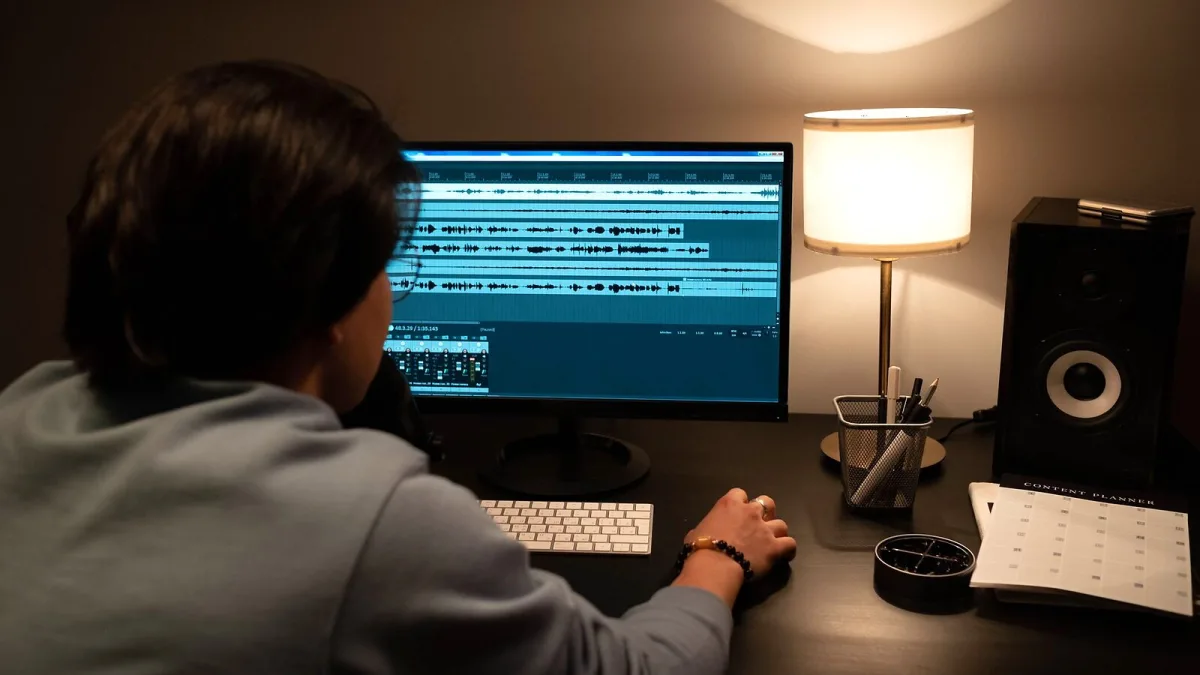
A studio desk is the one piece of furniture that touches everything else in your room — the monitors sit on it, the keyboard lives on it, the interface and rack gear hide inside it, and every cable you own eventually has to find its way across or behind it. Get it right and the rest of the setup falls into place. Get it wrong and no amount of acoustic treatment will fix a listening position that was never correct to begin with. This guide walks through what it actually needs to do, the features worth having, and the trade-offs behind fixed, modular and sit-stand designs.
What Is a Studio Desk, Exactly?
An office desk is built for a keyboard, a monitor and some paperwork. It has a harder job: it has to support a computer display, a pair of nearfield monitors, an audio interface, a MIDI keyboard or pad controller, possibly a control surface, headphone amp and outboard rack gear — all at once, all wired together, and all positioned so the room still sounds correct. That last part is the bit an office desk was never asked to do.
Think of it as infrastructure rather than furniture. It sets your monitoring geometry, your reach to the controller, and how much of your cabling stays tidy instead of turning into a rat's nest under your feet.
The Anatomy of a Good Studio Desk
Most dedicated desks share a handful of features, though not every one needs all of them:
- A recessed or raised keyboard tier — keeps a MIDI keyboard within easy reach without crowding the main desktop.
- A monitor shelf or bridge — raises the speakers above the desk surface, though this only helps if it doesn't force poor spacing (more on that below).
- Rack bays — 19-inch rails for an interface, preamp, compressor or patchbay.
- Cable routing — trays, grommets and channels that separate power from signal.
- A stable, non-resonant top — so the desk itself doesn't colour what you hear.
Monitor Placement Comes First
Whatever else the desk offers, it has to let you set up your monitors correctly. The standard nearfield arrangement is an equilateral triangle: left and right speakers spaced evenly apart, angled in toward you, with the tweeters roughly at ear height when you're seated. A desk that only leaves room for a narrow central monitor bridge can quietly sabotage this — squeezing the speakers too close together or too high above your ears. As one acoustics-focused buying guide puts it, a studio desk's primary job should still be to let you work properly; it shouldn't be allowed to dictate where you end up sitting in the room.
Isolation matters too. A pair of monitor isolation pads or stands — Auralex's MoPADs and IsoAcoustics' ISO-L8R range are common choices — decouple the speakers from the desktop so cabinet vibration doesn't transfer into the wood and colour the sound. It's a small addition that noticeably tightens up the low end on a resonant desk.
Keyboard and Control Surface Height
A comfortable keyboard height keeps your shoulders relaxed and your wrists roughly level — figures commonly quoted are around 65–70cm off the floor for the keyboard tier, with seated tweeter height typically landing somewhere around 100–115cm depending on your chair. These are sensible starting points, not fixed rules; your own height and chair will move the numbers around.
Rack Space
Built-in rack bays are genuinely useful for an interface, preamp or headphone amp, but only if you can still reach the controls easily and there's ventilation around anything that runs warm. A rack bay that buries your most-used gear at an awkward angle isn't saving you anything.
Types of Studio Desk
| Type | Best suited to | Trade-off |
|---|---|---|
| Fixed-height | Keyboard, control surface or analogue mixer setups | Simple and rigid, but no flexibility for standing work |
| Sit-stand | Producers who alternate between editing and performing | More cost, and less rigidity at full extension |
| Modular / custom | Large-format mixers, multiple synths, unusual rooms | Built around your exact gear, but slower and pricier to source |
| Ready-made compact | Laptop-based or small home setups | Fast and affordable, but limited growing room |
A fixed desk is usually the more stable and affordable choice, and it's hard to beat for a setup built around a keyboard or a hardware mixer. A height-adjustable frame earns its keep if you genuinely move between sitting and standing through a session — just be aware that raising the desk can quietly shift your monitors out of the correct listening height unless you plan for it.
Cable Management
It accumulates power leads, balanced and unbalanced audio, USB or Thunderbolt, MIDI and speaker cable — often all within reach of each other. Keeping AC power separated from audio cabling, using rear trays or grommets, and leaving slack for anything you'll unplug regularly all pay off the first time you need to troubleshoot a hum or swap a piece of gear without unwiring the whole desk.
Desk Depth and Room Fit
Depth is a genuine trade-off. Too shallow and you're sat too close to your monitors and screen; too deep and the keyboard or interface becomes a stretch, while pushing your listening position further into a room that might not want you there. Measure your actual gear — display width, keyboard footprint, interface depth, monitor stands and the cable bend behind everything — before you commit to a size, and size the desk for the setup you'll realistically grow into, not just what's on the desk today.
What a Desk Can't Fix
It's worth being clear-eyed here: no desk corrects room modes, flutter echo or bad early reflections. That's acoustic treatment's job. What a good desk does is avoid making those problems worse — by not forcing your monitors or your seating position into a bad spot in the first place.
Where This Leaves You
A studio desk is worth taking seriously precisely because it's invisible when it's done right — you stop thinking about where things sit and just get on with the work. If you're weighing up your first purchase, our complete buyer's guide walks through the specs that actually matter, and if you're just starting out, the beginner's guide keeps things simple. For a look at how much you should expect to spend at different budgets, see the best studio desks for the money, and if you'd rather learn from other people's errors, common desk mistakes to avoid is worth five minutes of anyone's time.






Comments