


Rode Nt1a article
Common Rode Nt1a Mistakes to Avoid
Ten easy-to-fix habits that make a Rode NT1-A recording sound worse than it should — and the quick fix for each one.

I've heard a lot of Rode NT1-A recordings that sound worse than they should — not because the microphone is at fault, but because of a handful of habits that are genuinely easy to fix once you know what to look for. Here's what actually goes wrong most often, and the quick fix for each.
1. Forgetting It Needs Phantom Power
This one catches almost everyone once. The microphone is completely silent without 48V phantom power switched on at the interface, which confuses people into thinking the mic is faulty or the cable's dead. Check the phantom power switch before you troubleshoot anything else — it's the single most common cause of "my new microphone doesn't work."
2. Sitting Too Close and Fighting the Proximity Effect
Get closer to almost any microphone and the bass builds up — that's the proximity effect, and it's especially noticeable on a sensitive condenser like this. Sit too close and vocals turn boomy and muddy; sit too far and you lose intimacy and pick up more room noise. Six to eight inches is a sensible starting point, adjusted by ear from there.
3. Blaming the Mic for Sibilance
The Rode NT1-A's bright, detailed top end is one of its strengths, but it can also exaggerate "s" and "t" sounds on certain voices. People often assume this means the microphone is wrong for them, when a small angle adjustment — aiming slightly off-axis rather than dead-on — usually solves it without changing anything else.
4. Ignoring the Room Entirely
A quiet, detailed microphone reveals room noise as readily as it reveals vocal detail. Recording in a bare, reflective room and expecting the microphone to compensate is one of the biggest gaps between "it sounds fine at my desk" and "it sounds fine on playback." You don't need a professional booth — a few soft furnishings and recording away from bare walls makes a real difference.
5. Skipping the Pop Filter, or Using It Wrong
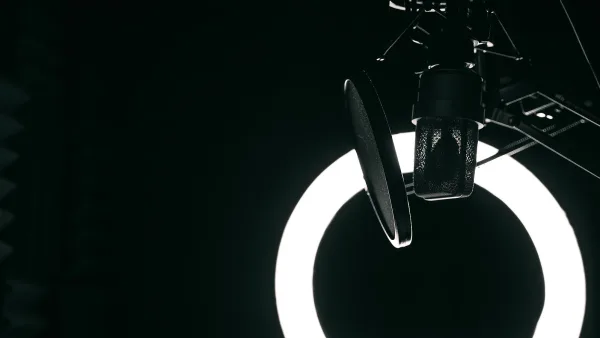
A pop filter that's included in the box but left in its packaging solves nothing. Equally, mounting it too close to the microphone barely helps with plosive bursts of air. It works best positioned a few centimetres in front of the capsule, with the singer a little further back again.
6. Overloading a Loud Source
There's no on-board pad or high-pass filter on this microphone, so a very loud, close-miked source can push the signal harder than expected. The 137 dB maximum SPL is generous for most acoustic sources, but if something sounds distorted or harsh at the source, back off the distance rather than assuming the microphone itself is broken.
7. Confusing It With the Rode NT1
Because the names are so close, people frequently read a review of one microphone thinking it applies to the other. The NT1-A is the brighter, older-voiced design; the newer NT1 has been developed around a more neutral response. If a review's description doesn't match what you're hearing, double-check which model it's actually about.
8. Handling It Carelessly
Touching the capsule, blowing directly into it to "test" it, or leaving it out of its case in a damp or dusty room can all shorten a condenser microphone's working life. Use a stand rather than holding it, store it properly between sessions, and let the shock mount do the job of isolating it from bumps and vibration.
9. Expecting It to Sound Neutral
Some buyers go in expecting a flat, uncoloured response, then feel let down when the Rode NT1-A sounds bright and forward instead. That's not a fault — it's the design. Rode built it to sound present and detailed, not neutral, and that character is exactly why it flatters a lot of voices. If you genuinely need a flatter response for a specific voice or source, that's a reason to choose a different microphone next time, not a sign this one is faulty.
10. Judging It Against the Wrong Comparison
Comparing a raw take from the Rode NT1-A to a fully mixed, mastered commercial track will always disappoint, because that finished track has had compression, EQ and effects applied afterwards. Judge your recordings on clarity and low noise at the source, and save the tonal comparisons for after you've learned to mix.
Quick Reference
| Mistake | Fast fix |
|---|---|
| No sound at all | Check 48V phantom power is switched on |
| Boomy, muddy vocals | Increase distance slightly |
| Harsh "s" sounds | Angle the mic slightly off-axis |
| Noisy-sounding recordings | Address the room, not the microphone |
| Plosive pops | Reposition the pop filter correctly |
Most of these fixes cost nothing but a few minutes of adjustment. If you're still building your setup and want to check you've got the right gear around the microphone in the first place, our complete buyer's guide covers that, and if you're brand new to all this, the beginner's guide walks through the basics at a gentler pace. For the full picture of what the Rode NT1-A is and how it behaves, see our complete overview.




Comments