


Rode Mic article
A Guide to Rode Mic
Rode mic can mean five very different products. Here's the plain-English guide to what each one does, and which suits which recording job.
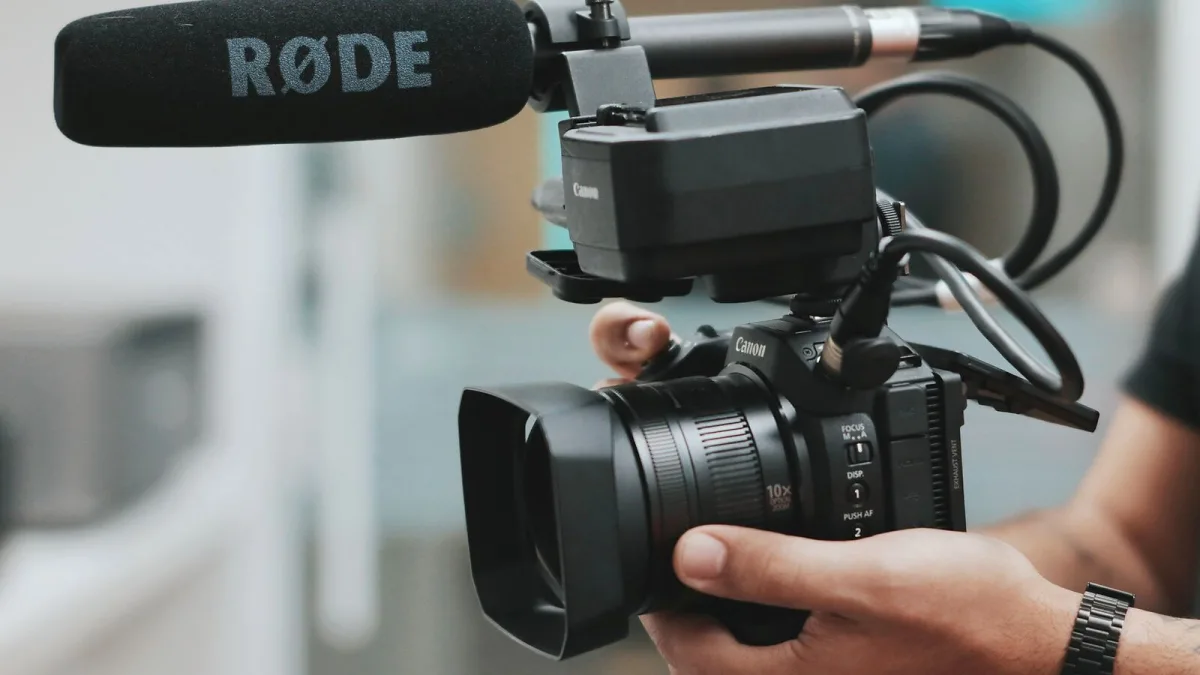
If you've spent any time browsing home studio gear, you'll have run into the name Rode. The Australian manufacturer has become one of the most trusted names in affordable, capable microphones, and a Rode mic is often the first "proper" studio microphone a musician or podcaster buys. This guide walks through what the range actually covers, how the different designs work, and which one suits which job — no marketing fluff, just the practical detail you need before you spend any money.
What Rode Actually Makes
Rode Microphones is an Australian audio manufacturer, and the company states that its premium microphones are built at its own Australian facilities. It has built its reputation on making technically capable microphones accessible to home recordists rather than only to commercial studios.
The range spans several very different jobs: studio condensers for vocals and instruments, broadcast dynamics for speech, USB microphones for plug-and-play recording, and wireless systems for video and location sound. One bought for a particular job won't necessarily suit another, so it pays to know which family you're actually looking at.
The Rode Microphone Range at a Glance
Here's how the main product families break down, in plain terms:
| Model | Type | Best suited to |
|---|---|---|
| NT1 Signature Series | XLR condenser | Vocals, acoustic instruments, general studio work |
| NT1 5th Generation | XLR + USB condenser | Hybrid studio and direct-to-computer recording |
| NT-USB+ | USB condenser | Straightforward computer recording, streaming, voiceover |
| PodMic | Dynamic (broadcast) | Speech, podcasting, some instrument work |
| Wireless GO (Gen 3) / Wireless PRO | Wireless system | Video, interviews, location sound |
The NT1 family sits at the heart of the line-up for music recording. The current NT1 Signature Series is a large-diaphragm cardioid condenser built around a one-inch, gold-sputtered capsule, with roughly 4 dBA of self-noise and the ability to handle sound pressure levels up to around 142 dB before distorting. The newer NT1 5th Generation keeps that XLR output but adds USB connectivity, onboard digital conversion up to 192 kHz, and 32-bit float recording — useful if you want one microphone that works both through a traditional interface and straight into a laptop.
Condenser or Dynamic? The Core Distinction
Every Rode mic falls into one of two broad camps, and understanding the difference will save you from buying the wrong one.
- Condenser microphones (the NT1 family, NT-USB+) are highly sensitive and capture fine detail. They need phantom power — normally 48V supplied by an audio interface or mixer — when run through XLR.
- Dynamic microphones (the PodMic) are less sensitive, need no phantom power, and tend to be more forgiving of an untreated room because their reduced sensitivity picks up less of the space around them.
Neither is objectively "better" — they're built for different jobs. A condenser will flatter a quiet vocal or a well-recorded acoustic guitar; a dynamic will get a usable podcast take in a bedroom with a duvet on the wall.
Polar Pattern and Why It Matters
Most Rode mics in this range use a cardioid polar pattern, meaning they're most sensitive to sound arriving from the front and reject sound from directly behind. That's useful, but it's not a magic shield: a cardioid mic still picks up plenty from the sides and from reflective surfaces in the room. Positioning the rear of the microphone toward your noisiest source — a computer fan, a busy street, a drummer in the next room — genuinely helps.
USB Versus XLR
This is one of the first practical decisions with any microphone purchase in this range. USB models like the NT-USB+ connect straight to a computer, which is brilliant for a solo creator who wants to record without buying an interface. XLR models need that extra box in the chain, but they integrate far more easily into a proper multitrack setup, outboard processing, or a session with several microphones running at once. The NT1 5th Generation splits the difference by offering both connections on one microphone.
If you're weighing this decision in more detail, our complete Rode mic buyer's guide goes through the specs worth checking before you commit.
32-Bit Float: Useful, Not Magic
Some newer Rode models, including the NT1 5th Generation and the Wireless GO (Gen 3), support 32-bit float recording. In plain terms, this gives you a much wider safety margin against clipping when a performance is suddenly louder than expected, because the file format can capture a far greater range of levels without distorting. It's a genuinely useful safety net, but it doesn't fix poor microphone placement, bad gain staging on the analogue side, or a noisy room. Treat it as insurance, not a substitute for getting the basics right.
Wireless Systems: A Different Job Entirely
The Wireless GO (Gen 3) and Wireless PRO shouldn't be judged by the same criteria as a studio condenser. Rode quotes a line-of-sight transmission range of up to 260 metres for both, using 2.4 GHz digital transmission with encryption — useful for video, interviews and location sound, but not really built for fixed multitrack studio tracking. Battery life, radio reliability and onboard recording matter far more here than the transient response that defines a studio microphone.
Which Rode Mic Suits You?
As a rough starting point:
- Recording vocals or acoustic instruments at home: the NT1 Signature Series or NT1 5th Generation.
- Podcasting or voiceover with minimal fuss: the PodMic or NT-USB+.
- Filming, interviews or content that moves around: the Wireless GO (Gen 3) or Wireless PRO.
New to all this and not sure where to start? Our beginner's guide to Rode mics walks through the simplest path in, and if you want specific picks by budget, see the best Rode mics for the money.
The Bottom Line
A Rode mic can mean five very different products, so the real question is never "which one is best" but "which is best for what I'm actually recording." Match the design — condenser or dynamic, USB or XLR, fixed or wireless — to the job, and you'll get a genuinely capable result without overspending. And once you've picked one, it's worth reading up on the common mistakes people make with theirs so you don't undo a good purchase with a poor setup.





Comments