


MIDI Controller article
Common Midi Controller Mistakes to Avoid
Most MIDI controller frustration isn't a hardware fault at all. Here are the seven avoidable mistakes that actually cause it, and the fix for each one.
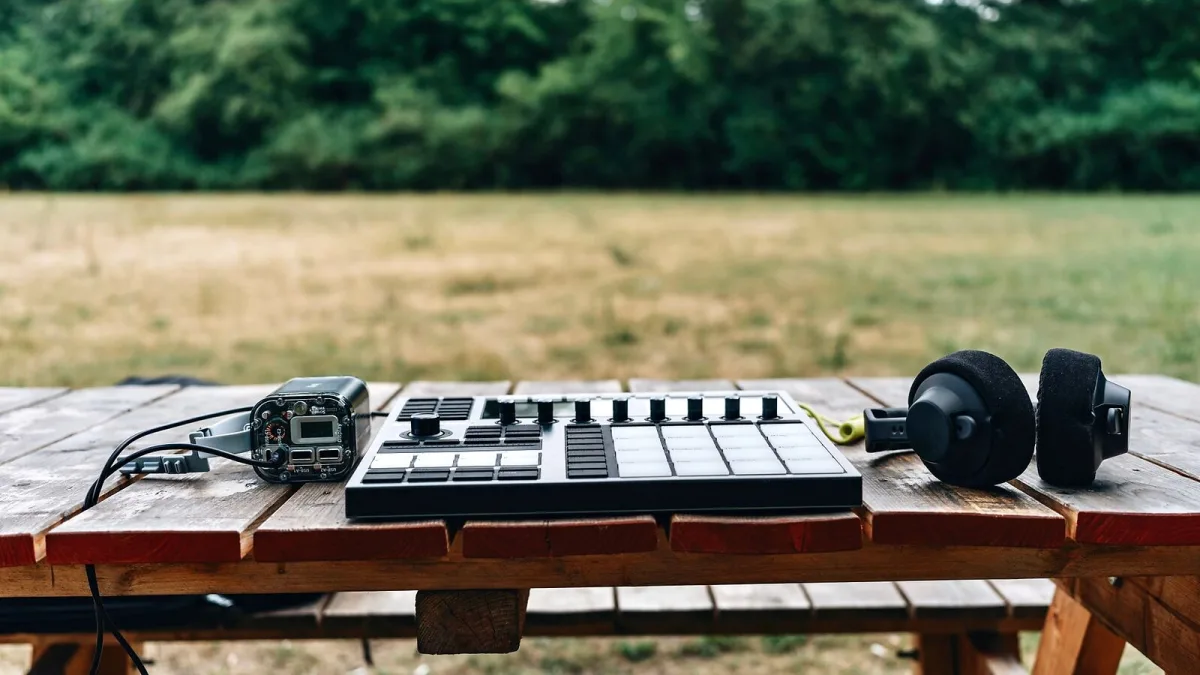
Most of the frustration people run into with a MIDI controller isn't a fault with the gear at all — it's a handful of predictable, avoidable errors made before or during setup. Here's what actually trips people up, and the fix for each one.
Mistake 1: Assuming It Makes Sound on Its Own
This one catches out almost everyone the first time. A controller sends data — note number, velocity, controller values — it doesn't generate audio. Plug it into an amp expecting sound and you'll get nothing. You always need a receiving instrument, whether that's software running on a computer, a hardware synth, or a sampler, actually generating the tone on the other end.
Mistake 2: Buying Weighted Keys for the Wrong Job
Weighted and hammer-action keys are built to approximate an acoustic piano's response, which is exactly what a lot of pianists want. But if portability, fast synth lines and quick pitch or modulation work matter more to your actual playing, weighted keys will slow you down and add unwanted size and weight to your setup. Match the action to how you actually play, not to what sounds more "serious" on paper.
Mistake 3: Treating Advertised DAW Integration as Universal
"DAW integration" on a box doesn't guarantee equal support across every DAW. A controller can offer deep transport control, automatic mapping and track arming in one piece of software, and barely function beyond basic notes in another. Always check the manufacturer's specific compatibility documentation for your exact DAW and operating system before assuming a feature will work the way the marketing implies.
Mistake 4: Ignoring Aftertouch and MPE Compatibility on the Receiving End
Buying a controller with polyphonic aftertouch or MPE support achieves nothing if the instrument or patch receiving the data doesn't understand that information. Before paying extra for expressive hardware features, confirm the software instrument, its specific patches, and your DAW's routing all actually support what you're sending. Otherwise that additional expression data simply gets ignored.
Mistake 5: A Wall of Controls With No Mapping Workflow
More knobs and faders sound appealing in a spec sheet, but a control only earns its place if it's mapped to something you'll actually use, reliably, every session. A smaller controller with a handful of well-mapped, clearly labelled controls beats a bigger one where half the knobs do nothing because nobody ever finished setting them up. Build your mapping properly once, save the template, and reuse it.
Mistake 6: Forgetting Hardware Synths Need Their Own Setup
If you're routing a MIDI controller into external hardware rather than only software, remember that hardware synths, drum machines and modules typically need their own power supply, and often a separate MIDI cable or interface rather than a straight USB connection. USB MIDI and traditional five-pin MIDI don't automatically behave identically in terms of routing and thru behaviour, so don't assume a setup that works for software will translate directly to a hardware rig without checking the connections involved.
Mistake 7: Choosing Purely From a "Best" List
Round-up articles are a genuinely useful starting point, but a "best" list can't tell you how a keybed feels under your specific hands, how the pads respond to your particular playing style, or whether the control layout actually makes sense to you. Wherever you can, try before you buy, or at minimum watch a proper hands-on demo rather than picking blind off a ranked list.
A Quick Checklist Before You Blame the Hardware
Next time something isn't working, run through this before assuming your MIDI controller is faulty:
- Is the correct MIDI input actually selected on the track you're trying to play?
- Does the receiving software instrument have a patch loaded and armed?
- Is the DAW integration feature you're relying on actually documented as supported for your specific DAW?
- Does the receiving instrument genuinely support the aftertouch or MPE data you're sending?
- If routing to hardware, is the synth powered and the correct MIDI cable or interface connected?
Getting It Right From the Start
None of this is complicated once you know it. If you're still deciding what to buy in the first place, our ultimate guide and our complete buyer's guide are both worth reading first, and our beginner's guide covers the basics calmly if this is your first purchase. Once you've narrowed things down, our round-up by price tier is a sensible next stop.
The Bottom Line
Nearly every frustrating MIDI controller experience traces back to one of these seven avoidable errors, not a genuine hardware fault. Know the checklist, and there's very little left to go wrong.




Comments