


Akai Mpk Mini roundup
The Best Akai Mpk Minis for the Money
Three genuinely distinct tiers, each built for a different kind of player: here's where the real value sits in each.
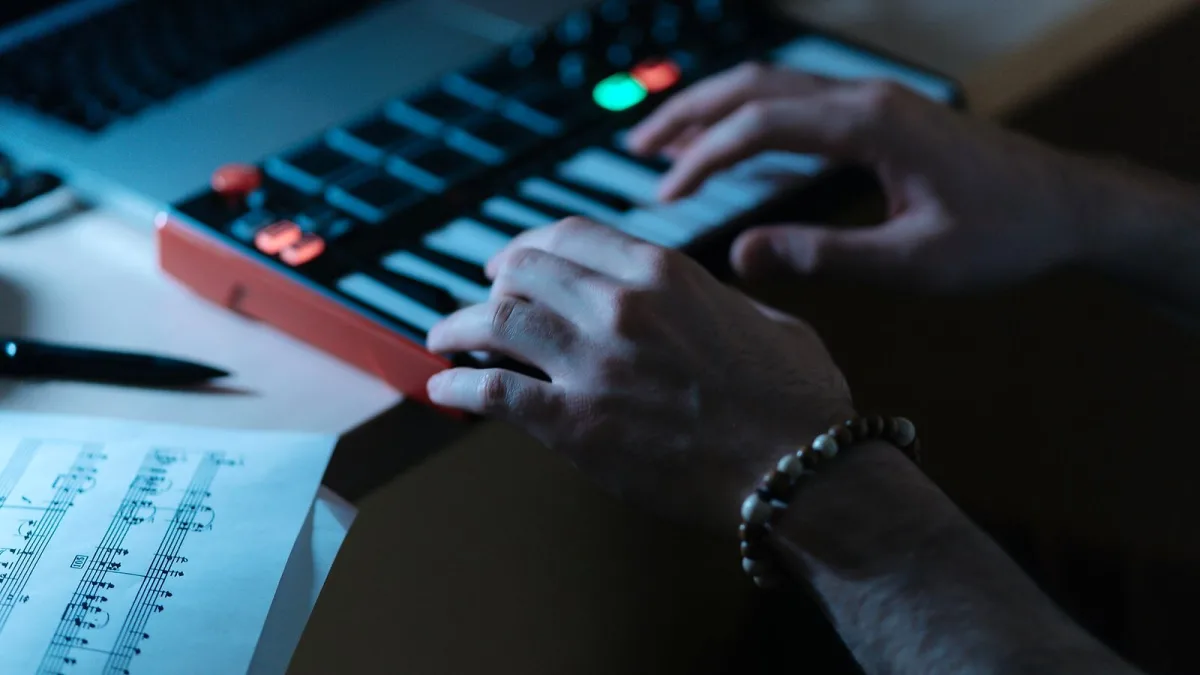
The clever thing about the Akai MPK Mini family of controllers is that Akai has already done most of the tiering for you — there are three genuinely distinct versions, each built for a different kind of player, rather than a confusing sea of near-identical options. Let's work through which one actually earns its keep for your situation.
The Standard Model: Best All-Round Value
For most home producers, the standard 25-key controller is where the money goes furthest. It bundles a proper keyboard, eight MPC-style pads and eight assignable encoders into one affordable, portable unit, and it covers the vast majority of what a laptop-based producer actually needs day to day: playing basslines, programming beats, and tweaking software parameters on the fly. If you're only going to own one MIDI controller, this is the sensible default.
The Built-In Sounds Version: Best for Working Away From a Computer
Step up slightly and you get a version with its own internal sounds, letting it function as a genuinely standalone instrument through its own speaker or a pair of headphones. The money here buys independence from a laptop entirely — genuinely useful for anyone who wants to sketch ideas on a train, in a park, or anywhere a full production rig simply isn't practical.
The Larger 37-Key Version: Best for Serious Playing and Hardware
At the top of the family sits the larger model, and this is where the extra cost buys real, tangible functionality rather than just a bigger badge. Thirty-seven keys genuinely change what's playable, pitch and modulation wheels add expressive control the smaller units lack entirely, and proper 5-pin MIDI plus CV/Gate connections open the door to controlling outboard synths and modular gear the standard model simply can't touch. If hardware integration or two-handed playing matters to you, this tier is worth the jump.
Where the Actual Value Sits
| Version | Best value for | What you're paying extra for |
|---|---|---|
| Standard 25-key controller | Laptop-based producers, first controller | Nothing extra needed — the baseline is genuinely capable |
| Version with built-in sounds | Working without a computer | Standalone speaker/headphone operation |
| Larger 37-key version | Two-handed playing, hardware synths | Extra keys, wheels, sequencer and hardware connectivity |
Second-Hand Can Stretch Any Tier Further
Buying used is a genuinely sensible way to reach a higher tier than your budget would otherwise allow, provided you actually test the unit properly first. Check every key and pad for consistent response, confirm the encoders turn smoothly, and ask directly whether the included software has already been registered under someone else's account, since that affects your own access to the bundled instruments.
Don't Pay for Features You Won't Use
Here's the honest teacher's advice: the biggest waste of money in this range isn't buying too cheap, it's buying too much capability you'll never actually touch. If you'll always be sat at a laptop, the hardware connectivity on the largest model is money spent on a feature that never gets used. Match the tier to your actual workflow, not to whichever spec sheet looks most impressive.
What's Genuinely Not Confirmed Yet
You may come across mentions online of newer models beyond the current lineup. Treat these cautiously — at the time of writing, they aren't confirmed on Akai's own official product pages, and buying based on an unverified rumour is rarely money well spent. Stick to comparing the confirmed, currently available Akai MPK Mini versions covered here.
Still deciding whether this family of controllers suits you at all? This complete guide covers what each version actually does in full, and this buyer's guide walks through what to physically check before you commit to a specific unit.
The Bottom Line
All three Akai MPK Mini versions represent genuine value at their own price point — there isn't a bad option in this particular family, only a mismatched one. Work out honestly whether you need standalone sound, extra keys, or hardware connectivity, and the right tier for your money becomes an easy call.




Comments