


Akai Mpk Mini roundup
Akai Mpk Mini: A Complete Buyer's Guide
Three honest questions to ask yourself before buying, and how to pick the right version for your setup.
Right, let's make this simple. Before you add an Akai MPK Mini to a basket, there are really just a handful of honest questions worth asking yourself, and they'll save you both money and a returned parcel. Here's exactly what to think through, in the order that actually matters.
Question One: Do You Actually Have a Computer to Pair It With?
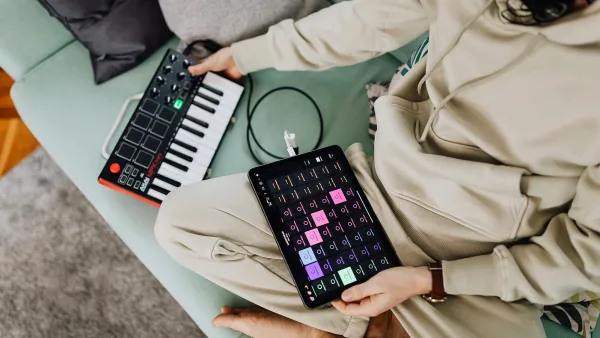
This sounds obvious, but it trips people up constantly. The standard controller makes no sound on its own — it sends performance data to software on a connected computer, tablet or compatible device, and that software does the actual sound-making. If you want something that works entirely by itself, without any other device attached, you need the version with built-in sounds instead, not the standard one.
Question Two: Do You Need to Control Outboard Hardware?
If your plans include a hardware synthesizer, a drum machine or modular gear, check connectivity carefully before buying. The standard 25-key model doesn't offer conventional MIDI DIN or CV/Gate outputs for that purpose. Only the larger 37-key version in the family includes proper hardware connections alongside pitch and modulation wheels and a built-in step sequencer, so if hardware control matters to you, that's the version to look at.
Question Three: Is 25 Keys Genuinely Enough?
Be honest about how you actually play. Basslines, chord stabs and short melodic ideas all sit comfortably within a two-octave range extended by octave-up and octave-down buttons. Full two-handed piano parts, or anything requiring a wider simultaneous range, will feel genuinely cramped, and that's exactly where the larger 37-key option earns its extra size and price.
Don't Forget What You're Actually Paying For
A meaningful part of the value here sits in the bundled software, not just the physical hardware. The included production software and instrument sounds represent real cost if bought separately, so it's worth remembering that when comparing this against a bare-bones controller that looks cheaper on paper but comes with nothing installed.
What to Check Before Paying
- Included software licence status — confirm the bundled software is still registerable and current, particularly on a used unit.
- Pad and key condition — test every pad and key for consistent response; sticky or unresponsive ones are a common used-unit issue.
- Physical wear on encoders — the rotary knobs should turn smoothly without excessive looseness or grinding.
- Box contents — a USB cable is genuinely useful to have included, though most computers already have spares.
- Your actual DAW — confirm your software supports standard MIDI input, which covers essentially every modern DAW, but is still worth a quick check.
New Versus Used
A new Akai MPK Mini guarantees a working software registration and full warranty, which genuinely matters given how much of the value here comes from the included software bundle. A used one can save money, but confirm the seller hasn't already registered the software under their own account, since that can complicate your own access to the bundled instruments.
A Word on Model Names
You'll sometimes see online listings or forum posts referring to versions beyond the current lineup. Stick to checking Akai's own official product pages when confirming exactly what a specific listing includes, rather than trusting a seller's description or an unofficial roundup alone.
Matching the Akai MPK Mini Model to the Job
| Your situation | Best fit |
|---|---|
| First controller for a laptop DAW | Standard 25-key model |
| Beat-making and finger drumming | Standard model or the version with built-in sounds |
| Making music without a computer nearby | The version with built-in sounds |
| Two-handed playing, larger parts | The larger 37-key version |
| Controlling external synths or modular gear | The larger 37-key version, for its MIDI and CV connections |
If you're still not sure which of these actually suits your budget and needs, this breakdown of the best options for the money goes into more depth, and this complete guide to the Akai MPK Mini is worth reading first if you want the fuller picture on what it actually does.
The Bottom Line
Buying well here really comes down to being honest about how you'll actually use it: whether you need a computer attached, whether you need hardware connectivity, and whether two octaves genuinely covers your playing. Get those three answers straight and the rest of the decision practically makes itself.




Comments