


DJ Decks article
Dj Decks for Beginners: A Complete Guide
Everyone's first go on DJ decks is a bit wobbly. Here's the simplest way in, a real first-session walkthrough, and the nerves you don't need to worry about.
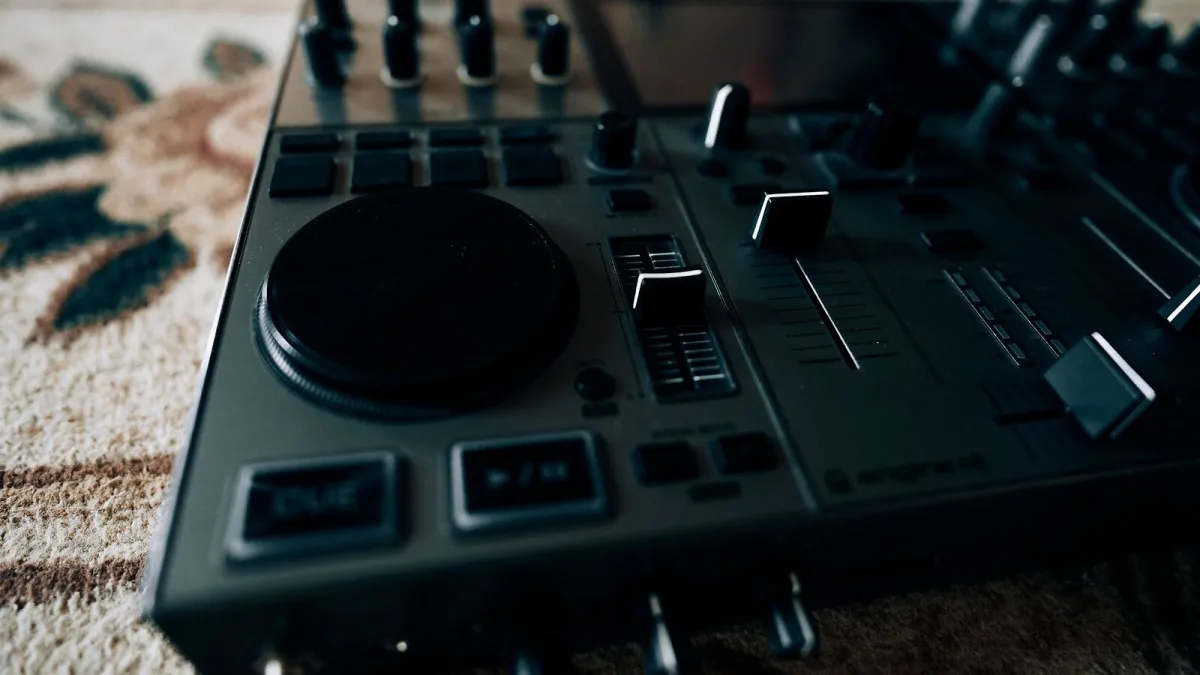
Here's a secret: nobody's first go on DJ decks looks like a festival set. Everyone starts by fumbling a headphone cue and missing a beat by a mile, and that's completely fine. This guide skips the jargon-heavy deep dive and gets straight to what a total beginner actually needs: the simplest way in, a real first-session walkthrough, and permission to be bad at it for a while.
You Don't Need a Wall of Gear
The single easiest way onto DJ decks is a two-channel DJ controller. It plugs into a laptop, comes with starter software, and folds a pair of decks and a mixer into one compact unit — no separate turntables, no separate mixer, no cables everywhere. Add a decent pair of headphones and you have everything you need to start learning tonight.
The Handful of Controls Worth Learning First
Ignore the full control panel for now. Just these matter on day one:
- Jog wheel — the spinning wheel on each deck, used to nudge a track slightly forward or back.
- Pitch fader — slides the tempo of a track up or down so two songs can line up.
- Cue button — lets you listen to a track privately through headphones before anyone else hears it.
- Crossfader — the slider that blends from one deck to the other.
Everything else — loops, hot cues, effects — can wait until these four feel automatic.
Your First Session, Step by Step
Here's the exact order to go through the first time you sit down at DJ decks:
- Load your music library into the software and pick two tracks with a similar tempo to start with.
- Load one track on each deck so you have a track ready on both sides.
- Put your headphones on one ear and keep the other free so you can hear the room and the headphone cue at once.
- Set your gain before you touch a fader — bring each channel's level up until it reads roughly the same on the meter as the other.
- Try lining up the beat by ear first, nudging the jog wheel or pitch fader, before you ever touch the sync button.
- Bring the second track in gradually on the crossfader once it's cued and roughly in time, rather than snapping straight across.
Run through those six steps slowly a few times before worrying about anything fancier.
Nerves Worth Letting Go Of
A few things trip up almost every beginner on DJ decks, and none of them are a big deal:
- Using sync isn't cheating — it's a tool. Learn to beatmatch by ear eventually, but leaning on sync while you learn everything else at once is completely normal.
- You won't break the equipment by getting a mix wrong. Faders, jog wheels and pitch controls are built to be fiddled with.
- Headphone cueing feels awkward at first — splitting your attention between one ear and the room takes practice, not talent.
- A clashing transition is just information — it tells you the gain, the EQ or the timing needs adjusting, not that you're not cut out for this.
Building It Into a Habit
Short, regular sessions beat the occasional marathon. Twenty minutes a few times a week, focused on just one skill — gain staging one day, beatmatching by ear the next — will get you further than a rare three-hour session trying to do everything at once. Most dance tracks are built in regular blocks, so once beatmatching feels natural, start listening for those blocks and timing your transitions to land on one.
A Simple Practice Progression
There's no need to learn everything at once. This rough order works well for most beginners:
| Stage | Focus | You'll know it's clicked when… |
|---|---|---|
| First few sessions | Gain staging and headphone cueing | Both channels sound roughly balanced without you thinking about it |
| Next few weeks | Beatmatching by ear | You can nudge two tracks into time without watching a screen |
| After that | EQ and phrasing | Your transitions stop sounding like two songs colliding |
| Later still | Loops, hot cues and effects | You reach for them to add something, not to hide a mistake |
Resist the urge to skip straight to effects. The unglamorous basics — gain, timing, EQ — are what actually make a set sound confident, and every experienced DJ built them in exactly this order.
Kit That Won't Get in Your Way
Beyond the controller itself, a closed-back pair of headphones makes cueing far easier by blocking out the room, and a laptop stand keeps your screen at a sensible angle instead of flat on the desk. Neither needs to be expensive — they just need to work reliably while you're concentrating on everything else.
When You're Ready for More
Once the basics feel comfortable, take a proper look at your setup.
Once the basics feel comfortable, our full guide to how DJ decks work covers turntables, CDJs and every control in proper depth, and our buyer's guide is worth a read before you upgrade your first controller. It's also worth glancing at our list of common mistakes to avoid so you don't pick up habits you'll have to unlearn later.
The Bottom Line
Getting started on DJ decks is less about expensive gear and more about repetition — a simple two-channel controller, a few honest practice sessions, and patience with yourself while the basics click into place. Everyone currently playing a confident set once fumbled their first headphone cue too.






Comments