


Elektron article
Elektron for Beginners: A Complete Guide
Elektron's reputation for being intimidating isn't unearned — but most of it comes down to a handful of concepts you can learn in one sitting.
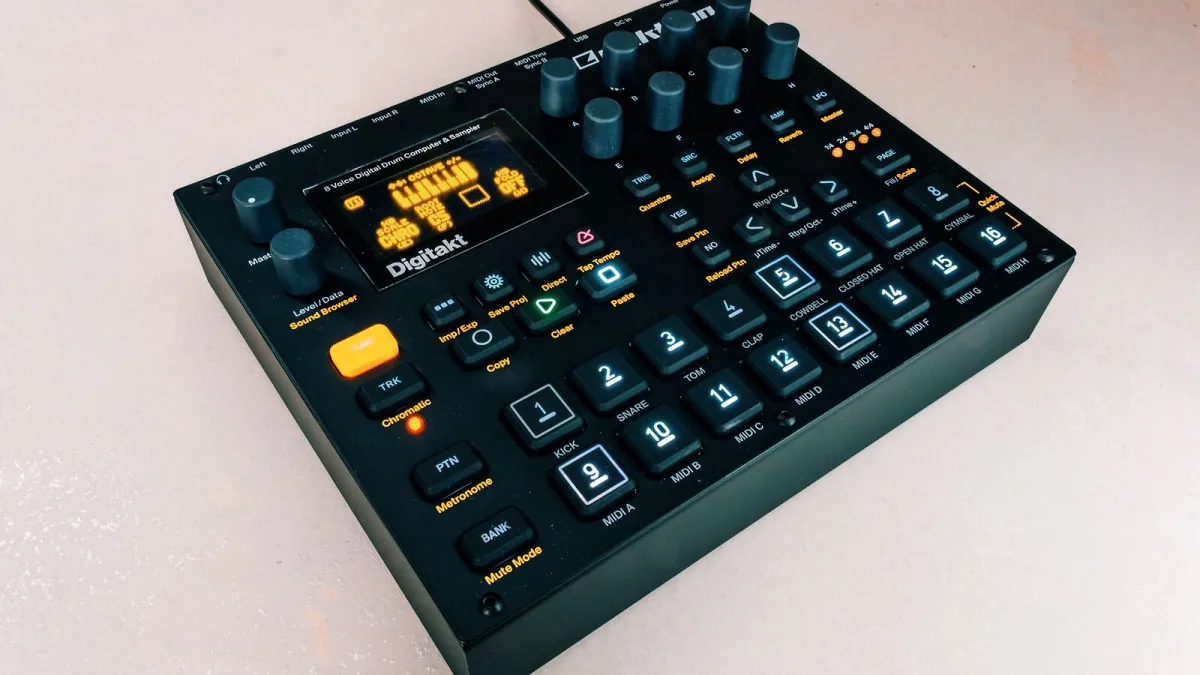
Elektron gear has a reputation for being intimidating, and I'm not going to pretend that reputation comes from nowhere. But most of what makes it feel that way is a handful of concepts you can learn properly in one sitting. Get those straight first, and the rest starts making sense far faster than the menus suggest it will.
Is Elektron a Sensible First Hardware Setup?
Honestly, it depends on what pulls you towards hardware in the first place. If you want something you can programme a beat on quickly and walk away from, there are simpler boxes out there. If you're drawn specifically to the idea of a loop that keeps changing and evolving the more you play with it, Elektron is worth the initial patience — that depth is the entire point, not a design flaw you have to tolerate.
The Handful of Concepts You Actually Need on Day One
- Trig — a step on the sequencer grid that can hold a note, a sample, or a change.
- Pattern — the loop you're currently building, made up of trigs across your tracks.
- Parameter lock (p-lock) — a value that only applies to one specific trig, not the whole pattern.
- Track — one lane of the sequencer, tied to one sound or sample.
That's genuinely enough to make your first pattern. Everything else — conditional trigs, microtiming, song mode, Overbridge — can wait until these four feel completely natural.
Your First Pattern, Step by Step
- Pick a track and load or select a sound.
- Place a handful of trigs on the step grid — don't fill every step, leave space.
- Play the pattern back and listen before changing anything else.
- Hold one trig and adjust a single knob — that's your first parameter lock.
- Repeat on a different trig with a different control, so two steps now sound different from the rest.
- Save the pattern before you experiment further, so you can always get back to it.
Do this slowly. There's no prize for using every feature in your first session — the goal is one working pattern you actually understand, not an impressive one you copied from a video.
Which Elektron Instrument Is Kindest to a Beginner?
Not every Elektron box asks the same amount of you on day one. Digitakt II and Model:Cycles are widely considered the friendliest starting points — a smaller, more focused feature set than the Octatrack or the full analog instruments, while still teaching you the real Elektron sequencing concept from the very first pattern. Save the deeper, more flexible instruments for once trigs, patterns and parameter locks are second nature.
Common First-Session Frustrations
A few things trip up almost everyone early on, and none of them mean you're doing it wrong. Menu diving feels slow at first — it gets faster with muscle memory, not with a different approach. Key-combination shortcuts feel like a lot to remember — you'll only actually need a handful regularly, and the rest will come naturally as you need them. And it's genuinely normal to make a pattern you don't like; deleting it and starting again is part of the process, not a failure.
Building Confidence Before You Take On More
Resist the urge to learn every feature before you've made a single finished pattern you're happy with. Get comfortable with trigs, patterns and basic parameter locks first, then add one new concept at a time — conditional trigs next, then microtiming, then song mode. Trying to absorb the whole manual before touching a knob is the single most common reason people give up on Elektron gear in the first fortnight.
Things You Can Safely Ignore for Now
Overbridge, DAW integration, advanced audio routing and pattern chaining into full songs can all wait. None of them help you make your first genuinely good pattern, and trying to understand them before you've internalised trigs and parameter locks just adds noise to an already unfamiliar interface. Come back to them once you're comfortably making patterns you actually like, not before.
Your Next Steps
Once the basics above feel comfortable, there's a lot more worth exploring. Our full Elektron overview covers the wider concept and terminology in more depth, and our buyer's guide is there once you're ready to think about a second instrument. Curious what more experienced producers reach for by task? Take a look at the best Elektrons for the money when you're ready.





Comments