


DJ Decks article
Dj Decks Explained: Features, Types and Tips
Turntables, CDJs and controllers all fall under the same name. Here's what DJ decks actually are, how their controls work, and how the three formats compare.
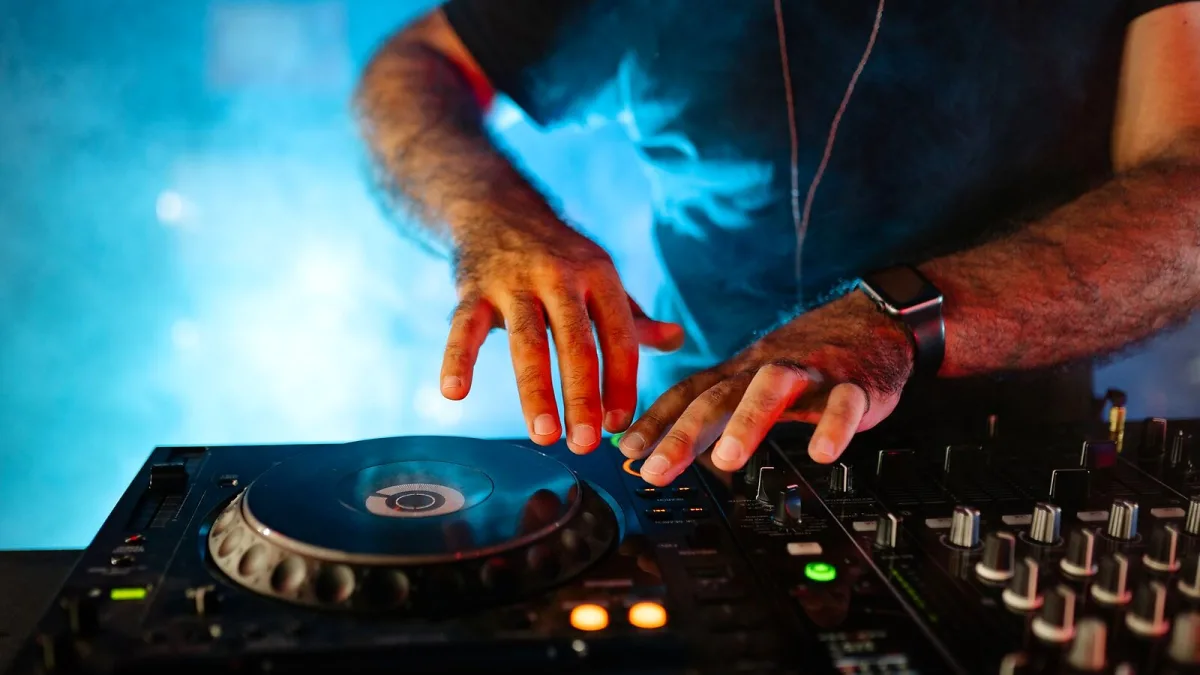
Walk into any club booth or bedroom set-up and you will find some version of the same puzzle: how do you get two pieces of recorded music to talk to each other? That is the whole job of DJ decks. The term covers three quite different families of hardware — turntables, digital media players and controllers — and understanding what each one actually does will save you a lot of confused shop-floor conversations. Here is the full picture: what each type actually is, how the controls work, and where every format earns its keep.
What We Actually Mean By “DJ Decks”
“Deck” is DJ shorthand for a single playback source — one half of the pair you need to mix between. A traditional set-up runs two decks into a separate mixer; an all-in-one controller folds both decks and the mixer into a single box. Broadly, DJ decks fall into three camps:
| Type | Plays from | Needs a computer? | Best known for |
|---|---|---|---|
| Turntable | Vinyl records | No | Tactile control, scratching, sound-system culture |
| Media player / CDJ | USB drives, memory cards, networked libraries | Usually not | Club-standard, standalone reliability |
| DJ controller | Laptop software | Often, yes | Affordable, portable, all-in-one |
None of the three is objectively “better” — they suit different rooms, budgets and ways of working, which is exactly why all three are still in production side by side.
Turntables and the Direct-Drive Difference
The turntable is where DJ decks started, and it remains the format of choice for anyone who wants to scratch or manipulate a record by hand. The detail that actually matters when comparing turntables is the drive system:
- Direct drive — the motor turns the platter directly, giving fast start-up, strong torque and quick recovery after you grab or slow it. This is the standard for DJ-focused turntables such as the Technics SL-1200/SL-1210 family.
- Belt drive — the motor turns the platter through a rubber belt, which isolates some motor noise but responds more slowly. It suits home listening far better than scratching.
If a listing does not say which drive system is fitted, assume it is not built for club or scratch use.
Media Players and the Modern CDJ
“CDJ” began as shorthand for a CD-based DJ deck, but the category has moved on almost entirely to USB playback. A modern media player — Pioneer DJ/AlphaTheta's CDJ-3000 is the current club-standard example — reads track libraries from a USB drive rather than a disc, and adds a large waveform display, looping, hot cues and beat analysis on top. Some of these players can even control DJ software directly: Pioneer documents USB-HID support for Native Instruments' Traktor Pro 3 on the CDJ-3000, blurring the old line between “standalone deck” and “controller for a laptop rig.”
DJ Controllers: Decks and Mixer in One Box
A controller gives you the physical feel of a proper pair of decks — jog wheels, faders, pads — without a separate music library or playback engine. Your laptop stores and analyses the tracks; the controller is the tactile interface you actually touch. That trade-off makes controllers cheaper and more portable than a pair of media players and a mixer, at the cost of leaning on a laptop staying alive and your software behaving.
The Controls Every Format Shares
However the media is stored, the working vocabulary is largely the same across turntables, CDJs and controllers:
Jog Wheel
Used for nudging pitch, cueing precisely and, on suitable models, scratching. Some jog wheels are motorised for a genuine turntable feel; others are static touch-sensors simulating platter resistance.
Pitch Fader
Alters playback speed so you can beatmatch two tracks by ear — the finer the fader's range and resolution, the more precisely you can align tempos.
Cue, Loop and Hot Cue Controls
A cue point lets you preview a track privately through headphones before it reaches the room. Loops repeat a section for a smoother transition or a rhythmic edit, and hot cues store specific moments — the drop, the vocal entry — for instant recall mid-set.
Sync
Sync analyses the beat grid of each track and lines up tempos automatically. It is genuinely useful, but it is only as reliable as the beat-grid analysis behind it — manual beatmatching is still worth learning for tracks with irregular timing or live instrumentation.
The Mixer That Ties It Together
On a traditional set-up, the mixer sits physically between your two decks; on a controller it is built in. Either way, expect:
- Channel gain/trim and a three- or four-band EQ per channel
- Filter controls and a crossfader
- Headphone cue buttons for previewing the next track
- Separate master and booth outputs, plus a microphone input on some models
Choosing a Path Through the Format Maze
If this has left you wondering which of these actually suits you, our complete buyer's guide to DJ decks walks through the specs worth checking before you spend anything. Starting from scratch, our guide for total beginners sets out the simplest first step. And once you have picked a format, it is worth reading our rundown of common mistakes to avoid before your first proper session.
The Bottom Line
Turntables, media players and controllers are three answers to the same question — how to control timing, phrasing and transitions between recordings — built for different rooms and different budgets. Learn the shared vocabulary of jog wheels, pitch faders, cues and the mixer, and any pair of DJ decks you sit down at will start to make sense within minutes.






Comments