


Universal Audio Company roundup
Universal Audio Company: A Complete Buyer's Guide
Buying into Universal Audio means choosing an ecosystem, not just an interface — here's how to work out what you actually need.
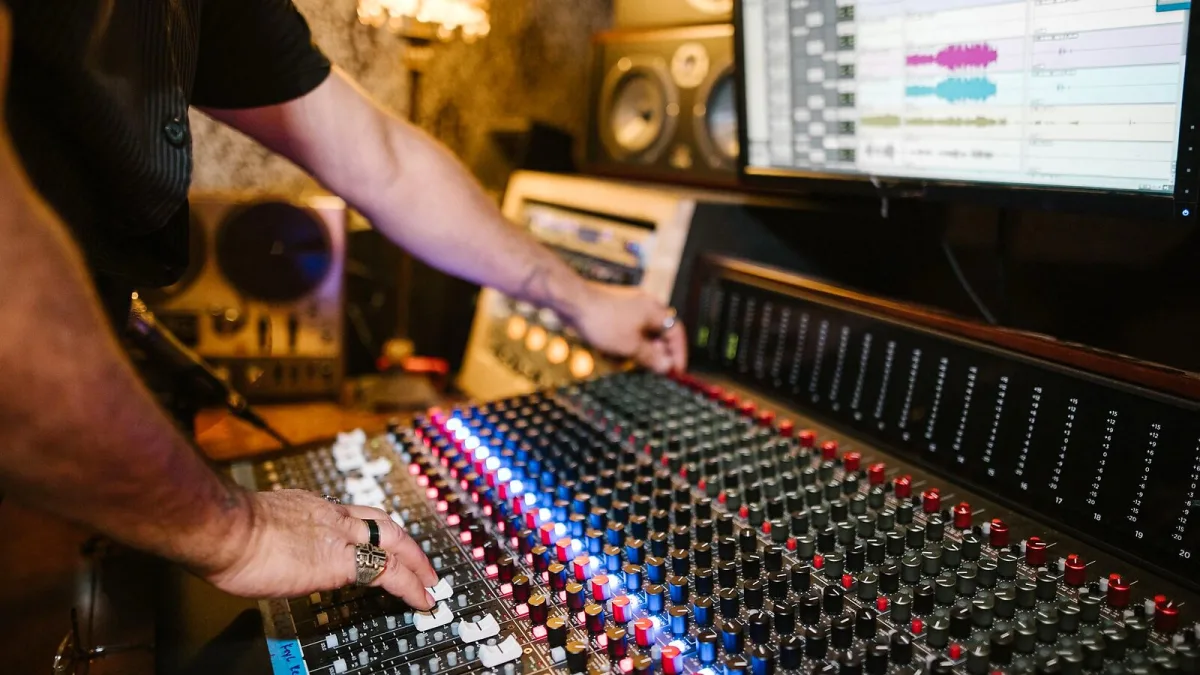
Buying into Universal Audio isn't just choosing an interface — it's choosing an entire ecosystem of hardware, plug-ins and, increasingly, a subscription or two. That's worth knowing before you spend anything on a Universal Audio setup, because the right entry point depends heavily on how you actually want to work, not just what fits your budget on day one.
Start With the Interface Question
Apollo interfaces are the front door into this whole system for most people, and the core decision is how many inputs and how much DSP headroom you actually need. A smaller Apollo suits someone tracking one or two sources at a time. Bigger models add more preamps and more DSP capacity for running several UAD plug-ins simultaneously while recording a full band. Count your simultaneous inputs honestly, the same as you would with any interface purchase — extra channels you never use don't improve your recordings.
DSP or Native: Decide How You'll Actually Work
This is the decision that catches people out. Apollo's DSP processing runs on the interface's own chips, which is brilliant for near-zero-latency monitoring through UAD plug-ins while you record — hearing compression or amp modelling in real time without waiting on your computer. Native processing, through UAD Spark or standalone native plug-ins, runs on your computer instead, which suits mixing more than tracking since it doesn't depend on the interface's limited DSP capacity. If you mostly track, prioritise an interface with generous DSP. If you mostly mix, a capable computer and native plug-ins may matter more than DSP headroom.
Buy the Plug-Ins, or Subscribe?
UAD plug-ins can be bought outright or accessed through UAD Spark, a subscription giving rotating access to a selection of the catalogue. Buying outright makes sense for a handful of plug-ins you know you'll use on every session — a go-to compressor or preamp emulation. A subscription suits someone who wants to experiment across a wider catalogue without committing to each purchase individually, or who's still working out which specific tools actually earn a permanent spot in their sessions.
Do You Need LUNA?
LUNA is Universal Audio's own recording software, built to work closely with Apollo hardware. If you're already committed to a different DAW you know well, there's no obligation to switch — Apollo and UAD plug-ins work perfectly well alongside other software. LUNA is worth trying if you're choosing your first proper DAW and want something built with this specific hardware and workflow in mind from the ground up.
What About UAFX Pedals?
If you're a guitarist or bassist rather than primarily a studio engineer, UAFX pedals apply the same modelling approach in stompbox form — amp emulation, reverb, delay, modulation and overdrive. They're a genuinely separate purchase from the interface side of things, worth considering on their own merits rather than as an add-on to an Apollo purchase.
Buying Secondhand Apollo Gear
Older Apollo interfaces turn up regularly on the used market, and they can be excellent value — but check a few things before committing. Confirm the unit's Thunderbolt generation matches a port your computer actually has, since older Apollo models used earlier Thunderbolt standards that need the right cable and adapter. Ask whether any UAD plug-in licences are tied to the previous owner's account, since Universal Audio's licence-transfer rules can affect what software you actually get with the hardware. A cheap interface with no usable plug-ins isn't necessarily the bargain it looks like.
Budgeting for the Whole Chain
It's tempting to spend your entire budget on the interface itself, but a Universal Audio setup only sounds as good as everything feeding into it. A decent microphone, proper gain staging and basic room treatment will do more for your recordings than an extra UAD plug-in bundle. Decide on a total budget first, then split it sensibly between the interface, a microphone, and the software you'll actually use every session — rather than maxing out on hardware and treating the rest as an afterthought.
A Practical Buying Checklist
- Count your actual simultaneous inputs before choosing an Apollo size.
- Decide whether tracking (DSP-heavy) or mixing (native-heavy) matters more to your workflow.
- Try before subscribing to UAD Spark if you can, so you know the catalogue suits your habits.
- Don't feel pressured into LUNA if you're already fluent in another DAW.
- Treat UAFX pedals as a separate decision from your interface purchase.
- Check current Thunderbolt or USB compatibility with your specific computer before buying.
For the full picture of how the ecosystem developed and fits together, our complete guide to Universal Audio is worth reading, and if this is all new to you, our beginner's guide starts from first principles. Check our common mistakes piece too, before you commit any money.
The Bottom Line
Buying into Universal Audio properly means thinking about your actual workflow, not just picking the biggest interface you can afford. Work out whether you track or mix more, whether you want to own or subscribe to plug-ins, and whether you need a new DAW at all — get those three decisions right, and the hardware choice usually sorts itself out.






Comments