


Adam Audio article
Adam Audio for Beginners: A Complete Guide
A clear, patient introduction to ADAM Audio for anyone setting up their very first pair of studio monitors.

Buying your first pair of studio monitors can feel like walking into a conversation that started without you — tweeter types, DSP, listening triangles. If you've landed on Adam Audio as a brand people keep recommending and want to understand why, and what to actually do once a pair arrives, this guide takes it step by step, no assumed knowledge required.
What Studio Monitors Actually Do, in Plain Terms
A studio monitor isn't designed to make music sound flattering — that's what a normal hi-fi speaker is for. It's designed to tell you the truth about your recording, warts and all, so you can fix problems before anyone else hears them. That's a genuinely different design goal, and it's why "accurate" is such a commonly used word around this kind of speaker.
Why Beginners Keep Getting Pointed Towards Adam Audio
ADAM Audio is a Berlin-based manufacturer known for a distinctive folded-ribbon tweeter, rather than the dome tweeter you'll find in a lot of cheaper speakers. In simple terms, that design tends to produce a clear, detailed high end, which is genuinely useful when you're learning to hear the small problems in your own recordings. You don't need to understand the engineering to benefit from it — just know that it's a large part of why the brand has the reputation it does.
Which Model Should Your First Pair Be?
Don't overthink this one. ADAM's T Series, and specifically the T5V, is built exactly for this situation: a first proper pair of monitors for someone working in a home studio on a sensible budget. There are more advanced ranges above it, and you can always grow into those later, but a beginner genuinely gains very little by starting anywhere more expensive.
Setting Up Your First Pair, Step by Step
Once your monitors arrive, getting the setup right matters more than almost anything else you'll do with them. Here's the order I'd actually follow:
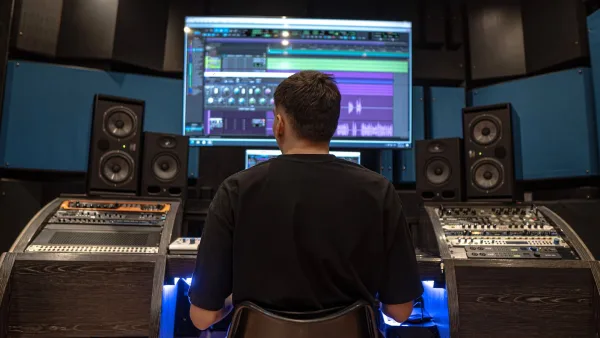
- Place each monitor on a stand or a stable, isolated surface at roughly ear height when you're sitting at your desk.
- Angle both monitors slightly inward so they point towards your listening position, forming an even triangle between the two speakers and your head.
- Try to keep the distance from each monitor to the nearest side wall roughly equal, so the sound isn't skewed to one side.
- Connect each monitor to your audio interface using a balanced XLR or TRS cable, rather than an unbalanced connection where possible.
- Set the monitor's input gain to a sensible starting level, following the manufacturer's recommended setting rather than guessing.
- Play a track you know extremely well at a moderate volume, and simply listen for a few minutes before you touch a single fader.
That last step matters more than it sounds. Your ears need a reference point, and a track you already know intimately is the fastest way to learn what your new monitors are actually telling you.
What Else You'll Actually Need
The monitors themselves are only part of the setup. You'll also want a pair of decent stands or isolation pads, since sitting speakers directly on a hard desk can transfer unwanted vibration and colour the low end. A couple of good-quality balanced cables are worth the small extra spend over whatever comes cheapest, and if your room is untreated, even a couple of basic acoustic panels behind and beside your listening position will make a noticeable difference before you spend more money on gear.
A Few Common Beginner Worries
Two things trip up almost everyone starting out. First, a new pair of monitors will often sound "wrong" for the first few days — that's usually your ears adjusting, not a fault with the speakers. Second, don't panic if your mixes suddenly sound worse once you switch to proper monitors. That's not the monitors failing you; it's them finally telling you the truth about problems your old speakers were quietly hiding.
The Bottom Line
Start with a sensible, affordable model, take the time to set it up properly, and give your ears a week or two to adjust before judging anything. Once the basics here feel comfortable, our complete guide to Adam Audio goes deeper into the technology and the wider range, and our buyer's guide is worth reading before your next upgrade. If you're ready to compare specific models, our roundup of the best options by budget is the natural next stop, and our list of common mistakes to avoid will save you a few headaches early on.





Comments