


Chord Player roundup
Chord Player: A Complete Buyer's Guide
The features that separate a genuinely useful chord player from a novelty, checked the way you'd want a mate in the trade to check it for you.
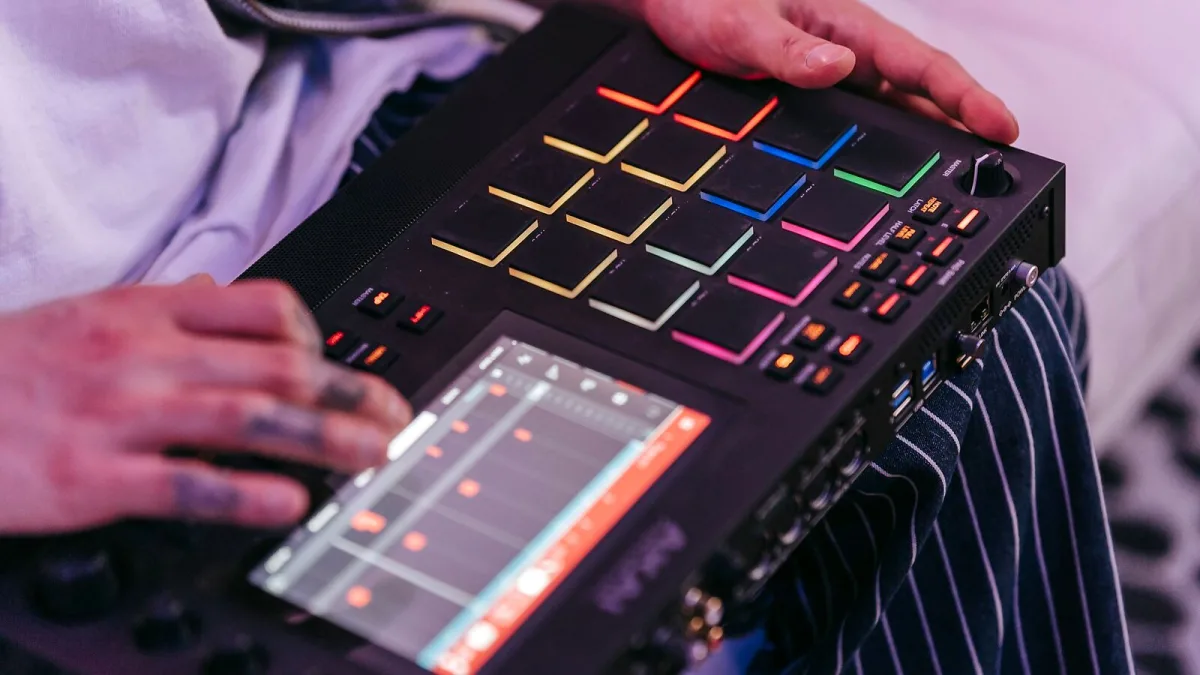
Buying a chord player looks simple until you actually start comparing options, at which point you find "chord player" covers everything from a free web page to a dedicated MIDI controller with USB-C and a circle-of-fifths layout. The spec sheets don't always make the differences obvious, so here's what genuinely matters before you spend any money, worked through the way I'd check it myself.
Work Out Which Format You Need First
Before you look at a single feature list, be honest about how you'll actually use the thing. That decision alone rules out most of the market:
- Writing and sketching ideas — a browser-based tool is usually enough, and it costs nothing to try.
- Producing inside a DAW — you want a MIDI chord plug-in in VST, AU or AAX format that sits on a track and sends note data to your instrument of choice.
- Playing live or sketching away from a computer — a hardware pad controller with its own MIDI output makes more sense.
- Solo performance with backing — that's an arranger keyboard's job, not a simple chord trigger, since it also builds bass and drums from what you play.
Getting this bit right first stops you comparing a chord player against a job it was never built for.
Chord Vocabulary: How Much Do You Actually Need?
Every product will tell you how many chords it offers, but a bigger number isn't automatically better. Major and minor triads cover a lot of ground. Beyond that, look for what genuinely suits your material:
| Chord type | Common in |
|---|---|
| Dominant & major sevenths | Pop, rock, general songwriting |
| Minor sevenths, suspended, add9 | Soul, R&B, singer-songwriter styles |
| Ninths, elevenths, altered dominants | Jazz, neo-soul, film scoring |
| Diminished & augmented | Passing chords, tension and colour |
A device built around basic triads with a fast, obvious layout will often serve you better day to day than one with an enormous chord list buried three menus deep. Speed of access matters more than raw vocabulary once you're actually working.
Voicings, Inversions and Voice Leading
This is the bit that separates a musical-sounding tool from one that just plays notes. A chord's root position is rarely the most useful voicing — inversions let you keep the bass line moving smoothly and avoid every chord change sounding like a jump. Before buying, check whether the product gives you:
- Control over inversion, not just root-position triads.
- Adjustable note spacing (close versus open voicings).
- A way to set the bass note independently of the chord above it.
- Sensible default voice leading between chords, so common tones aren't shifted unnecessarily.
If a product's demo videos only ever show root-position triads stacked identically, that's worth noting — it suggests the voicing engine is fairly basic.
MIDI Routing and DAW Compatibility
For anything MIDI-based, routing is where compatibility problems actually show up. Confirm the following before you buy, not after:
- Which plug-in formats are supported — VST3, AU and AAX cover most DAWs, but not every product ships all three.
- Whether it can output separate MIDI channels for chords, bass and melody, useful if you want to route each to a different instrument.
- USB MIDI as standard, with Bluetooth MIDI as a bonus for tablet or phone use.
- Host sync, so tempo-based features like arpeggiation lock to your DAW's clock.
- Whether it records MIDI you can drag straight onto a track for editing afterwards.
Remember that a MIDI chord player generates note data only — it doesn't make sound itself. You'll still need a synth, sampler or piano instrument on the receiving end.
Rhythm and Performance Features
A static trigger that only fires block chords gets old fast in a live setting. Features worth checking include arpeggiation, strumming or repeated-note patterns, chord latching (so a chord sustains after you release the pad), quantisation and swing, and velocity sensitivity for dynamic playing. If you're buying for stage use specifically, also ask how the unit behaves if you retrigger a chord mid-hold, or if the MIDI connection briefly drops — a good controller recovers gracefully rather than getting stuck on a note.
Hardware Checklist, If You're Going Physical
For a hardware chord player rather than software, run through this checklist before parting with any cash:
- Button or pad layout — is it based on the circle of fifths, scale degrees, or something more instrument-like?
- Tactile feedback, and how easy inversions and extensions are to reach mid-performance.
- Power requirements and whether it needs a separate computer to run.
- Preset storage, so your favourite progressions travel with you.
- Build quality proportional to how often you'll gig with it.
Q-RY Instruments' ChordPlayer, for instance, arranges 24 major and minor chords around the circle of fifths over USB-C, while InstaChord pairs chord buttons with strumming pads and both USB and Bluetooth MIDI — two genuinely different layouts solving the same basic problem.
The Bottom Line
The right choice depends far more on your workflow than on any single spec. Decide the format first, then judge voicing quality and MIDI routing ahead of a long chord list. For a fuller picture of the whole category, read our explainer on what a chord player is and how it works. If you've never used one before, our beginner's guide is the gentler starting point, and once you've narrowed things down, our roundup of the best chord players for the money covers the main tiers by type. It's also worth reading through common chord player mistakes to avoid before you commit, since several of them are buying mistakes as much as playing ones.





Comments