


Virtual DJ article
Common Virtual Dj Mistakes to Avoid
Nearly every VirtualDJ user has made at least one of these. Here are the mistakes that trip people up most, and the quick habit that fixes each one.
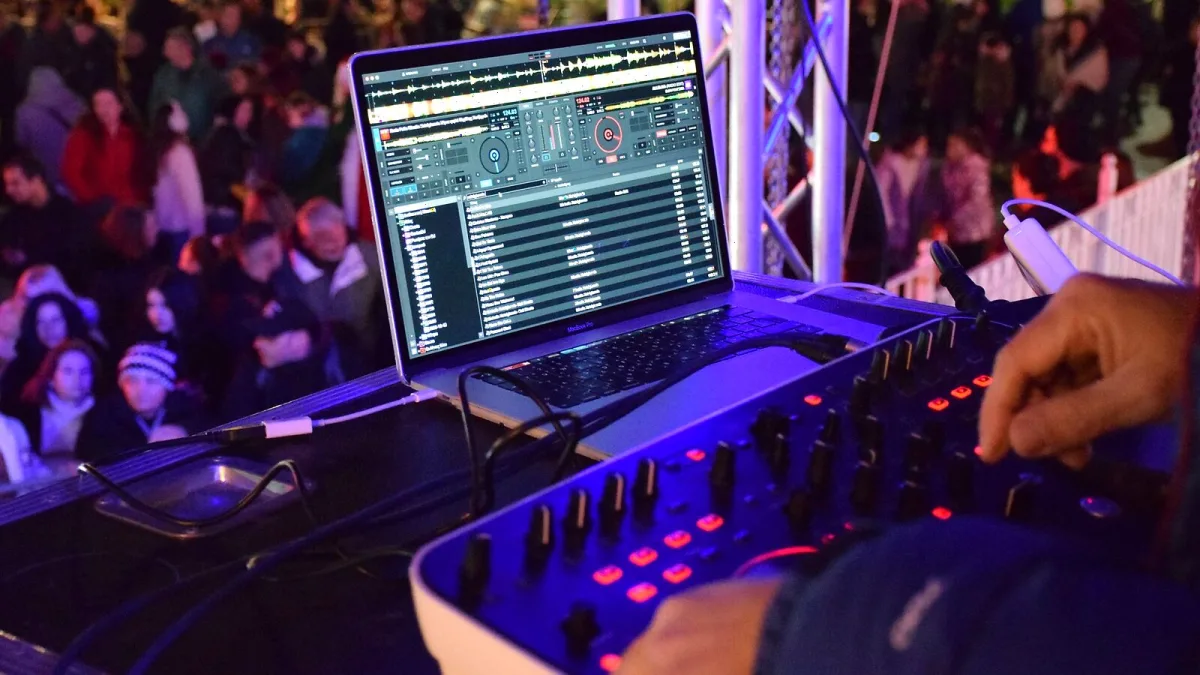
Right, confession time — nearly every VirtualDJ user has made at least one of these, myself included on a truly cursed birthday party set a few years back. None of them are complicated to fix once you know they're coming. Here are the mistakes that trip people up most, and the quick habit that fixes each one.
Trusting Sync without ever checking the beatgrid
Sync is brilliant, and there's zero shame in using it. The mistake is assuming the beatgrid underneath it is automatically correct just because the displayed BPM looks plausible. On a steady, four-to-the-floor house track, fine — it usually is. On a live-band recording, a track with a tempo change, or plenty of hip-hop and drum and bass, the grid can drift, and Sync will happily lock two decks to the wrong point. Glance at the first downbeat and correct the grid by hand when something feels off, rather than trusting the number blindly.
Assuming "compatible" means "fully featured"
VirtualDJ supports an enormous range of controllers, which is genuinely one of its best qualities — but "officially supported" doesn't always mean every jog wheel display, screen, motorised platter or performance pad behaves exactly like it would in that controller's own bundled software. People buy a controller assuming full parity, then get frustrated mid-set when a feature doesn't fire the way they expected. Check what's actually plug-and-play before you're relying on it in front of a crowd, not during soundcheck.
Turning up to a paid gig on the free tier
The free version of VirtualDJ is genuinely useful for practising at home, but it's built for non-professional use without professional equipment — branding and restrictions are baked in on purpose. Getting to a booking and discovering the licence doesn't cover the controller or mixer you're plugged into is an entirely avoidable panic. Sort your licence tier well before the date, not in the car park.
Overdoing the effects because there are so many of them
With well over 100 professional effects reportedly in the current build, it is very tempting to stack three or four at once because they're all sitting right there. Nine times out of ten this just muddies a transition that would have worked fine with one well-placed effect and confident gain staging. Set your gain first, lean on one main effect at a time, and keep feedback and resonance under control — the crowd notices a clean transition far more than a busy one.
Trusting stems on a track you haven't auditioned
Real-time stem separation is one of the most fun tools VirtualDJ offers — dropping vocals out for a mashup, extending a breakdown, isolating a bassline — but it isn't perfect. Artefacts can creep in around reverb, cymbals, distorted guitars or dense backing vocals, and a large sound system will expose them far more than your headphones will. Test anything important on a proper system before you commit to it live, especially for a track you've built a whole moment around.
Not testing an export before you need it
OneLibrary support, which lets a prepared VirtualDJ library move onto compatible AlphaTheta hardware such as the CDJ-3000X, CDJ-1500X, XDJ-AZ, XDJ-AN, OPUS-QUAD and OMNIS-DUO, solves a genuinely old headache. The mistake is treating it as guaranteed rather than testing it first. Firmware versions, USB formatting and which build of VirtualDJ you exported from can all affect whether your cues, loops and beatgrids arrive intact. Do the test export at home, not at the booth five minutes before doors.
Assuming a streaming track will be there on the night
Services like TIDAL, SoundCloud, Beatport, Deezer and iDJ Pool have been reported as supported, and that's genuinely handy for widening your library — but availability shifts with region, subscription and licence tier, and streaming tracks can come with restrictions on offline playback or recording. Keep a local backup of anything you cannot afford to have vanish mid-set, especially requests and first dances.
Ignoring the computer underneath the software
Video decks, karaoke, stems and the newer AI tools like Shoutout AI and Scripting AI all ask more of your laptop than a simple two-deck audio mix. Running heavy features on a machine that's also chugging through background processes is how glitches and dropouts happen at the worst possible moment. Close what you don't need, keep firmware and drivers stable ahead of a big date, and never install a major update the night before something important.
Skipping the backup plan entirely
The single most common regret I hear about, and not just with VirtualDJ. A second laptop isn't realistic for everyone, but a local copy of your essential tracks, a tested USB export, and a rough idea of what you'd do if the main setup failed costs you almost nothing to prepare and saves an entire event if the worst happens.
Quick fixes at a glance
- Check the beatgrid manually on anything with a shifting tempo.
- Confirm your specific controller model is fully, not just officially, supported.
- Sort your licence tier before the booking, not on the day.
- One effect at a time; gain first, always.
- Audition stems on a proper system before relying on them live.
- Test any OneLibrary export well ahead of the gig.
- Keep local backups of anything streaming-dependent.
Last thing
None of this is about VirtualDJ being unreliable — it's about a genuinely deep piece of software rewarding a bit of preparation. If you're still building the fundamentals, our beginner's guide to VirtualDJ is the calmer starting point, our full VirtualDJ overview covers what every feature actually does, and our buyer's guide is worth a read before your next licence or controller purchase.




Comments