


Yamaha Dm3 article
Yamaha Dm3 Explained: Features, Types and Tips
The Yamaha DM3 packs serious digital mixing into a compact, portable console. Here's what it does, how the two models differ, and whether it's the right desk for your gig.
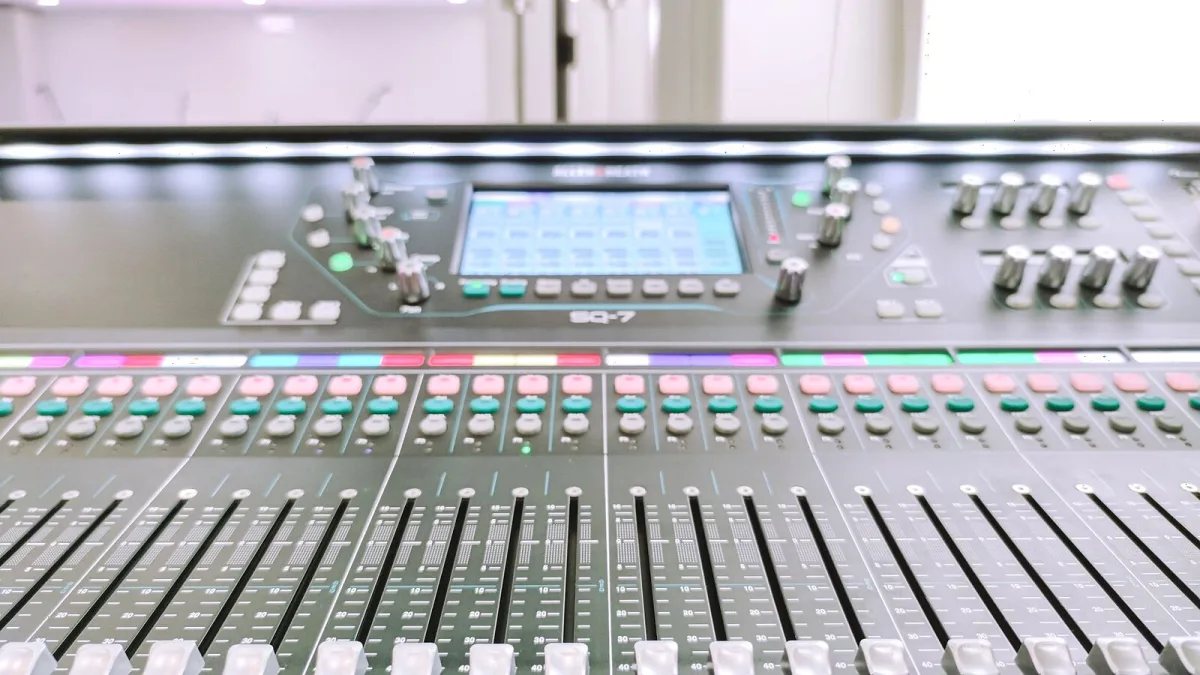
The Yamaha DM3 is one of those pieces of kit that makes you do a double-take. It’s compact enough to slip into a mid-sized gig bag, yet it handles the kind of routing and signal processing that would have required a desk three times the size not so long ago. If you’ve been curious about what it actually does and whether the hype stacks up, here’s the honest rundown.
What Is the Yamaha DM3?
The Yamaha DM3 is a compact digital mixing console aimed at live sound, rehearsal spaces, houses of worship, corporate AV and small-format recording. Announced in April 2023, it fits somewhere between a basic digital stagebox solution and a full-sized touring console — which is exactly the gap it was built to fill.
The key specs in brief: 16 analogue mic/line inputs (12 XLR plus four combo XLR/TRS), eight XLR outputs, an 18-channel USB audio interface, a 9-inch multitouch display, eight channel faders plus one master fader, and a “Touch and Turn” encoder for quick parameter adjustment. The company sometimes markets it as a “22-channel” console; that figure counts 16 mono inputs, one stereo input and two FX-return channels, so the practical input count for mic and line sources is 16.
Two Models: Standard and Dante
The series comes in two versions, and the difference is straightforward once you know what Dante is. Dante is an audio-over-IP networking protocol — it routes audio across a standard Ethernet network at low latency, removing the need for long analogue cable runs.
- Dante model: Includes 16×16 Dante networking. You can connect Dante stageboxes, amplifiers or other Dante-equipped devices over a single Ethernet cable.
- Standard model: No Dante. All I/O is handled locally via the rear-panel analogue connectors and USB. Simpler and less expensive.
Both share the same fader count, display, bus structure, effects and USB capabilities. Unless you need Dante connectivity — or plan to expand into a networked rig — the Standard covers almost everything the full model offers.
The Bus Structure
Understanding the bus layout is where this console starts to make sense as a serious tool. You get one stereo master bus, six Mix buses, two FX buses and two matrix buses. In practice:
- Mix buses (1–6): Ideal for monitor mixes, broadcast feeds or auxiliary sends. Six discrete monitor mixes in a unit this size is genuinely useful for multi-musician stages.
- FX buses (1–2): Send channels to the onboard effects engine and return them as FX channels. Keep the wet signal under control rather than processing channels directly.
- Matrix buses (1–2): Create additional output feeds from the stereo bus, Mix buses or input sources. Useful for delay fills, recording feeds or broadcast sends that need different processing to the main house mix.
Onboard Processing and Effects
The console comes fitted with 18 onboard effects, including reverbs, delays and modulation. Every input channel has a gate, compressor and four-band parametric EQ. A graphic EQ is available on Mix buses 1–6 and the stereo output — essential for ringing out monitor mixes or taming room resonances.
The processing quality is consistent with the company’s wider pro-audio reputation. It won’t replace a dedicated outboard rack, but for the venues and events this console is actually used in, it’s more than adequate.
USB Recording and Playback
One of the more useful practical features is the 18-in/18-out USB audio interface built into this mixer. Connect a laptop and you can:
- Record all 16 inputs plus a stereo mix for a full multitrack session.
- Play backing tracks or walk-in music directly from a computer.
- Run a virtual soundcheck — play back recorded channels through the console and fine-tune the mix without a band standing on stage.
- Feed a separate stereo stream to streaming software or a recording interface.
The console runs at either 48 kHz or 96 kHz. The 96 kHz option gives you the highest signal quality, but confirm your DAW and any connected digital gear support that sample rate before committing to it for a gig.
The Physical Controls
The desk uses eight channel faders and one master fader. That’s fewer physical controls than most analogue desks, so channel layers are essential — you scroll between groups of inputs rather than having a dedicated fader for every channel. The 9-inch touchscreen makes this faster than it sounds. The “Touch and Turn” encoder lets you grab a parameter on-screen and adjust it with the physical knob, which keeps workflow moving during a show.
The whole unit measures about 320 × 140 × 455 mm and weighs around 6.5 kg, so it fits on a table, a small rolling cart or a compact FOH position. That’s a meaningful advantage for engineers doing theatre, conference rooms or festival support stages.
Firmware and Dante Maintenance
Yamaha released firmware V3.10 for the DM3 in September 2026, adding support for new Dante I/O interfaces (the RUio1608SB-D, RUio0804-D and RUio16FLX-D). Keeping firmware current is straightforward: copy the .bin file to a USB drive and follow the update guide. On the Dante model, the Dante firmware needs to be updated separately — the manufacturer is explicit about this, so don’t skip that step.
Firmware updates should always be done well before a production date, with your current show file backed up first.
Who Is It Actually For?
This console suits engineers who need proper digital mixing in a portable format. Think small-to-medium venues, touring support (particularly where backline carries the PA), rehearsal studios that need recallable mix states, houses of worship running multiple monitor mixes, and corporate AV where a tidy control surface matters. It also works well as a compact recording interface for project studios needing more than eight mic preamps in a small footprint.
What it’s not: a replacement for a mid-sized console on a 1,500-capacity venue stage, or a substitute for a proper front-of-house desk on a complex multi-act bill. The eight-fader surface is efficient once you’re used to it, but it asks more of the engineer than a 24-channel analogue board would.
Bottom Line
The Yamaha DM3 is a genuinely capable compact digital console. It does routing, monitoring, recording and effects processing that would have cost significantly more a few years ago. The choice between the Dante and Standard models mostly comes down to whether you need networked audio expansion. For most small-format live work, the Standard is all you need. If you’re building a Dante ecosystem, the full DM3 earns its extra outlay.
For more detail on choosing between the two models, see our Yamaha DM3 buyer’s guide. If you’re just getting started, the beginners’ guide covers the first-show essentials. And if you want to avoid the common pitfalls, check out common Yamaha DM3 mistakes to avoid.




Comments