


Portable CD Player article
Portable Cd Player for Beginners: A Complete Guide
The honest first steps for anyone new to a portable CD player: loading a disc properly, understanding anti-skip, and looking after your discs.
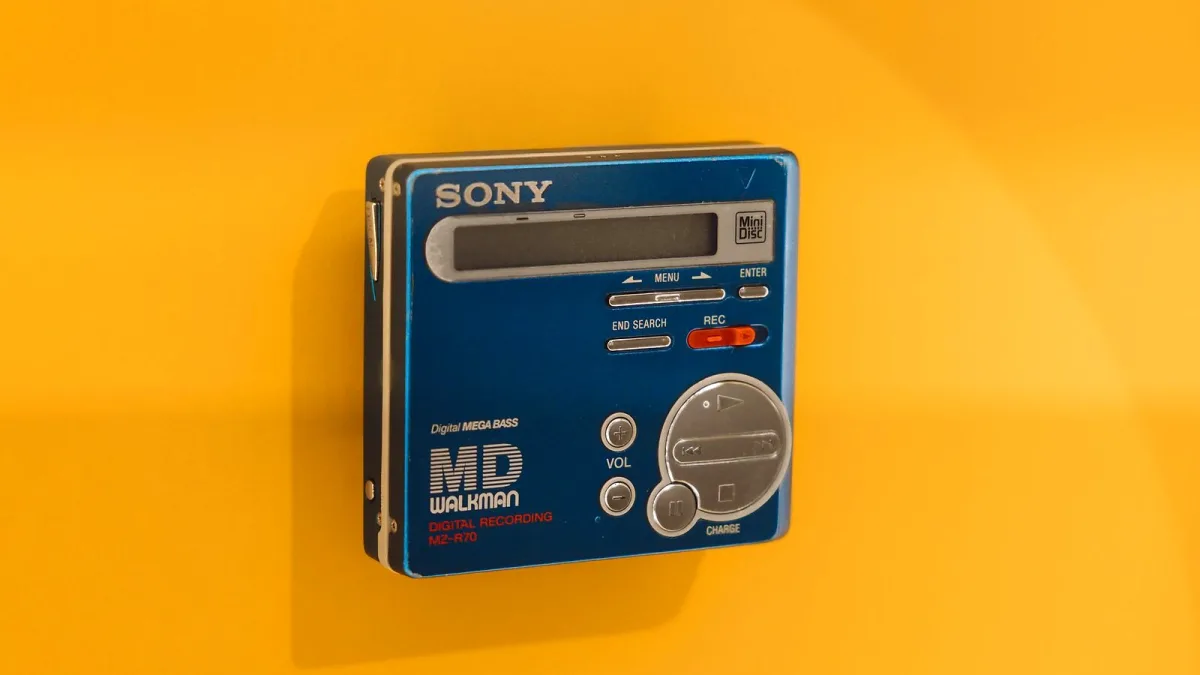
Picked up your first portable CD player, perhaps inheriting a stack of albums along with it, and not quite sure where to start? No bother at all. These things were designed decades ago to be genuinely simple, and once you've got the basics down, you'll wonder what took you so long.
Getting Your First Disc Playing
There's a proper order to this, and it's worth doing it right from the start so you don't strain the hinge or scratch anything.
- Find the small latch or slider, usually on the top or side, and open the lid fully.
- Hold the disc by its edges, label side facing up, and lower it gently onto the central spindle until it clicks into place.
- Close the lid firmly but without forcing it — you should feel a clean click, not resistance.
- Plug in your headphones, turn the volume down low to start with, and press play.
- Give it a couple of seconds to read the disc before the first track starts; that brief pause is completely normal.
If nothing happens, check the batteries or charge first, and make sure the disc is a proper audio CD rather than a data disc it isn't designed to read.
The Controls You'll Actually Use
Don't let the number of buttons put you off — you'll really only reach for a handful regularly. Play/pause and skip forward or back cover most listening. A volume wheel or buttons handle loudness. There's usually a "hold" switch too, which locks the buttons so nothing gets pressed accidentally in a bag or pocket — genuinely useful, and easy to forget you've switched on when the thing suddenly stops responding.
Understanding Anti-Skip
Most portable CD players have some form of anti-skip, or anti-shock, protection, which quietly stores a few seconds of decoded audio so a small bump while you're walking doesn't interrupt the music. It's clever, but it isn't magic — a proper drop or hard knock can still make the disc skip or stop, because the buffer only covers brief movement, not real impacts. Treat the player a bit more gently than you would a phone, and you'll rarely have trouble.
Batteries, Charging and Keeping It Going
If yours takes AA batteries, keep a spare pair in your bag — there's a real freedom in never needing a plug socket. Rechargeable models will use either USB-C or an older micro-USB or proprietary cable, so check which one you've got and don't assume a random phone charger will fit. Either way, a battery that's running low is one of the most common causes of odd skipping or stopping, so if playback gets glitchy, charging up is always worth trying before you assume something's actually wrong.
Looking After Your Discs
- Hold discs by the edges or the centre hole, never the shiny underside.
- Wipe smudges with a soft, dry cloth, working in straight lines from the centre outward, not in circles.
- Keep discs in their cases when you're not using them, away from direct sunlight and heat.
- If a disc skips repeatedly while you're sitting still, check it for scratches or dust before assuming the player itself is faulty.
Building Up a Disc Collection
If you're starting from scratch rather than inheriting a shelf of albums, charity shops, car boot sales and second-hand record shops are all genuinely good places to find CDs cheaply, and it's worth having a quick look at a disc's surface for scratches before you buy. Don't feel any pressure to go digital-only just because streaming exists — plenty of people enjoy a portable CD player precisely because it's a small, deliberate ritual: picking an album, loading it, and actually listening the whole way through rather than skipping around.
When Something Seems Wrong
Before you worry that your portable CD player is broken, run through the obvious things first: check the battery or charge level, make sure the disc is clean and free of deep scratches, confirm the lid has clicked properly shut, and try a different disc to rule out the one you're playing. Most "faults" beginners run into turn out to be one of these simple, easily fixed causes rather than an actual problem with the unit itself.
A Quick Word on Volume
It's tempting to turn things right up the first time you hear a favourite album sound properly full again, but ease into it. Start low, especially through headphones, and give your ears a few seconds to adjust before pushing the volume any higher. It's a small habit, but one that protects your hearing over years of regular listening, not just your first afternoon with a new player.
You'll Get the Hang of It Fast
Honestly, there's not much that can go wrong once you've got the disc-loading and charging basics sorted — these were built for people who just wanted to press play, and that hasn't changed. Once you're comfortable with the day-to-day side of things, our complete features explainer is a good next read if you're curious how everything under the lid actually works, and our piece on common mistakes to avoid will save you a few avoidable headaches down the line.





Comments