


Portable CD Player article
Portable Cd Player Explained: Features, Types and Tips
From the Discman's twitchy laser to today's Bluetooth and USB DAC models, here's what a portable CD player actually is and how it's built.
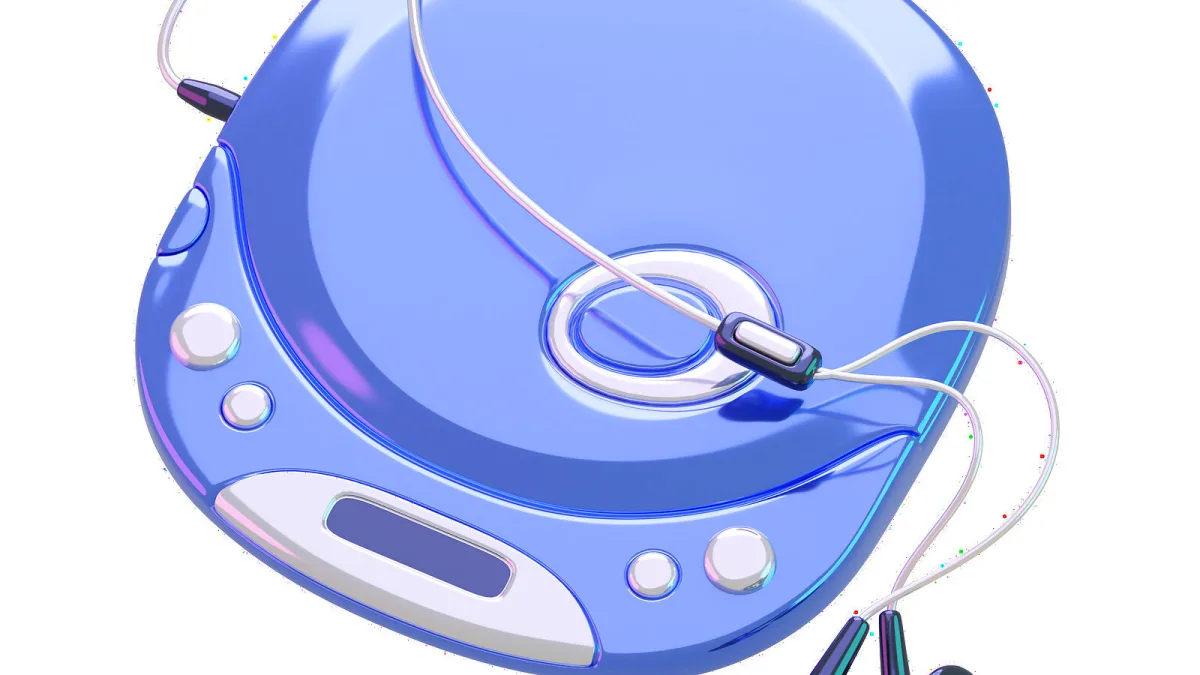
I still remember the exact click of a lid closing on a portable CD player, that little half-second pause before the display flickered to life. Decades on, these things are still around — some barely changed, some genuinely reinvented for headphone enthusiasts — and it's worth understanding what's actually going on inside one, and how today's models differ from the Discmans a lot of us grew up with.
What a Portable CD Player Actually Is
Strip it back and it's a compact device built to play audio CDs away from a proper stereo system: a disc mechanism, playback controls, usually a small display, and a headphone output, all running on batteries or a rechargeable cell. Sony's Discman, later rebranded CD Walkman in many markets, is the name most people still reach for when describing the category, even though plenty of other manufacturers made excellent units of their own.
From Discman to Bluetooth: A Bit of History
These players took over from portable cassette machines by offering something genuinely new at the time: instant track access, programmable play order, and no more flipping a tape over halfway through an album. The early units, though, were notoriously twitchy — the laser had to track a spinning disc while you walked, and any real jolt could send it skipping. Manufacturers answered with anti-shock buffering that held a few seconds of decoded audio in memory, smoothing over minor knocks without being able to save you from a proper drop.
The category faded hard once MP3 players, then smartphones and streaming, took over everyday listening. It never disappeared entirely, though — it stuck around for people who own CD collections, prefer physical media, or simply like a device that does one job without asking for a subscription. Today's market is a genuinely odd mix of cheap nostalgia-driven designs and surprisingly sophisticated players aimed squarely at headphone enthusiasts.
How One Actually Works
- An optical pickup uses a laser to read the microscopic pits encoded in the CD's data layer.
- A servo system keeps that laser precisely aligned with the track as the disc spins.
- The digital audio data is error-corrected and turned into a continuous audio stream.
- A DAC (digital-to-analogue converter) turns that digital stream into an analogue signal.
- A small amplifier then drives your headphones, a speaker, or an external system.
Standard audio CDs carry 16-bit, 44.1kHz PCM audio — what's often called Red Book audio. Any talk of "high-resolution" playback on a given model usually refers to its USB DAC mode with a computer, not to the CD data itself, which is fixed at that same resolution regardless of the player.
The Main Types You'll Come Across
| Type | Typical features | Best suited to |
|---|---|---|
| Basic personal player | Headphone jack, small display, AA or rechargeable power, anti-skip | Walking, commuting, simple private listening |
| Bluetooth portable player | CD playback plus a Bluetooth transmitter, wired output too | Wireless headphones or speakers |
| Speaker-equipped portable | Built-in stereo speakers, CD mechanism, often radio too | Bedrooms, kitchens, casual group listening |
| MP3-CD player | Plays standard CDs plus CD-R/RW discs holding MP3 files | Large personal compilations |
| Audiophile portable | Stronger headphone stage, balanced output, USB DAC or ripping | Enthusiasts and use with external gear |
A Few Terms Worth Knowing
- Anti-skip (or anti-shock) memory — buffers already-decoded audio so a small bump doesn't interrupt playback. It doesn't physically stabilise the disc itself.
- Bluetooth transmitter versus receiver — a transmitter sends CD audio out to wireless headphones; a receiver takes audio in from a phone. Plenty of players only do one of these, so don't assume both.
- Balanced output — usually a 4.4mm connection on specialist-audio models, offering more headroom and less interference susceptibility, though it won't automatically sound "better" on its own.
- CD ripping — converts CD tracks into files, often onto a memory card or USB drive, on models that support it.
If you're weighing up exactly which combination of these features you actually need, our complete buyer's guide walks through the decision properly.
Not to Be Confused With…
A portable CD player is a distinct thing from a CD transport, which reads the disc but needs an external DAC and amplifier to actually produce sound; a desktop CD player, built for mains-powered home use rather than travel; and a boombox, which bundles a CD mechanism with speakers and radio but isn't really pocketable. Knowing which category you're actually shopping in saves a lot of confused browsing.
Charging and Power, Then and Now
The old Discman ran on AA batteries, full stop, and plenty of basic models still do — genuinely handy when you're somewhere without a plug socket. Rechargeable units have taken over much of the mid-market, and USB-C has become common on newer designs, though it's not universal: you'll still find micro-USB and even proprietary charging on some current models, so it's worth checking before you assume a spare phone cable will do the job.
The Bottom Line
It's a simpler piece of engineering than a phone, and that's rather the point — no updates, no subscriptions, just a disc and a laser doing a job they've done reliably for decades. Whether you land on a basic Discman-style unit or one of the newer audiophile models really comes down to what you actually want from it. New to the format entirely? Our beginner's guide covers the basics of getting one set up and playing properly.





Comments