


Pioneer DJ article
Pioneer Dj for Beginners: A Complete Guide
You don't need club-standard gear to start DJing. Here's what to actually buy first, and how to spend your first month building real skill.
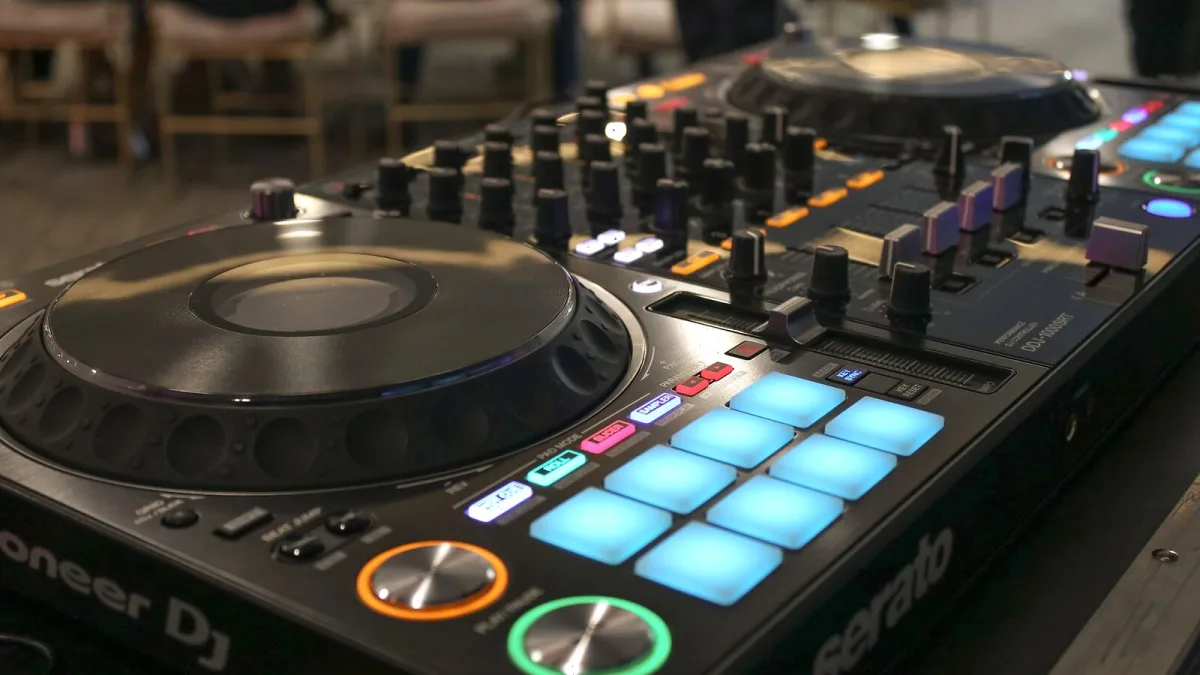
Nobody needs club-standard gear to learn how to DJ, whatever the flashy festival photos suggest. This is the sensible, unintimidating way into Pioneer DJ's world — what to actually buy first, what to ignore for now, and how to build real skill on a Pioneer DJ controller before you spend serious money.
You Don't Need What the Clubs Use
The CDJ and DJM setup you see at big venues is professional-tier gear, priced and built for people already working regularly. As a beginner, that's not your starting point, and treating it as one is how people end up spending far too much before they know what they actually enjoy about DJing. The sensible entry point into the Pioneer DJ ecosystem is an all-in-one controller from the DDJ range — a single unit with everything built in, designed to work with a laptop.
What You Actually Need to Get Started
- An entry-level DDJ controller — jog wheels, a built-in mixer section and software control in one box.
- A laptop to run the software — nothing powerful required at this stage.
- Rekordbox, the brand's own software, which has a free tier that's genuinely enough to learn on properly.
- A decent pair of headphones — for cueing up your next track without the room hearing you fumble it.
- A small, well-organised music library — twenty tracks you know intimately teach you more than two thousand you've never properly listened to.
Learning the Actual Skill, Not Just the Gear
The controller is just the tool. What you're actually learning is beatmatching, reading track energy, and building a set that goes somewhere. Rekordbox will show you beat grids and sync tools that can do a lot of the technical work for you — and that's fine to lean on early. But make a habit of occasionally mixing with sync switched off, just for practice, so your ear develops rather than only your button-pressing.
A Realistic First Month
- Week one: Learn your controller's layout cold, without music playing. Know where every control is without looking.
- Week two: Practise basic beatmatching by ear on two tracks with a similar tempo, sync switched off.
- Week three: Start building a simple, three-track transition you can repeat cleanly every time.
- Week four: String together a proper fifteen-minute set, then record it and listen back critically.
That order matters more than the exact timing — some people move faster, some slower, and both are completely fine.
Software Habits Worth Building Early
Get comfortable in rekordbox before you worry about anything else. Analyse every track properly before you play it, so beat grids and waveforms are accurate. Build playlists by mood or energy level rather than one giant, unsorted folder. These habits feel like admin now, but they're exactly what separates a smooth performance later from a frantic scroll through an unsorted library mid-set.
When It's Time to Upgrade
You'll know you're outgrowing an entry-level Pioneer DJ controller when you're regularly wishing for more channels, better-feeling jog wheels, or standalone playback without a laptop. That's the point to look at standalone media players or a proper CDJ and DJM setup — not before. Our full buyer's guide covers exactly how to make that next jump sensibly when you get there.
Building a Small, Sensible Setup at Home
You don't need a dedicated studio to practise properly. A sturdy table, your Pioneer DJ controller sitting flat and level, headphones within easy reach, and a laptop charger you won't trip over is genuinely most of it. Keep the same physical setup every time you practise if you can — muscle memory builds faster when the controller is always exactly where your hands expect it to be. A cheap pair of monitor speakers helps later, once you're comfortable enough to want the room to hear what you're doing, but they're not essential on day one.
Understand the Bigger Picture
Once the basics feel comfortable, it's worth understanding how the wider ecosystem fits together — the CDJ, DJM, XDJ and OPUS-QUAD families all exist for different reasons, and our full overview explains how. And before you buy your next single piece of gear, our guide to common mistakes will save you from several of the classic beginner missteps.
The Bottom Line
Start small, start on a proper entry-level Pioneer DJ controller, and spend your first month on skill rather than shopping. The gear you'll eventually want will make far more sense once you actually know what you're missing from what you already have.






Comments