


Pioneer DJ DJ Controller roundup
Pioneer Dj Dj Controller: A Complete Buyer's Guide
Buying a DJ controller means deciding on software, channels, portability and connectivity. This guide walks you through the key factors so you choose one you'll actually use.
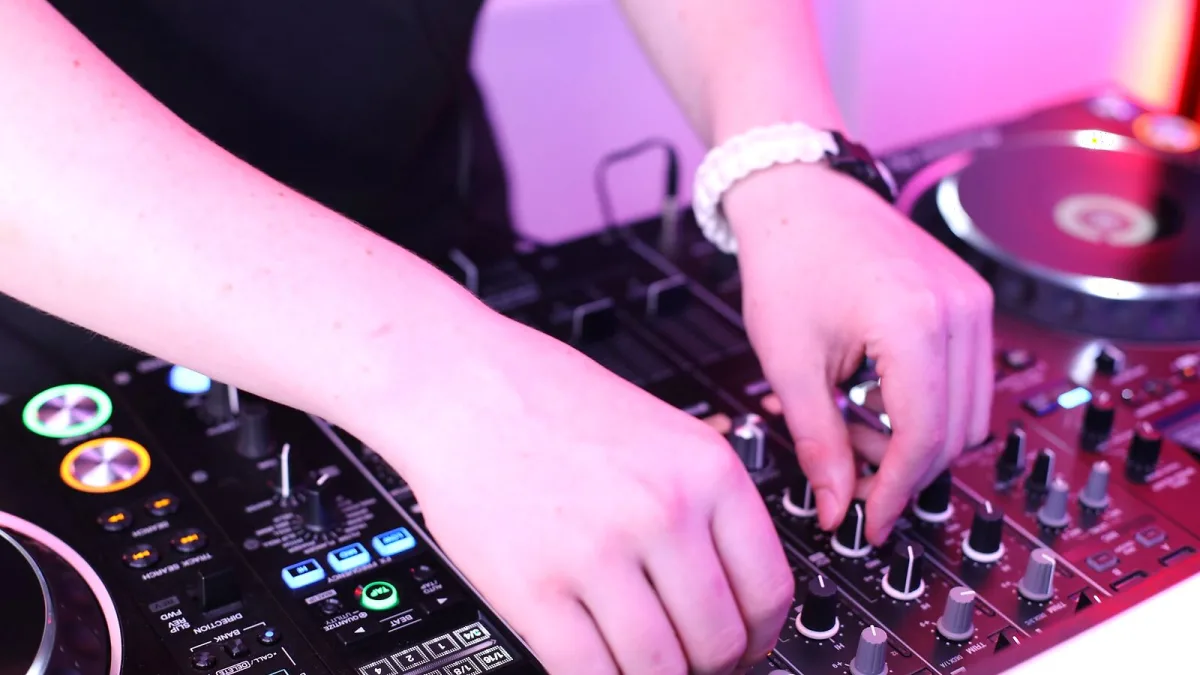
Buying your first DJ controller is a real decision point, so let's cut through the noise and talk about what actually matters. A Pioneer DJ controller sounds straightforward—deck controls, mixer, plug it in—but the range spans from £150 ultra-compact units to multi-thousand-pound standalone systems, and which one fits your life depends on five core factors: software, channels, portability, connectivity and what you're actually doing with it. Get those right and you'll have something you genuinely use; miss them and you'll end up with a piece of gear that frustrates rather than inspires.
Software: Your First Choice
Before you look at a single spec sheet, choose your software. Most DJ software—rekordbox, Serato DJ, djay, Traktor—works broadly similarly, but the philosophy differs and they don't all unlock on the same hardware. Rekordbox is Pioneer's own platform: it's excellent for club preparation and deeply integrated with Pioneer gear, but if you prefer Serato DJ (especially if you're into scratching), you'll need a controller that supports it. The DDJ-FLX2 supports all major platforms, which is rare and brilliant if you're undecided. But if you know you want Serato DJ Lite or djay, confirm the model you're eyeing actually unlocks the version you need—some controllers come with a limited tier that costs more to upgrade.
Check the software's system requirements too. DJ software demands a reasonable amount from your computer: USB 3 or USB-C connectivity helps, but older laptops might struggle with processing power. If you're on a Mac, verify the software is optimised for your OS version. Nothing worse than buying a controller and discovering the newest software doesn't properly support your machine.
Channels and Scale: Two versus Four
This is simpler than it sounds. A two-channel Pioneer DJ controller has one deck on the left, one on the right, mixer in the middle. Perfect if you're learning, playing small events or working in a tiny bedroom. A four-channel controller adds two more decks and lets you layer loops, acapellas and drum breaks underneath your main mix—it opens up more creative possibilities and looks more professional in a larger venue. But it takes up more desk space and costs more.
If you're just starting out or DJing bedrooms, two channels is enough. If you're playing small events or working on intricate layered sets, four channels is worth the upgrade. Club DJs and anyone mixing more complex arrangements almost always choose four-channel systems.
Laptop-Dependent or Standalone?
Here's the practical split. Most Pioneer DJ controllers need a laptop to run. They're cheaper, you have access to your entire music library, and software updates are frequent. But you're tethered to your computer: it becomes a failure point, the screen can distract you, and for serious club work, many venues prefer you to have a standalone backup.
Standalone systems—true all-in-one DJ systems—play music from USB drives without a computer. They cost significantly more, require careful preparation of your music library beforehand, and the feature set is more limited. But they're more like what you'd find in a proper club: familiar, reliable and independent. If you're doing regular club gigs or high-profile events, standalone pays for itself in peace of mind. For home mixing, bedrooms and small events, a laptop controller makes far more sense.
Connectivity: Where Your Cables Go
This matters more than beginners realise. Entry-level controllers like the DDJ-FLX2 have 3.5 mm headphone output and small RCA master outputs. That's fine for bedroom mixing into powered speakers, but if you're connecting to venue PA systems or using proper monitoring, you need bigger connectors. Look for balanced XLR master outputs on models aimed at clubs. If you're doing mobile DJ work, check for booth outputs (a separate monitor mix), multiple microphone inputs and line-level auxiliary inputs so you can mix in other sources.
USB connectivity also matters. Older controllers use full-size USB ports; newer models increasingly use USB-C. USB-C is more durable and faster, but make sure your computer has the right port or carry an adapter. Bluetooth connectivity (like the DDJ-FLX2's) is genuinely useful if you want to play music from a phone occasionally, though you wouldn't rely on it for serious DJing.
Performance Features: What You Actually Touch
The jog wheels are where your hands live, so their size and feel matter enormously. Small jogs on budget controllers feel cramped and unresponsive—fine for learning, frustrating if you're serious about scratching. Full-size jog wheels, especially ones with displays showing BPM and waveforms, cost more but reward you every time you use them. If you'll be scratching, prioritise this; if you're blending tracks smoothly, it matters less.
Performance pads trigger hot cues, loops and effects. On newer controllers, some pads can access stems (vocal and instrumental separations), which is creatively interesting. But this is software-dependent and can be fiddly; don't buy a controller primarily for stems unless you know you'll use them regularly.
The mixer section—especially the crossfader—deserves attention. A scratchy crossfader that sticks or doesn't cut clean will destroy your confidence in a live set. Better models offer adjustable crossfader curves so you can match it to your style. The quality of the channel faders and EQ knobs also varies; cheaper models use rubber-covered plastic, professional units use better materials that survive years of heavy use.
What Doesn't Matter (Yet)
Ignore feature lists that promise "professional" sound quality or "studio-grade" effects. Controllers are mixing tools, not audio interfaces; the sound quality depends on your speakers and headphones, not the controller. Beat Sync and software effects are genuinely useful, but they're not a substitute for learning to beatmatch by ear and blend tracks properly. Don't let the number of pads or the flashiness of the effects convince you a cheaper model will magically improve your mixing.
And don't chase newest models obsessively. A DDJ-FLX from two years ago is still a solid controller. New versions often add minor features; the core mixing experience doesn't change radically. Spend your money on a model that feels right, not because marketing says it's the latest.
Narrowing It Down: Budget Bands
Under £200: The DDJ-FLX2 is genuinely the sweet spot here. Compact, multi-software support, USB-C, works with Bluetooth speakers. Perfect for learning.
£300–600: Two-channel controllers with better jog wheels, larger format and more outputs. Suitable for home mixing, small events and learning more serious technique.
£800–1500: Four-channel controllers like the DDJ-GRV6 with full-size jogs, better effects and more creative possibilities. For club preparation and complex mixing.
£2000 and up: Standalone systems and professional-grade controllers with XLR outputs, multiple monitors, effects routing and club-standard layouts. For serious club work and high-profile events.
The Hidden Costs
The controller itself isn't the whole bill. You'll need headphones—don't skimp here; good DJ headphones cost £100–300 and make mixing far easier. You might need a computer upgrade if yours is ageing. Cables and adapters add up. If you're buying Serato DJ Pro or a higher tier of rekordbox, that's a subscription or one-time fee. And if you're serious about club work, you'll eventually invest in better monitors and a proper sound system.
Budget for the full picture, not just the controller price tag. A £200 controller with terrible headphones and no way to properly hear yourself is more expensive in frustration than a £500 controller with everything you actually need.
The Right Choice Is Yours
A Pioneer DJ controller is an investment in your mixing, so buy based on what you'll actually do, not what the marketing promises or what looks cool. Test one in a shop if you can. Watch your hands on the jog wheels; feel the crossfader; check the screen layout. The best controller is the one you'll reach for regularly, not the one gathering dust because it doesn't match your workflow. Choose honestly, and you'll have something that grows with you from your first nervous mix to sets you're genuinely proud of.





Comments