


DJ Turntable article
Dj Turntable for Beginners: A Complete Guide
Learning to DJ on turntables is intimidating at first glance, but the core skills are cueing, beatmatching and mixing — and they come with practice. Here's where to start.
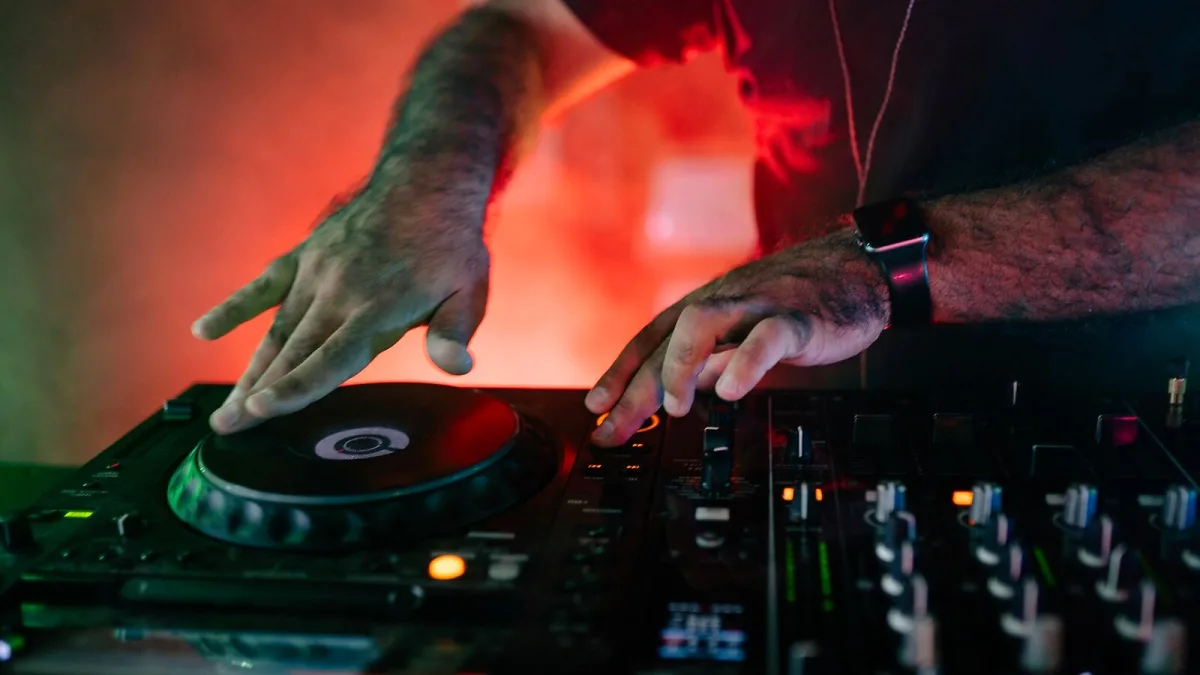
There's something slightly intimidating about using a DJ turntable for the first time, particularly if you've spent any time watching someone who actually knows what they're doing. It looks like there are about twenty things happening simultaneously and you're not entirely sure what any of them are. The reassuring truth is that the fundamentals reduce to a small number of skills, and the first one is just listening. Here's where to start.
What You're Actually Learning
When you learn to DJ on vinyl, the core skills are:
- Cueing: finding the exact spot on a record where you want to start playing, using your headphones to listen to the incoming track while the current one plays through the speakers.
- Beatmatching: adjusting the speed of the incoming track using the pitch fader so that its tempo matches the track already playing.
- Mixing: blending the two tracks together using the mixer's crossfader or channel faders as you bring the new track in and fade the old one out.
That's the core loop. Everything else — scratching, effects, EQ manipulation, track selection, reading a room — is built on those three things. Master them first.
Getting Familiar with the Deck
Before you try to mix anything, spend time just learning what a DJ turntable can do. Get familiar with the controls. Press the start button and feel how quickly the platter reaches speed. Touch the edge of the platter gently and feel the motor push back against your hand. That resistance is torque — it's important, and you'll develop an instinct for how much pressure is needed for different techniques.
Move the pitch fader. Play a record and push the fader upward — the pitch rises, the speed increases. Pull it back — pitch drops, speed decreases. Listen to how gradual or sudden the change feels. Your ear will eventually become accurate enough to hear half-a-beat-per-minute differences; at first, those adjustments will seem completely beyond reach. They're not. It's just practice.
The Headphone Mix: Your Secret Weapon
New DJs frequently underuse the headphones. Your mixer should have a cue or headphone control that lets you listen to a specific channel — usually the deck you're about to bring in — independently of what the speakers are playing. This is how you set up the next record without the audience hearing it.
Practise listening to one track in your ear while another plays in the room. It sounds disorienting at first. Within a few sessions, your brain learns to separate the two signals, and cueing and matching become faster and more accurate as a result. Don't skip this stage.
Setting Up Properly: The Details That Matter
A few practical things that beginners often overlook:
- The ground wire. Plug it into the mixer's earth point. Without it you get a persistent hum through the system that will drive you to distraction. It's a simple connection and there's no reason not to make it.
- Tracking force. Set the tonearm's counterweight so the stylus sits in the groove with the correct weight — usually between 2 and 4 grams for most DJ cartridges. Too light and the needle skips; too heavy and you're grinding records. Check the cartridge specification.
- Slipmat. Use a thin felt or specialty slipmat on the platter, not the rubber mat designed for hi-fi listening. The slipmat allows the record to be held stationary while the platter spins beneath it, which is essential for cueing technique.
- Stable surface. Put the DJ turntable somewhere solid, away from the speakers. Speaker vibration through the same surface causes feedback and skipping. A dedicated stand or heavy table makes a real difference.
Your First Mix: A Practical Approach
Pick two records with the same or similar tempo. Start with something you know well — knowing the structure of a track (when the drop comes in, where the vocal starts, how long the intro is) makes mixing substantially easier than learning the music and the technique simultaneously.
Play the first record on one deck, loud through the speakers. Cue the second record in your headphones — find a beat, place the needle and hold the platter still with your finger. When you're ready, release it in time with the beat in the speakers. That's the drop. Now listen: is the incoming track running faster or slower than the track in the speakers? Adjust the pitch fader accordingly.
It won't be perfect. That's fine. Nudging the platter forward to speed up slightly and pulling it back to slow down are standard techniques that come with muscle memory over time. Keep trying.
What Not to Worry About Yet
- Scratching: it's a separate technique with its own learning curve. Basic mixing first, scratching later.
- Complex effects: a clean mix between two records in time is far more impressive than a sloppy mix with reverb thrown over it.
- Buying more kit: one DJ turntable and another deck plus a mixer is all you need to learn. Resist the impulse to upgrade before you've put in the hours.
For more depth on the components of a DJ turntable, the features explainer is the natural next read. Buying your first decks? The buyer's guide covers what to prioritize without the hype. And if you'd rather know the pitfalls before you hit them, the common mistakes guide lists the errors most beginners make and how to avoid them.






Comments