


Mpc One roundup
Mpc One: A Complete Buyer's Guide
A spec sheet can seduce anyone. Here's how to work out whether the MPC One actually fits your workflow before you commit.
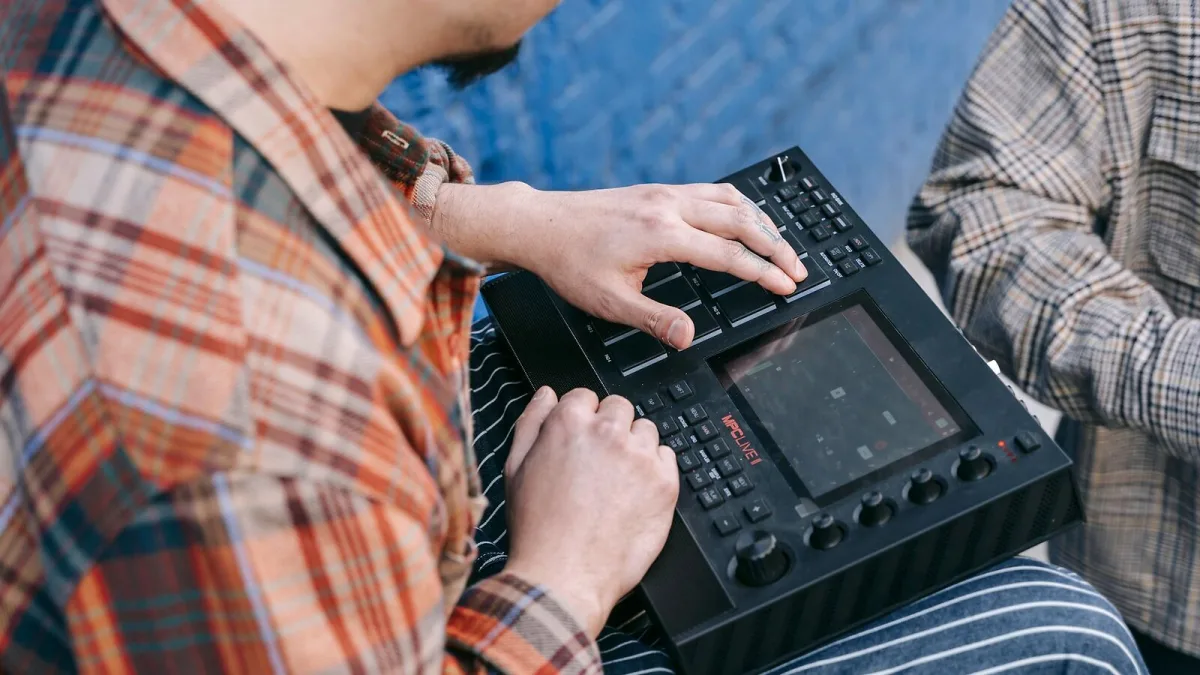
I've watched plenty of producers get seduced by a spec sheet and end up with the wrong box for how they actually work. Buying an MPC One is a genuinely good move for a lot of people, but "genuinely good" only holds if it actually fits your workflow, your gear and your budget. Here's how to work that out properly before you commit.
MPC One: Original, One+, or the Newer G2?
This is the first real fork in the road. The original model keeps costs down but ships with just 2GB of internal storage, which forces an SD card or USB drive into your setup almost immediately. The One+ update brings 16GB of internal storage (roughly 7.8GB usable once the OS and factory content are accounted for), Wi-Fi for wireless plugin updates, and Splice and Ableton integration on top of the same core hardware. There are also reports of a newer G2 variant with 64GB of storage and 4GB of RAM, though full specifications and regional pricing weren't confirmed at the time of writing — check Akai's current product pages directly before basing a purchase on that one specifically.
| Version | Storage | Extra features |
|---|---|---|
| Original | 2GB internal | Core hardware, needs external storage fast |
| One+ | 16GB (≈7.8GB usable) | Wi-Fi, Splice/Ableton integration |
| G2 (reported) | 64GB internal | Specifications not fully confirmed — verify before buying |
Match It to What You Actually Need It For
Sample-based beatmaking, finger drumming, hip-hop and electronic production all play to its natural strengths, and if that's your world, you're in good hands. If your work leans heavily on multichannel recording — a full band, several hardware synths tracked simultaneously — the two 1/4-inch inputs are a genuine limitation, and you'll likely need an external mixer or interface alongside it rather than instead of one. Be honest about which category you fall into before you buy, because bolting on extra gear afterwards costs more than planning for it upfront.
- Good fit: sample chopping, drum programming, hip-hop, house, techno, live pad performance
- Needs extra gear: multichannel recording, large sample libraries on the original model, complex live mixing
- Genuine bonus: MIDI and CV/Gate connectivity for controlling external synths and modular racks
New Versus Used
Because the format's been around a while, the used market for the original MPC One is genuinely healthy, and it's often the smarter buy if your budget's tight and you don't need Wi-Fi or the extra storage. Check the pads for wear and consistent velocity response, confirm the touchscreen is fully responsive across its surface, and ask whether the firmware has been kept up to date — an outdated unit can miss features and bug fixes that later updates added.
Plan Your Storage From Day One
If you're going for the original model, decide on an SD card strategy before your first session rather than after you've already hit the ceiling. A fast, reliable card sized generously beyond your immediate needs saves a genuinely annoying mid-project scramble. If you're leaning toward the One+ instead purely for the built-in headroom, weigh that against the price difference honestly — for some workflows, 2GB plus a good SD card is perfectly workable.
Think About What Else Is Already on Your Desk
The MIDI in/out and CV/Gate connectivity mean this isn't just a standalone box in isolation — it can become the sequencing hub for whatever else you've already got. If you're running external synths, drum machines or a small Eurorack setup, factor that into the decision, since the ability to clock and sequence everything from one interface is a genuinely underrated part of the value here, not just an add-on feature.
Budget for More Than Just the Box
The unit itself is only part of the spend. Factor in a decent SD card if you're going for the original MPC One, a proper pair of studio headphones or monitors for judging your mixes honestly, and cables for whatever MIDI or CV gear you're planning to connect. None of this is expensive on its own, but it adds up, and turning up with only enough budget for the hardware itself tends to mean a compromised first few weeks while you scramble for the accessories you actually needed from day one.
Before You Check Out
For the full technical picture before you buy, our complete guide to the MPC One breaks down every spec and the workflow properly, and if you're brand new to standalone sampling entirely, the beginner's guide is worth reading alongside this one. Buy for the workflow you actually have, not the one you're imagining you might grow into — you can always add storage and interfaces later, but the wrong core box is a harder thing to fix.






Comments