


Podcast Equipment article
Podcast Equipment Explained: Features, Types and Tips
Podcast equipment covers more than a microphone alone — here's how capture, conversion, monitoring and room acoustics actually fit together.
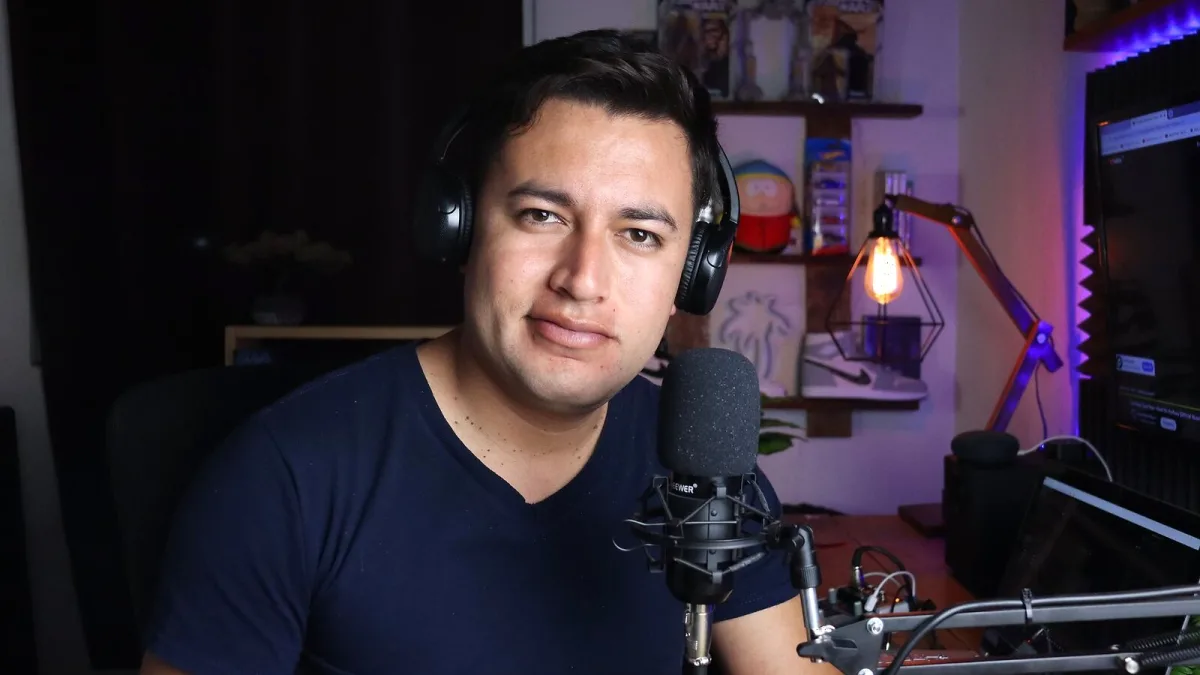
Podcast equipment covers more ground than most people expect before they start shopping — it's not just "a microphone", it's capture, conversion, monitoring, mechanical support and noise control all working together. Get the basics right and a modest kit list will sound perfectly professional. Here's how the pieces actually fit together, and the decisions that matter most.
What Podcast Equipment Actually Includes
It helps to think of it in categories rather than a single shopping list:
- Capture — microphones, including USB, XLR and lavalier types
- Conversion and routing — audio interfaces, mixers and portable recorders
- Monitoring — closed-back headphones, so you can hear problems as they happen
- Mechanical support — stands, boom arms and shock mounts
- Noise and plosive control — pop filters, windscreens and basic acoustic treatment
- Recording and editing — a DAW to capture, process and export the finished episode
USB or XLR: The First Real Decision
| Feature | USB microphone | XLR microphone |
|---|---|---|
| Setup | Plugs straight into a computer | Needs an interface, mixer or recorder |
| Ease of use | Very simple | More components to configure |
| Expansion | Limited | Easy to add microphones and hardware later |
| Best for | Solo creators, beginners, travel | Multi-mic setups and long-term systems |
Some microphones offer both connections in one body, which is a sensible way to start on USB and move to XLR later without buying a second microphone.
Dynamic or Condenser?
This choice matters at least as much as USB versus XLR. Dynamic microphones reject more room noise and are forgiving in untreated rooms, shared spaces and on-location recording — a sensible default for most home podcasters. Condenser microphones capture more detail, but that sensitivity also picks up room reflections, computer fans and traffic, so they suit quieter, more controlled spaces. Neither is objectively "better"; they solve different problems.
Interfaces and Mixers Aren't the Same Thing
An audio interface converts a microphone's signal into digital audio for your computer. A mixer combines and routes several signals, often adding faders, headphone outputs and monitoring controls, sometimes with call-routing features for phone guests. For a single-host show, an interface is usually enough. Once you're running several microphones or want hands-on level control during recording, a mixer starts to earn its keep.
Recording Levels and Software
Whatever your setup, the same rule applies: avoid clipping. It's far safer to leave headroom and raise levels during editing than to try to repair an overloaded recording. Where possible, record each speaker to a separate track — it lets an editor fix one person's level or remove an interruption without touching the whole conversation. A DAW handles the actual capture, editing and export; a mixer or interface provides input control, but it doesn't replace recording software in a computer-based workflow.
Monitoring While You Record
Wired, closed-back headphones are the standard choice during recording, because they reduce sound leakage into the microphone and let you catch plosives, hum, fan noise or a disconnected input in real time. Bluetooth headphones can introduce latency and codec-related differences, so they're better suited to casual listening back than to live monitoring during a session.
The Room Matters More Than the Spec Sheet
A quiet, acoustically reasonable room can improve your sound more than upgrading from one competent microphone to a pricier one. Soft furnishings, curtains, carpets and proper acoustic panels reduce reflections; a handful of foam tiles stuck on a wall is not the same thing as soundproofing, and won't stop noise entering from outside.
How the Format Changes What You Need
The right podcast equipment for a solo voice show looks quite different from what a four-person roundtable needs. A single host can work perfectly well with one USB microphone, wired headphones and a laptop. A two-person studio show benefits from two microphones, two headphone outputs and an interface or podcast mixer with at least two inputs, so each voice can be recorded to its own track. Remote interviews add their own risks — internet dropouts, echo from a guest's speakers, and lost recordings — so wherever possible, use a workflow that captures a separate local track for each participant rather than relying on a single mixed-down file.
Microphone Technique Still Matters
Even excellent podcast equipment can't fully compensate for poor technique. A sensible starting point is positioning the microphone roughly 6–12 inches from your mouth, slightly off to one side rather than pointed straight at it, which reduces plosive bursts on words with a hard "p" or "b". Keep that distance consistent through a session, and run a short test recording beforehand — it's the easiest way to catch a computer fan, an air-conditioning hum or a loose cable before it ruins a full episode.
Where to Take This Next
That's the shape of a complete podcast equipment setup and how the pieces relate. If you're ready to actually buy, our buyer's guide walks through matching kit to your format. If you're just starting out, the beginner's guide keeps things simple, and it's worth a look at common mistakes to avoid before you record your first episode.






Comments