


Yamaha Hs8 roundup
The Best Yamaha Hs8s for the Money
There's only one Yamaha HS8, but there are smarter and less smart ways to spend around it — here's where the money actually pays off.
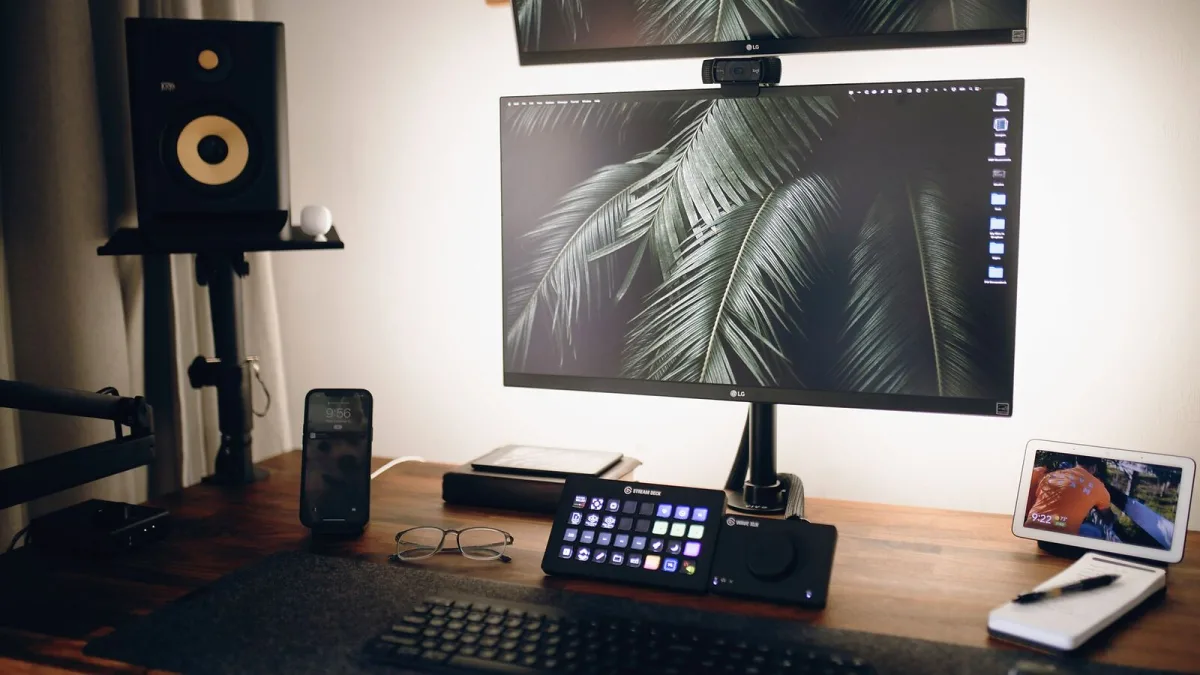
There isn't really a "better" or "worse" Yamaha HS8 — it's one model, one spec sheet, same drivers in every box. What changes the value you actually get from it is everything around the monitor itself: how you pair it, what you put it on, and whether you spend your remaining budget in the right places. Here's how to get the most out of an HS8 setup for whatever you've got to spend.
The Baseline: A Straight Pair, No Extras
If your budget stops at the monitors themselves, that's genuinely fine. A pair of Yamaha HS8 units on their own, placed sensibly with the tweeters at ear height and equal distance from the side walls, will already outperform most consumer speakers for mixing purposes. Don't feel pressured into accessories before you've lived with the monitors for a bit and worked out what your room actually needs.
Best Value Upgrade: Isolation Over Stands
If you've got a little extra to spend, put it into isolation pads before anything else. Desks resonate — especially thin or hollow ones — and that resonance smears low-frequency detail in ways that are easy to mistake for a monitor problem when it's actually a furniture problem. A decent set of foam or rubber isolation pads under each HS8 is one of the cheapest upgrades available, and it consistently punches above its price.
Proper stands come next if floor space and layout allow it, since they let you dial in exact height and distance rather than working around whatever your desk gives you. Either way, this is a better use of money than chasing a "better" cable or a fancier power lead.
Do You Need the HS8S Subwoofer?
Only sometimes. The HS8 already reaches down toward 40 Hz at its outer limit, which covers the fundamental of most kick drums and bass instruments. Adding Yamaha's matching HS8S subwoofer extends things further, but it also introduces a crossover point, phase alignment between sub and mains, and another placement puzzle to solve.
Where a subwoofer earns its keep is specific genres — heavy electronic music, trap, anything built around sub-bass that sits well below what a nearfield monitor can represent honestly on its own. If that's not your world, save the money and put it toward acoustic treatment instead, which helps every frequency, not just the bottom octave.
Best Alternatives at a Similar Price Point
Worth knowing what else lives in the same bracket, in case the HS8 isn't quite the fit:
| Alternative | How it compares |
|---|---|
| Yamaha HS7 | Same design family, smaller woofer — a sensible step down if your room is tighter |
| KRK Rokit | A more forward, hyped low end that some producers prefer for genre-specific work |
| JBL 308P | A larger waveguide design aimed at wider, more consistent off-axis response |
| Kali LP-6 | A smaller footprint option with a strong reputation for the price |
| Adam T7V | A ribbon-style tweeter for a different top-end character |
None of these make the HS8 a bad choice — they're just worth a listen if you can, since monitor preference is genuinely personal in a way spec sheets don't capture. If you want the full technical rundown on what the HS8 offers before comparing, our complete guide to the Yamaha HS8 covers the drivers, controls and specs in depth.
Getting the Best Out of the Room Control Switch
The rear-panel Room Control switch is effectively free value that a lot of buyers never touch. If your HS8s sit close to a wall or in a corner — common in smaller rooms — dropping the switch to −2 dB often tightens up a boomy low end instantly, at no extra cost. It's worth trying all three settings over a few listening sessions with music you know well, rather than guessing and leaving it on the default.
Where to Spend Last
If money's genuinely tight, here's the order I'd prioritise spending in, most impactful first:
- Getting the pair placed and angled correctly (free, just takes care).
- Isolation pads under each monitor.
- Basic acoustic treatment — even a couple of absorption panels behind the desk.
- Proper stands, if your layout allows them.
- An HS8S subwoofer, only if your genre genuinely demands it.
If you're brand new to this whole side of production, our beginner's guide to the Yamaha HS8 is a gentler starting point, and our buyer's guide covers what to check before you commit to the purchase at all.
Bottom Line
Getting the best value from a Yamaha HS8 setup isn't about hunting for a secret upgraded version — there isn't one. It's about spending sensibly around the monitor: isolation before stands, treatment before a subwoofer, and proper placement before any of it. Do the free things first, and the HS8 will sound considerably better than its price tag suggests.





Comments