


Focusrite article
Focusrite Explained: Features, Types and Tips
From a bedroom Scarlett Solo to the professional ISA C8X, here's what Focusrite actually makes and how the range fits together.
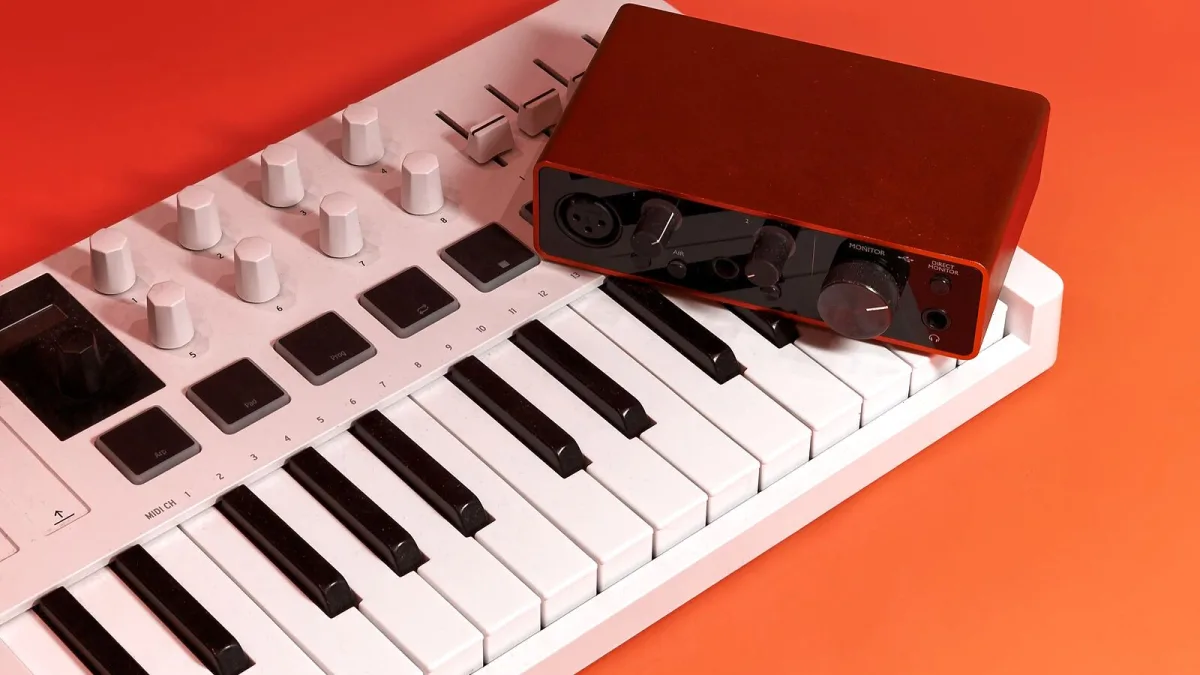
Ask anyone who's recorded a demo on a laptop in the last decade what interface they used, and there's a decent chance the answer is Focusrite. The British brand has become the default starting point for home recording, but the range now stretches well beyond the little red Scarlett box most people picture. Here's what Focusrite actually makes, how the different families differ, and what the features on the box genuinely do for your sound.
What Focusrite Actually Makes
At its core, Focusrite builds audio interfaces — boxes that turn a microphone or instrument signal into something your computer can record, and turn that recording back into sound through your speakers or headphones. Around that core sit microphone preamps, monitoring controls and, on newer models, onboard processing that shapes your tone before it even hits the computer. The company's identity has always been tied closely to preamp design and studio routing, tracing back to circuitry originally built for recording consoles.
The Scarlett Range: Solo to 18i20
Scarlett is Focusrite's biggest and best-known family, and the current fourth generation runs from a single-preamp Solo up to a rackmount 18i20. It's really a question of scale, not quality — every model in the range shares the same conversion approach.
| Model | Inputs / outputs | Suits |
|---|---|---|
| Scarlett Solo | 1 preamp | One microphone or instrument at a time |
| Scarlett 2i2 | 2 in / 2 out | Vocal and guitar together, or two mics |
| Scarlett 4i4 | 4 in / 4 out | Adding synths, hardware effects and stereo sources |
| Scarlett 16i16 / 18i16 | 16–18 in / 16 out | Small ensembles, several simultaneous microphones |
| Scarlett 18i20 | 18 in / 20 out | Rackmount studio hub with talkback and speaker switching |
Focusrite quotes dynamic-range figures of up to around 120–122 dB across the fourth-generation range, using conversion technology related to its professional RedNet line — a useful sign of how far the “budget” Scarlett tier now reaches into genuinely professional territory.
Beyond Scarlett: Clarett+, Vocaster, Red and ISA
Scarlett isn't the whole story. Clarett+ sits above it for more demanding project studios, with higher-specification conversion and connectivity. Vocaster is built specifically for podcasting and spoken word, simplifying the workflow around speech rather than music. Red is Focusrite's professional tier, aimed at broadcast and networked-audio setups with high channel counts. And ISA is the preamp lineage that traces back to studio consoles from the 1980s, associated with designer Rupert Neve — the recently announced ISA C8X is the first full audio interface to carry that branding, combining eight preamps with extensive ADAT, S/PDIF and immersive-monitoring routing.
Air, Auto Gain and Clip Safe Explained
Newer Scarlett models add a handful of features worth understanding before you assume they're just marketing:
- Air — a tone-shaping mode with a presence-style option for extra clarity and a harmonic mode for gentle analogue-style coloration. Neither replaces good mic placement, but both are handy creative options.
- Auto Gain — listens to your source and sets a sensible starting input level automatically, which is genuinely useful when you're recording solo with no one to watch the meters.
- Clip Safe — quietly reduces gain if your signal suddenly gets too loud, catching the kind of surprise peak that would otherwise ruin a take.
Gain Staging and Monitoring, in Plain English
The gain knob on a Focusrite interface isn't a volume control — it decides how hard the preamp boosts your signal before it's converted to digital. Set it during the loudest moment you expect, not a quiet warm-up, and leave headroom so an unexpected peak doesn't clip. For monitoring, direct monitoring routes your input straight to your headphones before it makes the round trip through your computer, cutting the small delay you'd otherwise hear when recording with software monitoring alone.
Software and Compatibility
Every current Focusrite interface pairs with Focusrite Control 2, the software that handles input configuration, monitoring routing, level control and saved profiles. It's worth checking which version your model requires and whether it runs on your operating system before you buy secondhand, since older Focusrite units sometimes rely on discontinued software. Newer models, including the ISA C8X, are also configurable from an iPad, which suits anyone recording away from a fixed desktop.
Phantom Power and ADAT, Briefly
Two terms worth knowing before you dig deeper: condenser microphones need 48-volt phantom power to work at all, which every Focusrite interface with an XLR input provides at the flick of a switch. ADAT is a digital connection that lets you add extra preamps or converters later without replacing your main interface — handy if you expect your channel needs to grow, though how many extra channels you get depends on your chosen sample rate.
Choosing Between Models
Working out exactly which Scarlett — or whether you need to look beyond Scarlett entirely — comes down to your actual inputs, outputs and expansion needs, which our complete buyer's guide covers in detail. If this is your first interface altogether, our beginner's guide walks through getting set up without assuming any prior knowledge.
The Bottom Line
Focusrite earned its reputation by making genuinely capable preamps and conversion accessible at every level, from a bedroom Solo to a rackmount studio hub. The features have grown more sophisticated over the generations, but the core job — a clean, honest path from microphone to computer and back — hasn't changed, and it's still exactly what most home and project studios actually need.





Comments