


Simply Piano article
The Ultimate Guide to Simply Piano
A clear, honest look at what Simply Piano actually does, how it's set up, and where it helps a beginner most.
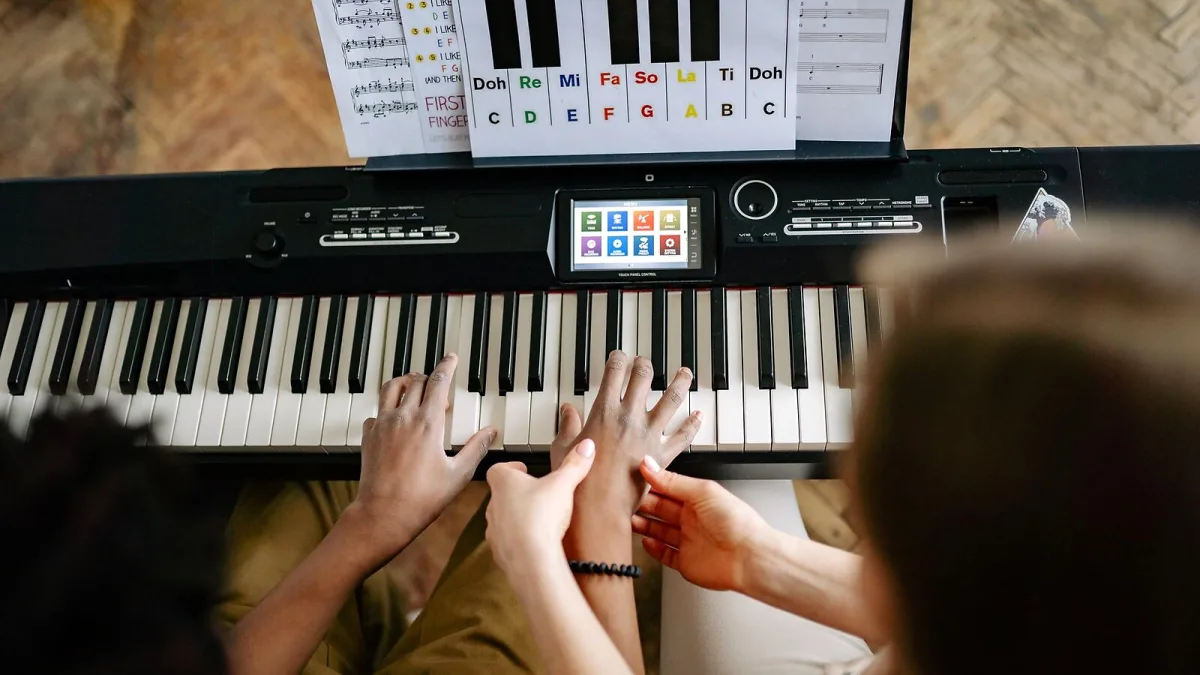
Simply Piano is one of the most widely used piano-learning apps around, built to get complete beginners playing recognisable songs within their first few sessions. It works by listening to what you actually play and giving you instant feedback, which makes it a genuinely different experience from a printed method book. Here's what it is, how it works, and who gets the most out of it.
What Simply Piano Actually Does
Developed by Simply, a company formerly known as JoyTunes, the app is designed for beginners, returning players and families learning at different paces. Rather than starting you off with a conventional method book, it guides you along an on-screen path that introduces rhythm, note reading, hand coordination, chords and repertoire in small, manageable steps.
Its core trick is real-time note recognition. Play a key, and it listens through your device's microphone, or through a MIDI connection if your keyboard supports one, and tells you straight away whether you played the right note. That immediate feedback loop, without needing a teacher watching over your shoulder, is what sets this kind of learning tool apart from a page of sheet music.
Getting Set Up
You don't need a special keyboard to use Simply Piano — it works with practically any acoustic piano, digital piano or keyboard you already own. To get started:
- Install the app on a compatible phone or tablet.
- Place the device somewhere near your piano, where its microphone can pick up the sound clearly.
- Allow microphone access when prompted.
- Select your instrument and begin the introductory lesson.
- If you're using a digital piano with a MIDI output, connect it directly for more reliable note detection than the microphone alone can offer.
Room noise, an oddly placed device or a MIDI cable that isn't quite compatible with your setup can all affect how well the note recognition works, so it's worth a few minutes of trial and error before your first proper lesson.
The Learning Pathways
Structured courses are what stop this feeling like a random pile of exercises. The commonly reported routes include:
| Pathway | Focus |
|---|---|
| Piano Basics | Keyboard geography and early note reading |
| Essentials | Core skills for beginner playing |
| Soloist | Reading notation and playing melodies or arrangements |
| Chords | Chord patterns and accompaniment for popular music |
The exact names and ordering of these courses can shift as the app is updated, so treat this as a general shape rather than a fixed menu.
Free Access, and What Needs a Subscription
Piano Basics and some introductory material are available without paying, but the full course library and song catalogue sit behind a Premium subscription. Free trial length and subscription pricing both vary quite a bit depending on your market, platform and any promotion running at the time, so it's worth checking the current terms in your own app store or account before you commit, rather than trusting a number you've seen quoted elsewhere. A family plan covering up to five profiles is also available, which is worth considering if more than one person in the house wants to learn.
What It Does Well, and Where It Falls Short
Simply Piano is genuinely good at making the first few sessions feel approachable, encouraging short and frequent practice, and connecting technical exercises to songs people actually recognise. Several family members can also track their own progress separately under one subscription.
Where it's more limited: automated feedback can tell you whether you hit the right note, but it can't evaluate your posture, tone, fingering or musical phrasing the way a teacher watching you play can. It's also possible to play technically correct notes without properly absorbing rhythm or musicality, unless you're deliberately paying attention to that side of things too. If you'd like a rundown of the specific habits that trip people up, our guide to common Simply Piano mistakes covers exactly that.
Who Gets the Most Out of It
Simply Piano suits adults starting from absolute zero, children who respond well to visual feedback and a game-like structure, casual players who mainly want to learn songs they love, and former pianists dusting off old skills. It's less suited as your only resource if you're an advanced player, preparing for a formal conservatory audition, or chasing detailed technique correction and improvisation skills that really do need a teacher's eye.
How It Compares to a Teacher
It isn't trying to replace a good piano teacher, and it shouldn't be judged as if it were. What it offers instead is structure, motivation and immediate feedback for the many people who'd otherwise never start at all, at a fraction of the cost and with none of the scheduling hassle. For a first year of playing, or for rebuilding a rusty habit, that trade-off works well for a lot of people; for serious technical development, pairing it with occasional lessons tends to get the best of both worlds.
The Bottom Line
As a way to get an absolute beginner playing real songs quickly, this remains one of the more approachable options out there, provided you go in with realistic expectations about what automated feedback can and can't do. Check current pricing and trial terms before subscribing, be honest about your own goals, and it can be a genuinely useful first step into playing the piano.



Comments