


Novation article
Novation Explained: Features, Types and Tips
Novation isn't one product but three: controllers, synthesizers and grooveboxes. Here's how to tell them apart and where each one fits.
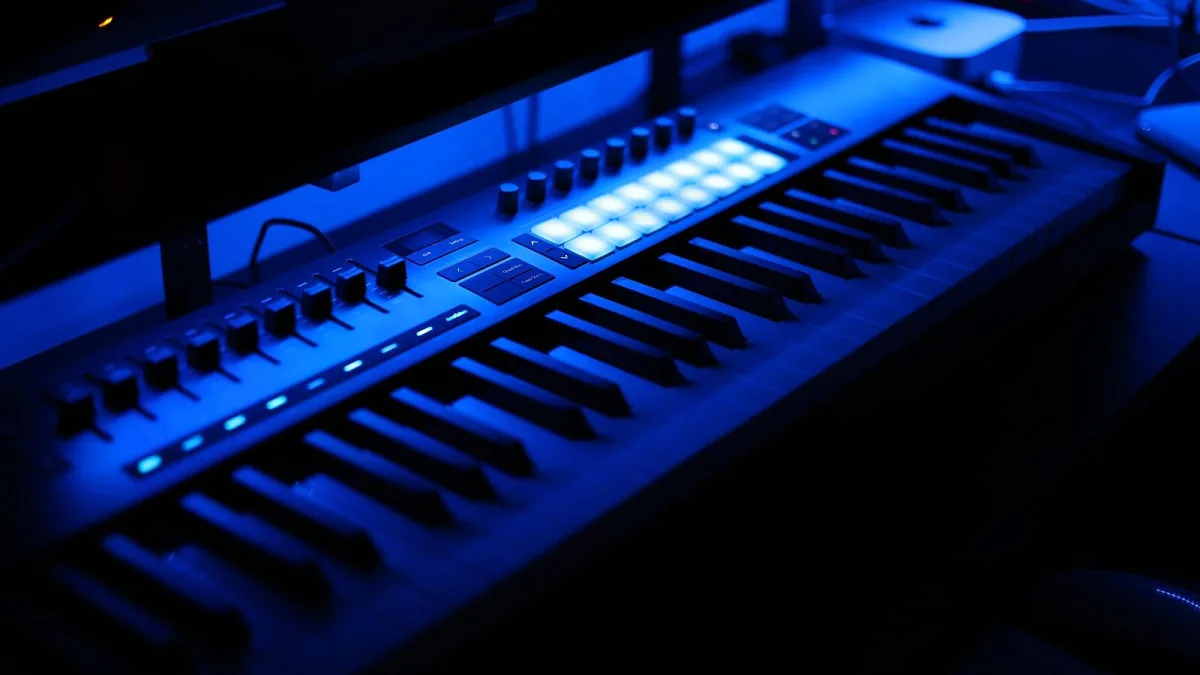
If you have spent any time browsing electronic music gear, you will have come across Novation sooner or later — it is one of those British brands that seems to turn up in every home studio conversation. What can be confusing, though, is that "a Novation" is not really one thing. Let's take this gently and sort out exactly what the name covers, and how the pieces fit together.
What Is Novation?
Novation is a British music-technology company, part of the wider Focusrite Group, with a history stretching back some thirty years. It designs and builds hardware for electronic-music production: things that control your software, things that generate sound on their own, and things that do a bit of both. That range is exactly why the name can feel a little slippery at first — you are really looking at a family of quite different product types under one badge.
Three Categories, Not One Product
Broadly, everything in the Novation range falls into one of three groups:
- MIDI controllers — hardware that sends performance information (notes, knob movements, pad presses) to software or other equipment, without generating any sound itself.
- Synthesizers — instruments that generate sound internally, with their own circuitry or digital sound engine.
- Grooveboxes — self-contained devices that combine sound generation, sequencing and performance controls in one box, without needing a computer at all.
Knowing which of these three you are actually looking at is the single most useful thing you can take from this guide.
The Controller Family
| Product | What it does | Best suited to |
|---|---|---|
| Launchkey | Keys, pads and knobs for direct DAW control | Keyboard players who want hands-on software control |
| Launchpad | Grid of pads for clip launching and finger drumming | Live performers and Ableton-style workflows |
| Launch Control | Rotary encoders and buttons, no keys | Producers tweaking plug-in or hardware parameters |
None of these make a sound on their own — they are only useful once connected to a DAW or piece of software that actually generates the audio. Our complete buyer's guide walks through picking between them properly, including which one actually suits a beginner's first setup versus a more established studio.
The Synthesizers
Where the controllers stop, Novation's synthesizers pick up. The Bass Station II is a dedicated analogue synthesizer associated with bass and lead sounds, while Peak and Summit are larger, more comprehensive platforms aimed at broader sound design. Unlike a controller, these instruments make sound entirely on their own, with or without a computer attached.
The Grooveboxes
Sitting between the two, Circuit Tracks is a portable groovebox built around two synth tracks and a built-in sequencer, while Circuit Rhythm leans towards sample manipulation and beat-making. Both let you write and perform complete musical ideas without ever opening a laptop, which makes them a genuinely different proposition from either the controllers or the dedicated synths above.
A Few Terms Worth Knowing
- MIDI — the standard language that lets a controller, synth or computer describe musical events like notes and knob movements to one another.
- DAW — Digital Audio Workstation, the software (Ableton Live and similar) that most controllers are designed to work alongside.
- Clip launching — triggering pre-arranged loops or sections live, a workflow the Launchpad family is built specifically around.
Who Actually Uses This Gear?
This part of the Novation catalogue tends to attract a genuinely wide mix of people: electronic producers working mainly inside a DAW, live performers who want to launch clips and samples on stage, keyboard players who want tactile control over software instruments, and complete beginners who like the idea of an all-in-one entry point into production. That breadth is part of why the catalogue looks so varied from the outside — it is really serving several different jobs at once, not one single use case.
How the Categories Talk to Each Other
It is worth knowing that these three product types are not locked into separate silos. A Launchkey controller can sit happily alongside a Bass Station II synthesizer in the same setup, with the controller playing and automating software instruments while the hardware synth adds its own dedicated sound source. Plenty of home studios end up mixing and matching across the Novation range this way rather than committing to just one category.
The Bottom Line
Once you separate the Novation range into controllers, synthesizers and grooveboxes, the whole catalogue stops feeling overwhelming and starts feeling like three sensible, distinct decisions. If you are just starting out, our beginner's guide is a gentler next step, and our common mistakes to avoid piece is worth reading before you buy anything.





Comments