


Akai article
Common Akai Mistakes to Avoid
From assuming standalone operation to over-quantizing everything, here are the Akai mistakes I see most often, and how to fix each one.

Years of teaching keys have taught me that most gear frustration comes down to a handful of avoidable habits rather than the gear itself, and Akai controllers and workstations are no exception. None of these mistakes are complicated to fix — they're just easy to walk into without realising. Here are the ones I see most often, and the quick fix for each.
Mistake 1: Assuming an Akai Controller Is Standalone When It Isn't
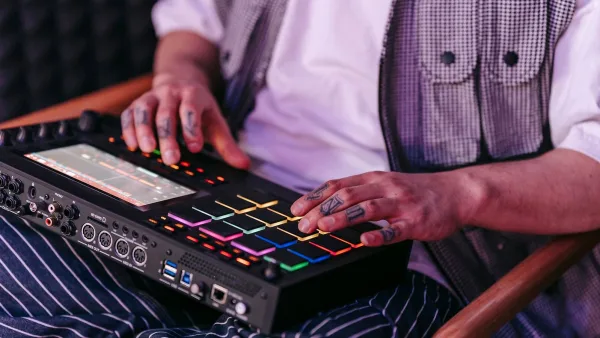
Some Akai controllers look remarkably like a complete workstation, with the same style of pads and a similar screen, but genuinely need a computer running the matching software to do anything at all. Before buying — or before getting frustrated with a unit you already own — confirm directly from the manual whether it has its own sound engine and can record audio without a connected computer.
Mistake 2: Skipping Sample Organisation
It's tempting to dump every sound you own into one folder and sort it out "later," but that habit becomes genuinely painful the moment you're mid-session and hunting for one specific kick drum. A simple structure — kicks, snares, hi-hats, percussion, one-shots, loops — takes minutes to set up and saves real time on every session afterwards.
Mistake 3: Fully Quantizing Everything
Quantization is a genuinely useful tool while you're learning, snapping timing onto a neat grid so early mistakes don't derail a pattern. Used on absolutely everything forever, though, it flattens the natural feel that makes a performance sound human. Once your timing improves, experiment with light or no quantization on at least some parts.
Mistake 4: Ignoring Pad Velocity Training
Because the pads respond to how hard you hit them, an untrained, uneven touch shows up immediately in a recorded pattern — some hits louder than intended, others barely triggering. A few minutes spent tapping one Akai pad at varying intensities, listening for a smooth range, pays off far more than skipping straight to complex patterns.
Mistake 5: Not Checking Firmware or Software Requirements
Some features described in reviews or online demos depend on a specific firmware version or a particular software tier, and an older or unregistered unit may simply not have them yet. Before assuming a feature is missing or broken, check whether an update — or, occasionally, a paid software tier — is actually required first.
Mistake 6: Organising Clips Randomly on Performance Gear
On clip-launching controllers, throwing loops into whatever slot is free makes live performance far harder than it needs to be. Grouping clips into clear scenes — intro, verse, chorus, breakdown — before a performance makes triggering the right thing under pressure dramatically more reliable.
Mistake 7: Buying Based on the Model That Looks Most Impressive
A bigger screen and more pads aren't automatically the right choice if your actual workflow only needs simple keyboard input for a DAW. Matching the Akai product family to what you'll genuinely do, rather than the most feature-packed option on the shelf, avoids paying for capability you'll never use.
The Bottom Line
Most frustration with this gear comes down to one of these seven habits, and every one is free to fix once you know to look for it. For the fuller picture of how the range fits together, see our Akai explainer, and if you're just starting out, our beginner's guide is the gentler place to begin. Buying new gear instead? See our buyer's guide and the best Akai gear for the money.




Comments