


Akai article
Akai Explained: Features, Types and Tips
From standalone MPCs to keyboard and pad controllers, here's a plain-English guide to what Akai actually makes and how the families differ.
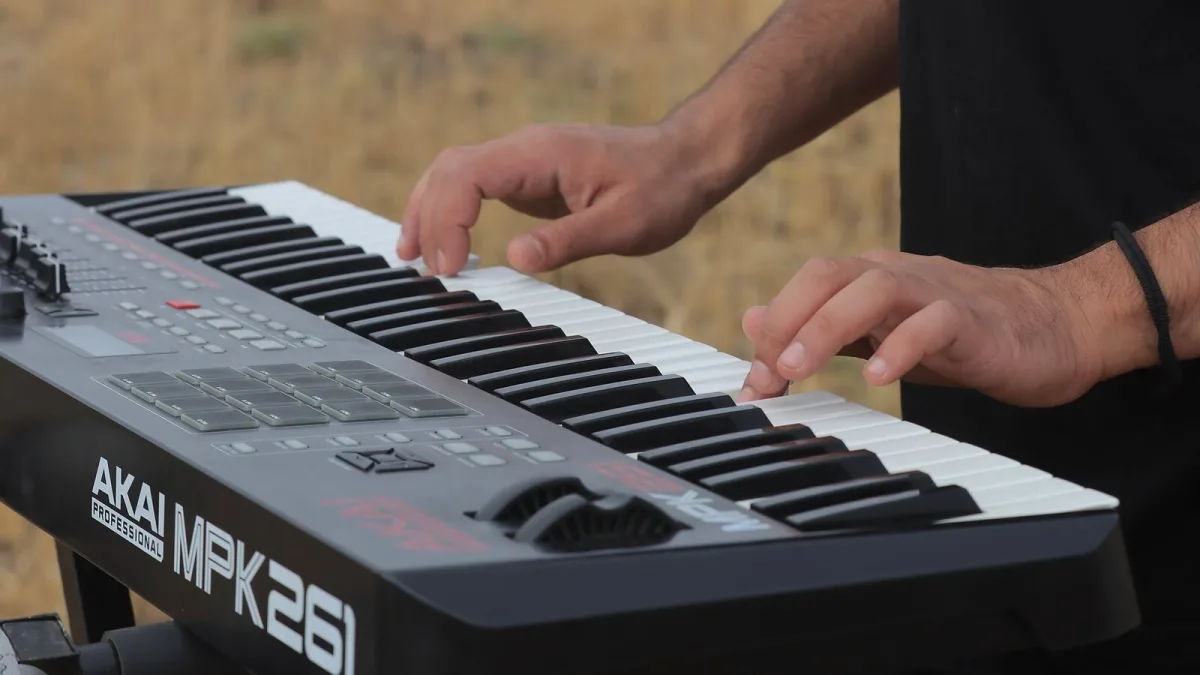
If you've started looking into home music production, you'll have bumped into the name Akai fairly quickly — it's one of those brands that seems to cover half the shelf, from beat-making machines to plain-looking keyboard controllers. The good news is that once you understand the handful of product families it actually makes, choosing between them gets much easier. Here's the plain-English version.
What Akai Actually Is
Akai Professional is a music technology company best known for its MPC family — hardware built for sampling, sequencing and beat-making with big, velocity-sensitive pads you play with your fingers. Over the years, the company has grown that idea outward into keyboard controllers, dedicated pad controllers and clip-launching performance gear, so the name now covers a much wider range than just the classic sampler it started with.
The Main Akai Product Families
Rather than one single product, the range splits into a few clear categories, each built for a different way of working:
| Family | What it's for | Needs a computer? |
|---|---|---|
| MPC (standalone) | Sampling, sequencing, full production | No |
| MPC Studio | MPC-style pads and software workflow | Yes |
| MPK series | Playing keys plus pads into a DAW | Yes |
| MPD series | Drum programming and finger drumming | Yes |
| APC series | Ableton Live clip launching | Yes |
| Force | Standalone clip-based production and performance | No |
Notice that "MPC" alone doesn't automatically mean computer-free — the MPC Studio, for instance, uses the same style of pads but genuinely needs a computer running MPC software to work. It's an easy assumption to get wrong, so always check whether a specific model is standalone or not before buying.
A Little Bit of History, Kept Brief
The MPC name originally stood for Music Production Center, and it became closely tied to hip-hop and sample-based production — producers used it to chop samples, play them from pads, and build patterns in a way that felt more like playing an instrument than operating a computer. That pad-based, hands-on workflow is still the heart of everything Akai makes, even on products that look quite different from the original machine.
How to Think About Choosing One
Before comparing any actual models, it helps to be honest about what you'll mostly be doing:
- Sampling and beat-making without a computer — look at standalone MPC models.
- Playing melodies and chords into software — an MPK-style keyboard controller fits better.
- Drum programming inside a DAW — an MPD pad controller does exactly that job.
- Launching clips and loops live — the APC range or Force is built for that.
None of these are strict rules, but starting from your actual workflow — rather than which product looks the most impressive — will save you from buying more (or less) than you need.
What Akai Gear Is Genuinely Good At
Across the range, a few strengths show up consistently: responsive, velocity-sensitive pads, quick rhythm programming, and a sampling tradition that goes back decades. Standalone models add the freedom to work away from a screen entirely, which plenty of producers find genuinely creative rather than limiting.
Where It's Worth Being Careful
The flip side is that not every product family shares the same workflow, so skills learned on one device don't always transfer directly to another. Some advanced features can also depend on firmware updates or additional software, which is worth knowing before you assume a feature you've read about is included out of the box.
The Bottom Line
Akai covers a genuinely wide spread of gear, but it breaks down into a handful of clear families once you know what to look for. If you're ready to actually shop, our Akai buyer's guide covers what to check before spending anything. Curious what's worth the money at each budget? See the best Akai gear for the money. Brand new to all this? Our beginner's guide is the gentler starting point, and it's worth reading up on common mistakes to avoid before you get too far in.




Comments