


AI Music Generator article
Ai Music Generator Explained: Features, Types and Tips
Type a mood and a tempo, get back a finished track — here's the plain-language guide to how an AI music generator actually works, the types you'll come across, and where it genuinely earns its place in a session.
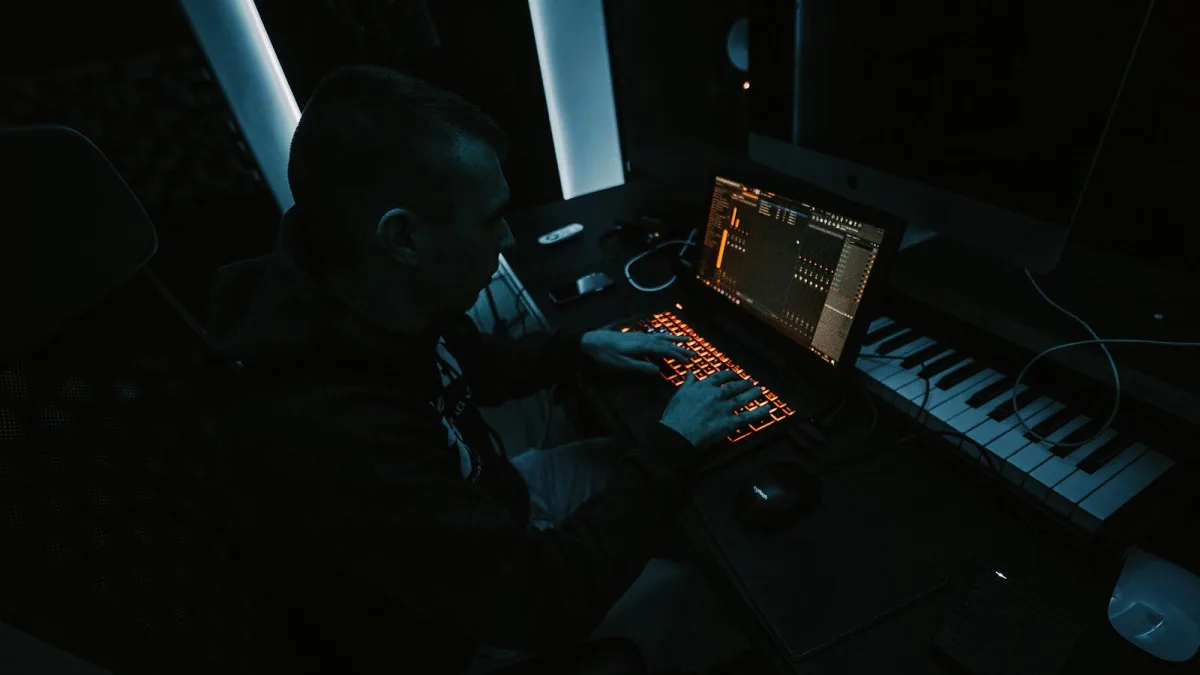
Type a mood, a genre and a tempo into a box, and get back a finished track a few seconds later — that's the promise of an AI music generator, and it's no longer science fiction. These tools now write full songs, complete with arrangements and sung vocals, or hand you an instrumental bed you can drop straight into a video. I've spent a fair few late nights running the same prompt through different platforms just to hear how differently they interpret "dub, but tense", so here's the plain-language version of what it actually is, how it works, and where it genuinely earns its place in a session.
What Is an AI Music Generator?
It's software that creates music from a prompt — usually text, sometimes a hummed melody, a reference recording or even an image. Depending on the platform, the output might be a complete song with lyrics and vocals, a purely instrumental track, a loop for a beat, or separate stems (the isolated vocal, drum and bass parts of a mix) ready for further work. Some tools go further and offer AI mastering, remixing or arrangement suggestions you can feed straight into a DAW.
The field has shifted fast. Early systems produced short, fairly generic loops. The current generation of these platforms aims for editable, artist-controlled results — you can now often swap a section, extend an ending, or combine two generations rather than accepting whatever comes out first.
How They Actually Work, in Plain Terms
Underneath, these systems are neural networks trained on enormous collections of music and audio. During training, the model learns statistical relationships — which chord tends to follow which, how a snare typically sits against a kick, how a chorus melody usually resolves. It isn't reading sheet music or following a score; it's predicting audio that fits the characteristics you've described.
That's why a prompt works less like an instruction and more like a brief. Tell it the format, genre, mood, rough tempo, instrumentation and structure (intro, verse, chorus, and so on), and it fills in the musical detail itself. The clearer the brief, the more usable the result — vague prompts tend to produce vague music.
The Main Types You'll Come Across
Not every AI music generator does the same job. It helps to know which category you're actually dealing with before you judge the results:
| Type | Typical input | Typical output |
|---|---|---|
| Text-to-song | Genre, mood, lyrics | Complete song with vocals |
| Text-to-instrumental | Style, tempo, instruments | Backing track, no vocals |
| Audio-to-audio | A hummed idea or reference clip | A variation, extension or remix |
| Stem-generation | A finished or generated track | Separated vocal, drum and bass parts |
| Music assistants | Natural-language instructions | Chord ideas, MIDI, arrangement help |
If you're weighing up which type actually suits your workflow before subscribing to anything, our buyer's guide to AI music generators goes through the features worth checking first.
Suno, Udio and the Wider Field
Two names dominate most conversations about this space right now: Suno, a consumer-facing platform built around generating complete songs from a prompt, and Udio, which leans into realistic-sounding song creation with tools for extending and editing specific sections. Both have expanded what they let you do with a generation once it exists, rather than treating the first take as final.
They're not the only players — there's a growing crowd of tools focused specifically on stem separation, AI mastering, or acting as an in-DAW assistant rather than a song-writer in a box. Which one is worth your time depends entirely on what you're trying to make, which is exactly the question our beginner's guide walks through from a standing start.
Where It Actually Earns Its Keep
- Demos and sketches — getting an idea out of your head and into audio fast, before it evaporates.
- Backing tracks — a bed to write or sing over when you don't have a band to hand.
- Social and background content — short cues where a full production isn't the point.
- Production experiments — hearing a genre swap or a tempo change without re-recording anything.
The Rights Question Nobody's Fully Settled
This bit matters, so I won't skip it. The industry is currently drawing a distinction between four separate things: whether copyrighted recordings can be used to train a model, whether you're allowed to upload a particular voice or recording, what you're allowed to do with the output, and whether a real person's name, voice or style can be imitated at all. Major labels have taken legal action against some AI platforms over training practices while simultaneously striking opt-in licensing deals with others — the two things are happening at once, which tells you the picture is genuinely unsettled rather than resolved. In the US specifically, purely machine-generated material can receive limited or no copyright protection unless a human adds sufficiently original input on top.
None of that means don't use an AI music generator. It means read the platform's terms before you release anything commercially, and keep the mistakes other people have already made in mind — we've catalogued the recurring ones in a rundown of the pitfalls to avoid.
Getting Better Results: A Few Starting Tips
A short brief beats a single vague word every time. Specify the format, genre (or genre hybrid), mood, approximate tempo, key instruments and whether you want vocals at all. Generate a handful of variations rather than judging the tool on one pass, change one variable at a time so you can actually hear its effect, and export stems where the platform allows it — separated parts give you far more control once you're back in a DAW.
The Bottom Line
An AI music generator is genuinely useful for sketching, backing tracks and fast experimentation, and the tools are maturing quickly — more editable, more controllable, increasingly built around licensed material rather than disputed training sets. Treat the output as a strong first draft rather than a finished master, check the rights before anything goes public, and it earns a real place alongside the rest of your production kit.




Comments