


Marshall Speaker article
Marshall Speaker for Beginners: A Complete Guide
A calm, no-jargon guide to your very first Marshall speaker — what to expect, how to pair it, and a few habits that make it sound its best.
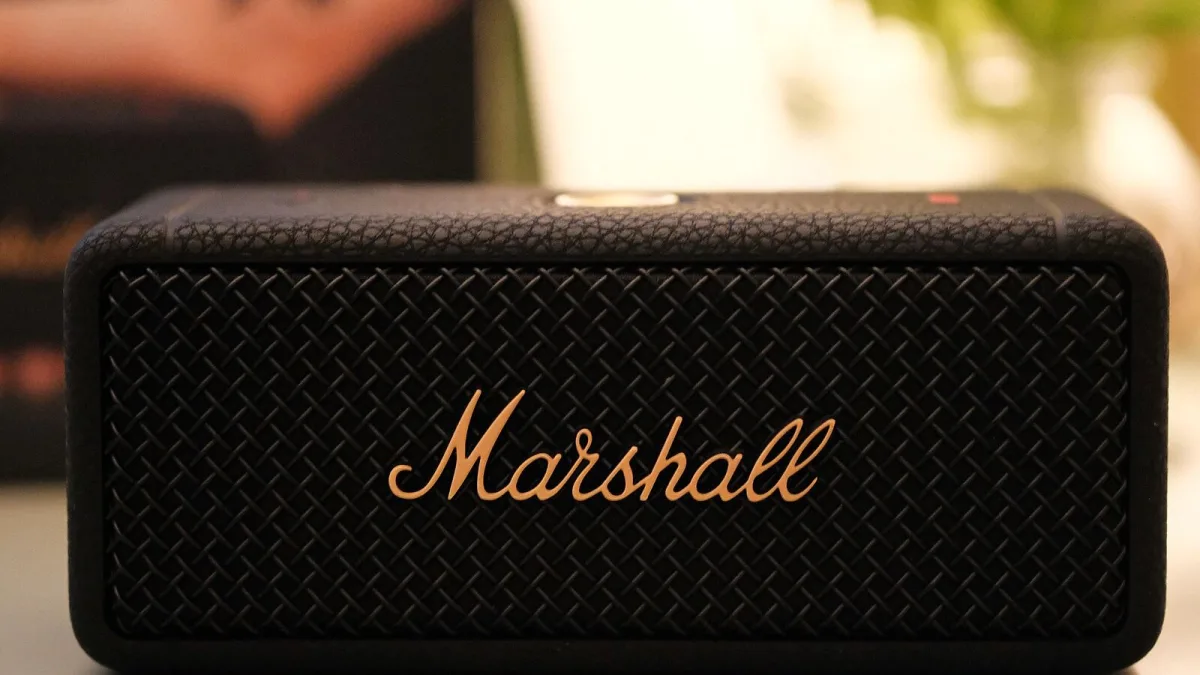
If you've never owned a Bluetooth speaker before and the whole thing feels like a small mountain of jargon, take a breath. A Marshall speaker is genuinely one of the easier gadgets you'll ever set up, and by the end of this guide you'll know exactly what to look for, how to get it going, and what you can safely ignore for now.
First, a Reassurance
You might have noticed that Marshall also makes guitar amplifiers, and that the speaker you're looking at has the same black-and-gold look. Don't worry — you haven't bought the wrong thing by mistake. The Bluetooth speaker range simply borrows the classic amplifier styling; underneath, it's a completely ordinary, self-contained speaker with its own amplifier and battery or mains lead. You don't need a guitar, or any musical knowledge at all, to use one.
Your First Decision: Does It Need to Move?
Before anything else, your Marshall speaker needs you to answer one gentle question: will it stay in one spot, or does it need to travel with you? If it's staying on a shelf or a windowsill, a mains-powered home speaker such as the Acton is a lovely, simple starting point. If you want to carry it between rooms, out to the garden, or on a day trip, a battery-powered portable model like the Kilburn III is the friendlier choice. There's no wrong answer here — just be honest with yourself about how you'll actually use it.
Setting Up Your Marshall Speaker for the First Time
Whichever one you've chosen, the first few minutes look much the same:
- Charge it fully if it's a portable model, or plug it into the mains if it's a home speaker. Give a battery model a proper first charge before you judge its battery life.
- Download the Marshall app on your phone, if the model supports one. It's optional, but it makes adjusting the sound much easier than fiddling with tiny buttons.
- Switch the speaker on and put it into pairing mode, usually by pressing and holding the Bluetooth button until a light flashes.
- Open Bluetooth settings on your phone, find the speaker's name in the list, and tap to connect.
- Play something you know well. This first listen is the best time to notice if anything sounds obviously wrong, while it's still easy to check the basics.
That's genuinely all there is to it. If the speaker doesn't appear in your phone's list, try turning Bluetooth off and back on, and make sure the speaker is still in pairing mode rather than already connected to something else.
Words You'll See That Sound Scarier Than They Are
A little glossary, because nobody explains these clearly enough:
- Bluetooth 5.3 is just the current version of the wireless connection standard — newer usually means a steadier connection and better battery use, nothing you need to actively manage.
- IP rating tells you how dust and water resistant a speaker is. A higher number is tougher, but always check what it actually covers rather than assuming it can go in a pool.
- True Stereophonic is simply Marshall's name for how the speaker spreads its sound around a room from a single box, so it doesn't feel like it's only pointing in one direction.
- Codec (like LDAC or AAC) is the format the music is sent over Bluetooth in. You don't need to choose one — your phone and the speaker sort it out between themselves automatically.
Little Habits That Make a Big Difference to a Marshall Speaker
A few gentle tips that new owners often wish someone had told them sooner. Keep the speaker away from tight corners at first, since bass can build up and sound boomy there — a little breathing room usually sounds better. Resist the urge to max out the volume on day one; most speakers sound their most balanced somewhere in the middle of their range, not at the very top. And do spend ten minutes in the app, if there is one, gently adjusting bass and treble to your ear rather than leaving it on a default setting you haven't actually tried changing.
When You're Ready to Learn More
Once you're comfortable with the basics, our fuller explainer on Marshall speakers goes into the different ranges in more depth, and our buyer's guide is there if you're thinking about a second speaker, or upgrading your first one. If you'd like to see specific models compared side by side, our roundup of the best Marshall speakers for the money is a gentle next step, and it's worth glancing at the mistakes new owners commonly make so you can quietly avoid them.
You've Got This
There's nothing complicated hiding underneath a Marshall speaker's vintage looks. Charge it, pair it, play something you love, and adjust from there. Every confident owner started exactly where you are now, wondering which button did what — give it an evening and it will feel completely second nature.





Comments