


Marshall Bluetooth Speaker article
Marshall Bluetooth Speaker for Beginners: A Complete Guide
Nothing here assumes you already know anything. Charge, pair, play: here's your first Marshall Bluetooth speaker, explained one gentle step at a time.
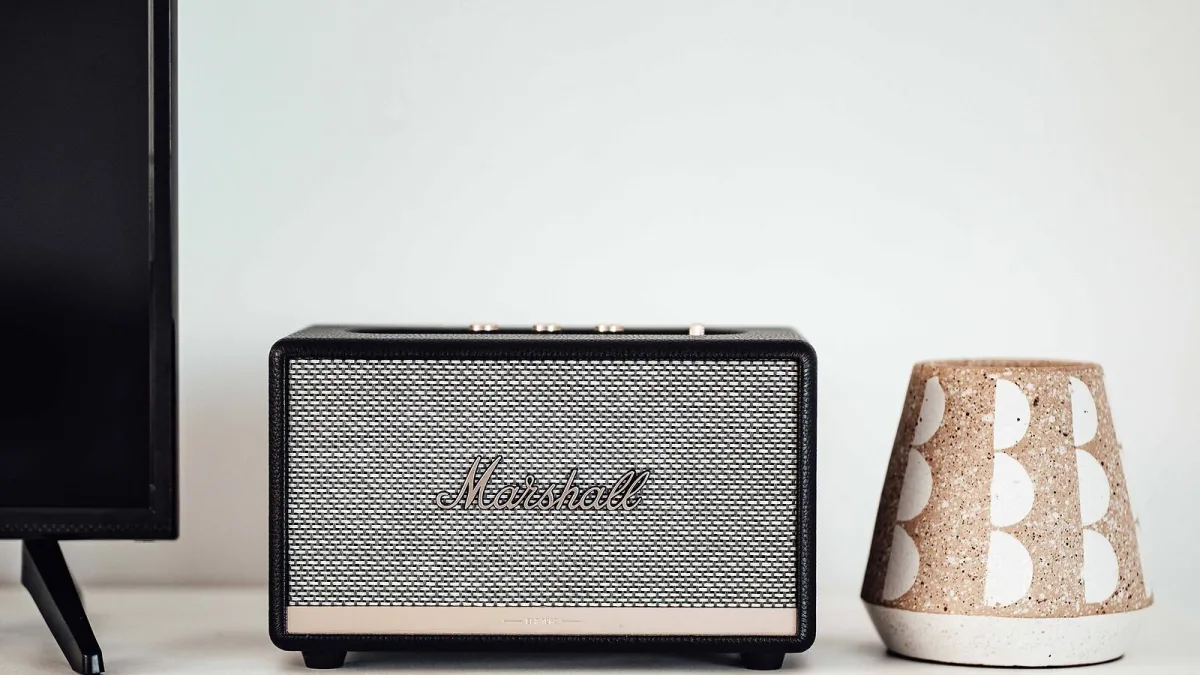
New to wireless speakers altogether? Good — you've picked a forgiving place to start. This guide walks through the one big decision to make before you buy, exactly how to get a Marshall Bluetooth speaker paired and playing for the first time, and what to do if it doesn't connect straight away. Nothing here assumes you already know anything.
Before You Buy: The One Big Decision
You don't need to understand every spec to choose sensibly. Really, there's just one question worth answering honestly: will this speaker need to move around with you, or will it live in one spot? If it needs to travel — garden, kitchen, holidays, a friend's house — you want a portable, battery-powered model. If it's staying permanently on a shelf or sideboard, a mains-powered home model will generally sound bigger for the same size. Everything else — exact battery hours, water resistance ratings, Bluetooth version — matters, but it matters less than getting this one decision right first.
Setting Up Your Marshall Speaker for the First Time
Pairing a Bluetooth speaker for the first time can feel fiddly if you've never done it, but it genuinely only takes a minute once you know the order of steps:
- Charge it fully, then power it on. Most portable models have a dedicated power button; home models simply need to be plugged in and switched on.
- Put the speaker into pairing mode. This is usually done by pressing and holding a dedicated Bluetooth button until its indicator light starts flashing — check your specific model's quick-start guide for the exact button, since this varies across the range.
- Open Bluetooth settings on your phone, tablet or computer. On most phones this is in the main Settings app; look for a "Bluetooth" toggle and switch it on if it isn't already.
- Select the speaker from the list of available devices. It should appear by its model name within a few seconds of entering pairing mode.
- Confirm the connection and test it. Play something you know well at a low volume first, then bring it up to a comfortable level.
That's genuinely the whole process. Once a device has paired successfully once, most speakers will reconnect automatically the next time both are switched on and in range, so you shouldn't need to repeat every step daily.
If It Won't Connect: Simple Fixes
Don't panic if the first attempt doesn't work — it's one of the most common early hiccups, and it's almost always fixable:
- Double-check the speaker is actually charged and powered on. It sounds obvious, but it's the most common culprit.
- On your phone, "forget" or remove the speaker from any previously saved Bluetooth devices, then start the pairing process again from scratch.
- Make sure you're within a sensible distance of the speaker — typically around 10 metres for home models under normal conditions, with walls and other devices reducing that range.
- If you're in a room with lots of other wireless devices, try moving closer or reducing nearby interference.
- Check whether the Marshall app has a firmware update available for the speaker; occasionally a connection issue is resolved by simply updating.
- If your phone was previously connected to another Bluetooth device that supports "multipoint," disconnect that other device first, since it may be quietly holding the connection.
Getting Comfortable with the Controls
Marshall speakers famously use amp-style knobs rather than a row of small buttons, and it's easy to feel like you need a manual just to turn one up. You don't. The volume knob does exactly what it says; the bass and treble knobs simply let you shape the sound to taste, and there's no wrong setting to start with beyond "somewhere in the middle." Nudge them a little at a time and listen to what changes — that's genuinely the best way to learn what each one does.
Looking After It From Day One
A few small habits will keep a new Marshall Bluetooth speaker happy for years rather than months. Charge it with the cable or adapter it came with rather than a random one from a drawer. If your model has a water-resistance rating, remember that this covers accidental splashes or brief exposure, not deliberate submersion, and never charge it while it's wet or while any covers or ports are open. And if you're not using it for a while, it's worth giving the battery a top-up every couple of months rather than letting it sit fully drained.
Where to Go Once You're Confident
Once pairing and basic use feel completely natural, it's worth reading our features and types guide to understand what separates the different models properly, and if you're thinking about upgrading or buying a second one, our full buyer's guide covers what actually matters when comparing them.
The Bottom Line
Getting started with a Marshall Bluetooth speaker really is as simple as charge, pair, play. Don't let the spec sheets or the amp-style knobs intimidate you — the basics take minutes to learn, and everything past that is just getting to know your own speaker.



Comments