


Nt 1 Kit article
Common Nt 1 Kit Mistakes to Avoid
None of these mistakes are about talent. Here's what trips people up with the NT1 Kit, and the easy fix for each one.
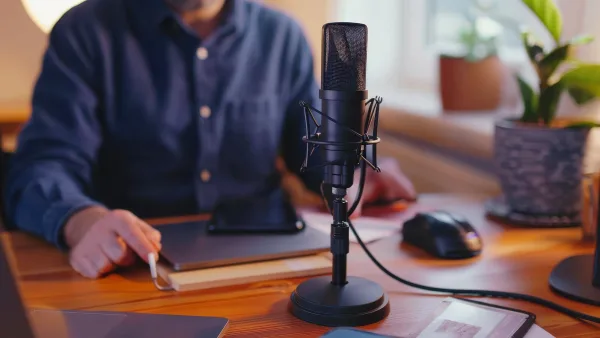
I've swapped notes with enough people about their first "proper" microphone to know the same handful of NT1 Kit mistakes come up again and again. None of them are about talent, and every single one is an easy fix once someone points it out — so here they are, laid out honestly.
Mistake 1: Confusing the Different NT1 Kit Generations
This is the one that causes the most buyer's remorse before a recording is even made. RØDE has sold the NT1 under several distinct generations — 4th Generation, 5th Generation and the Signature Series — with different connectivity and features. Buying based on "it's an NT1" without checking which one you're actually getting means you might miss out on USB connectivity you wanted, or pay for digital features an XLR-only setup will never use.
Mistake 2: Forgetting Phantom Power
The classic "why isn't this working" moment. The NT1 needs 24 or 48 volts of phantom power from your interface to produce any signal at all — without it, you'll get silence, not just a quiet recording. Check this first before assuming a faulty cable or a broken microphone.
Mistake 3: Setting Gain by Loudness Alone
Turning the gain up until a recording "feels loud enough" is a fast route to distortion, since the NT1's detailed capsule will happily capture every bit of a signal that's pushed too hot. Watch your interface's level meter, not just your ears, and leave genuine headroom below the point where peaks turn red.
Mistake 4: Skipping Room Treatment Because "the Mic Is Good Enough"
This is a big one specifically because the NT1 is so quiet electronically. That low self-noise doesn't cancel out room noise, echo or reflections — if anything, it makes them more obvious, because there's less of the microphone's own hiss to mask them. A cheap rug, some soft furnishings and recording away from a noisy computer fan will do more for your sound than any setting on the mic.
Mistake 5: Ignoring the Pop Filter's Actual Position
An integrated pop filter only works properly if it's actually between your mouth and the capsule, a few centimetres away — shoved right up against the microphone or angled off to the side, it does very little. Plosive pops on words starting with "p" and "b" are almost always a positioning problem, not a filter-quality problem.
Mistake 6: Recording Directly On-Axis When Sibilance Is a Problem
Pointing the microphone dead straight at the mouth captures every bit of high-frequency detail the NT1 is known for — which is great, until harsh "s" and "t" sounds start dominating a vocal. Angling the mic slightly off-axis from the source is a simple, free fix that a lot of beginners don't think to try before reaching for software processing instead.
Mistake 7: Trusting a Single Maximum-SPL Figure From Anywhere Online
Because RØDE's specifications have varied across NT1 generations, a maximum sound-pressure-level figure quoted for one version doesn't automatically apply to another. If you're planning to close-mic something genuinely loud, like a guitar amplifier, check the specification sheet for your exact model rather than a number pulled from a general review.
Mistake 8: Storing It Without the Dust Cover
A large-diaphragm condenser capsule is more delicate than it looks, and dust settling on it over months of storage can quietly affect performance. Using the supplied dust cover between sessions costs nothing and meaningfully extends how long the microphone performs at its best.
Mistake 9: Assuming Every NT1 Kit Includes the Same Accessories
Not every retailer bundle matches RØDE's own kit exactly. Some list a simpler mount instead of the SM6, or leave out the cable entirely, assuming you already own one. Before you're halfway through unboxing and wondering where a piece has gone, check the specific listing's contents rather than assuming every "kit" is identical.
Quick Reference
| Mistake | Fix |
|---|---|
| Buying without checking the generation | Confirm 4th Gen, 5th Gen or Signature Series before buying |
| No phantom power | Check it's switched on before troubleshooting anything else |
| Gain set by ear alone | Watch the interface meter, leave headroom |
| Skipping room treatment | Treat the room, not just the microphone |
| Pop filter in the wrong place | Position it a few centimetres in front of the capsule |
| Recording dead on-axis with sibilance | Angle slightly off-axis |
If You're Still Getting Started
Most of these mistakes show up in the first few sessions, so if you're brand new to this, our beginner's guide walks through setup properly from the start. If a generation name here is unfamiliar, our explainer breaks down the differences, and if you haven't bought yet, both the buyer's guide and best-value picks are worth reading first.
The Bottom Line
Check your generation, respect phantom power, watch your gain rather than just your ears, and treat your room as seriously as your microphone. Fix those habits and your NT1 Kit stops producing the occasional confusing session and starts sounding as good as it's actually capable of, every single time.





Comments