


Sampler roundup
What to Look for When Buying Samplers
The specs all look the same and every reviewer swears by a different box. Here's what actually matters when you buy a sampler — starting with how you like to make music.
Buying your first sampler is brilliant fun and quietly overwhelming in equal measure. The specs all look similar, every YouTuber swears their box is the one, and the words “groovebox,” “workstation” and “sampler” get thrown around as if they mean the same thing. They don't, quite. So before you get lost in a feature list, let's sort out what actually matters — starting, as always, with how you like to make music.
Workflow first, features second
Here's the golden rule: a sampler that looks incredible on paper is a bad buy if its workflow fights the way you work. A pad-thumping MPC-style machine (Akai's long-running range that popularised finger-drumming) feels completely different from a pattern-based box built for step sequencing, or a pocket sampler made for grabbing sounds on the bus. Picture how you'll actually record, chop and arrange — then shop.
Quick jargon-buster before we dig in: a sampler records or imports audio so you can trigger, chop and rearrange it; a groovebox is a sampler with a sequencer and often synth sounds baked in; and resampling means recording the sampler's own output back into itself — the secret sauce behind a lot of layered, evolving beats.
Know the flavours
- Performance samplers — pads, effects, looping and instant resampling. Roland's SP-404MKII is the classic here, beloved of live beat-makers.
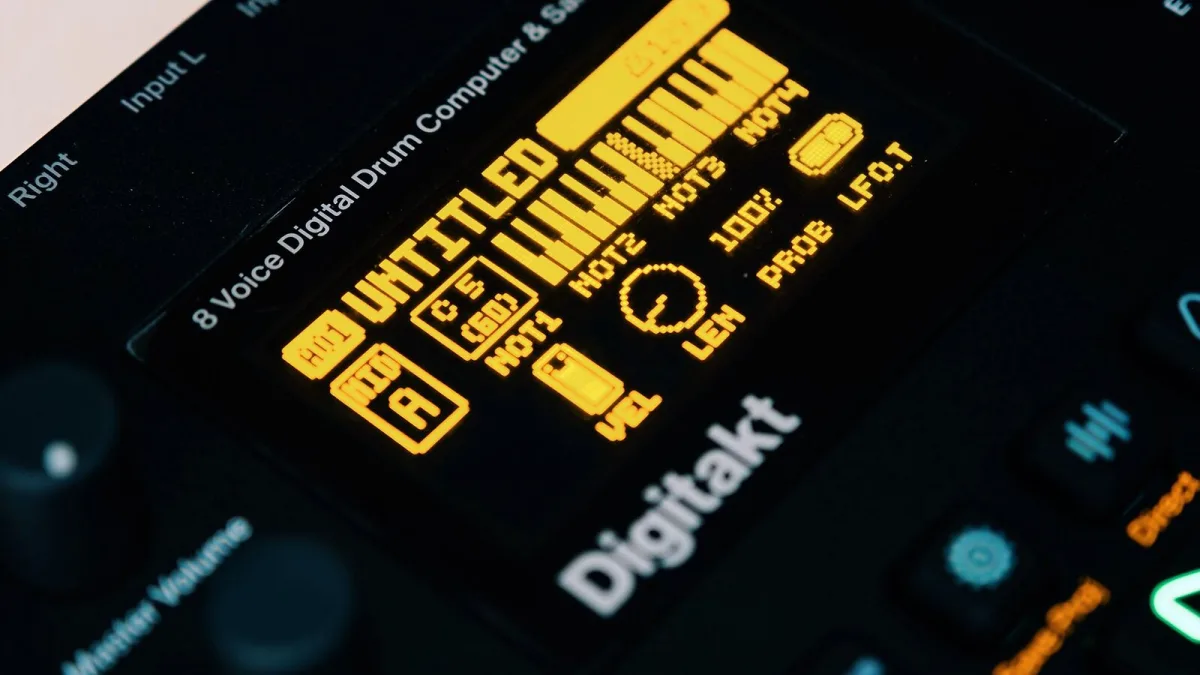
- Pattern-based grooveboxes — step sequencing and deep automation, like Elektron's Digitakt. Fewer fancy editing tools, ruthlessly efficient for electronic music.
- Production workstations — the full MPC experience: deep sequencing, arranging and editing, enough to finish whole tracks.
- Portable samplers — battery-powered and pocket-sized (think Teenage Engineering or Novation's Circuit Rhythm), built for capturing ideas fast.
- Modular-friendly samplers — add CV/gate and clock connections to play nicely with a modular synth rig.
Sampling quality and the specs that matter
Look at the sample rate and bit depth (44.1 or 48 kHz, 16- or 24-bit is standard) — higher gives more headroom but eats memory. Just as important, check the inputs: a box with only line inputs will need an external preamp before you can sample a microphone or a guitar, so make sure it takes the sources you'll actually use, and that it records in stereo when you need it.
RAM vs storage — don't confuse them
This trips up loads of first-time buyers. RAM is how much audio it can hold and play at once; storage (internal, or an SD card) is where your samples and projects live long-term. A handy benchmark from Sound On Sound: a minute of mono audio at 44.1 kHz eats roughly 5 MB of RAM, and stereo about double. Their advice is blunt and correct — “go for as high a RAM capacity as you can afford” if you plan to sample seriously. And watch the small print: advertised storage isn't always all free for your sounds, and some machines cap the number of samples or projects regardless of space.
Polyphony: read past the headline number
Polyphony is how many sounds it can play at the same time. A big advertised voice count can shrink fast once you add stereo samples, sustained notes, time-stretching and effects — even a “16-voice” machine can run out in a busy arrangement. If you can, test a realistic project rather than trusting the number on the box. Related is multitimbrality — how many separate parts it can play independently — which matters a lot if you want to build entire songs inside the one unit.
The sequencer and the controls
The sequencer shapes how you'll write. Pattern-based sequencing with probability and parameter automation (locking a different setting to each step) suits techno and house down to the ground; a proper song arranger with audio tracks suits songwriting better. And don't underestimate the hands-on controls — pad feel, knob quality, screen size and how deep the menus go. A compact box with lovely pads and shallow menus will get more music out of you than a bigger one you have to fight. Pad count alone tells you nothing.
Effects, resampling and connections
Onboard effects — reverb, delay, filters, distortion — save you reaching for outboard gear, and the ability to resample processed audio is central to performance-style beat-making, letting you bounce a wet, effected loop back in and build on it. On connectivity, check for the MIDI you need (five-pin sockets, TRS adapters, or USB only), whether it does USB audio (sending audio straight to your computer), and — if you're a modular head — CV/gate. If you'll gig with it, weigh up battery life, screen visibility on a dark stage and how quickly projects load.
The cost beyond the price tag
The sticker price is rarely the whole story. Budget for an SD card, a case, cables, maybe a preamp, and a decent power supply or batteries — the “cheap” sampler stops being cheap once you've kitted it out. It's also worth a look at the maker's track record for firmware updates: the operating system is part of the instrument, and steady updates can keep a sampler feeling fresh for years.
The bottom line
There's no single best sampler — only the best one for your genre, your gear and the way your brain likes to work. Nail down your workflow, make sure the inputs, RAM and sequencer fit it, and treat the headline specs with a healthy pinch of salt. Get that right and you'll have a machine you actually reach for, which beats an impressive one gathering dust every single time. Now go and make some noise.




Comments