


Pioneer DJ Decks article
Pioneer Dj Decks for Beginners: A Complete Guide
Feeling out of your depth in front of Pioneer DJ decks? Here is the no-panic version: the five controls that matter on day one, a gentle first session plan, and cheap ways to practise before you commit.
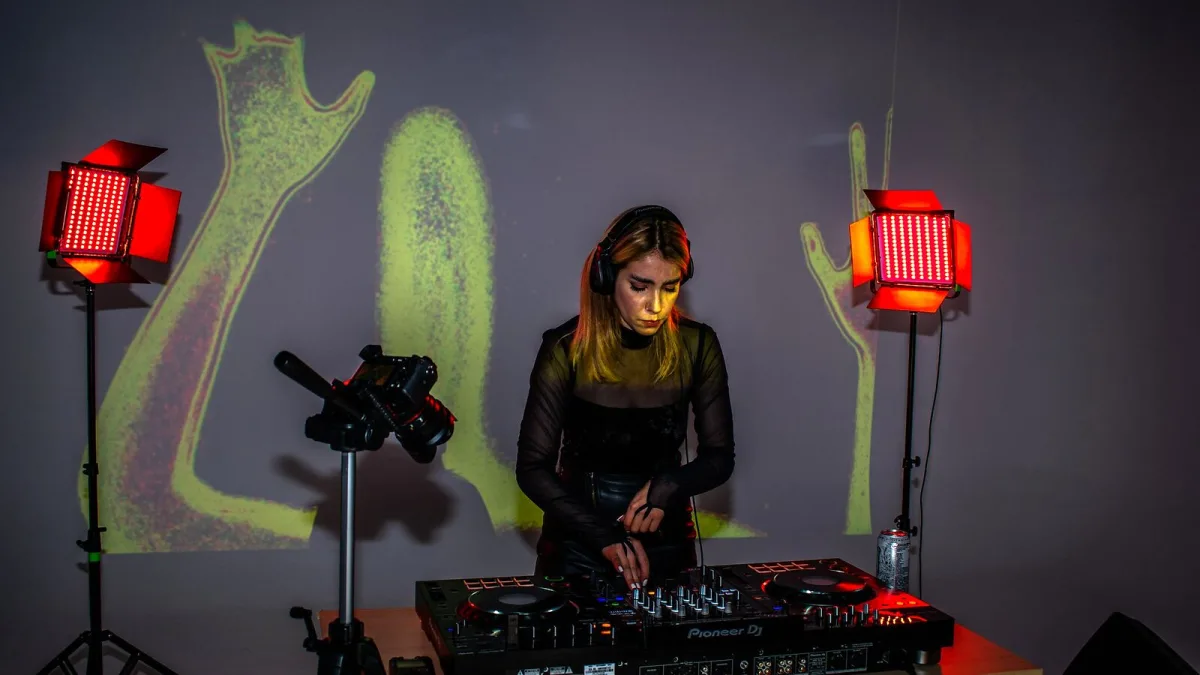
Right, deep breath. If the idea of standing in front of Pioneer DJ decks for the first time has you feeling a bit out of your depth, you are absolutely not alone — every single working DJ started exactly where you are now, staring at a jog wheel and hoping they wouldn't kill the vibe. Good news: you do not need to understand every button before you start. Here is the friendly, no-panic version of getting going.
You Do Not Need to Know Everything on Day One
This is the bit nobody says loudly enough. Pioneer's gear looks intimidating because it is built for professionals doing every job at once — but you are not running a festival main stage tonight, you are just pressing play and having a go. Ignore ninety percent of the screen at first. There are really only a handful of controls that matter while you find your feet.
The Absolute Basics, No Jargon
- The big dial (jog wheel) — nudge it gently to slide a track slightly earlier or later in time.
- The pitch fader — the slider that speeds a track up or slows it down so two songs can match tempo.
- The cue button — sets your starting point and lets you listen privately in your headphones first.
- Hot cues — little coloured pads that jump straight to a saved moment in the track, like a bookmark.
- Sync — a button that lines up the tempo of two tracks automatically, so you are not doing it entirely by ear on day one.
That is genuinely most of it to start. Everything else on the gear is a refinement you will pick up naturally once these five feel comfortable.
Your First Session: Keep It Small
Do not try to mix a two-hour set the first time you touch the gear. Instead:
- Load one track and just get comfortable with play, pause and the cue button before adding a second deck into the mix.
- Try nudging the jog wheel while a track plays, just to feel how sensitive it is — it is more delicate than it looks.
- Bring in a second track using sync first, so you can hear what a matched tempo actually sounds like before attempting it by hand.
- Practise for fifteen or twenty focused minutes rather than a long, tired session. Short and often beats one marathon attempt.
The Fears Everyone Has (and Why They're Normal)
“I'm going to press the wrong thing and ruin it”
You might, and it genuinely does not matter in practice. Every DJ has clipped a fader too soon or missed a cue. Nobody remembers it the way you will.
“Everyone else seems to already know how to do this”
They didn't start out knowing either. The confident-looking DJ you're picturing spent plenty of awkward hours getting comfortable with exactly the same gear you're looking at now.
“I don't understand half the buttons”
Neither does anyone else, most of the time. Professional decks are built to cover advanced use cases most people never touch. Learning the five basics above will get you further than you'd think.
Cheap Ways to Practise Before You Commit
You do not need your own pair of Pioneer DJ decks sitting in your bedroom to start learning.
- Look for a local studio or rehearsal space that rents booth time by the hour.
- Ask at a friendly local venue about quiet daytime practice slots — plenty are happy to let a keen beginner in when they're not open.
- Free or low-cost software versions of rekordbox and other DJ apps let you practise the mixing logic on a laptop first.
- Watching a resident DJ set up before a night starts teaches you more about real-world habits than any manual will.
Kit You Genuinely Don't Need Yet
It is tempting to think you need the full flagship setup before you're “allowed” to start, but that's back to front. A single controller, a rented hour of booth time, or even a free software version of rekordbox on a laptop teaches you the same fundamentals as the priciest club rig. Save the bigger spend for once you actually know what you enjoy about DJing — scratching, long blends, quick-fire mash-ups — because that answer changes what kit is even worth having.
Small Wins to Aim For Early On
Instead of chasing a flawless set, chase small, obvious wins. Getting a track to start exactly on the beat you meant. Hearing sync lock two tracks together for the first time and understanding why it worked. Noticing you didn't touch the pitch fader once during a whole track because you'd already nailed the tempo by ear. Each of those is a proper milestone, and they add up far faster than they feel like they will.
When You're Ready for More
Once the basics feel natural and you're itching for the fuller picture, our overview of Pioneer DJ decks goes properly deep on the different CDJ, XDJ and DDJ ranges and where they came from. When you're ready to actually buy something, our buyer's guide walks through what genuinely matters versus what's just marketing. And the moment you've got gear in front of you, our setup guide takes you through wiring it all up properly, step by step.
The Bottom Line
Nobody becomes confident on Pioneer DJ decks by reading about them — they become confident by pressing buttons, occasionally getting it wrong, and doing it again anyway. Start with the five basics, keep your first sessions short, and let the rest come with time. You've got this.






Comments