


Cdj article
Cdj for Beginners: A Complete Guide
The hardware is expensive, the layout is unfamiliar, and there is very little margin for error in a live setting. Katherine walks through the complete setup process so your first session is productive rather than frustrating.
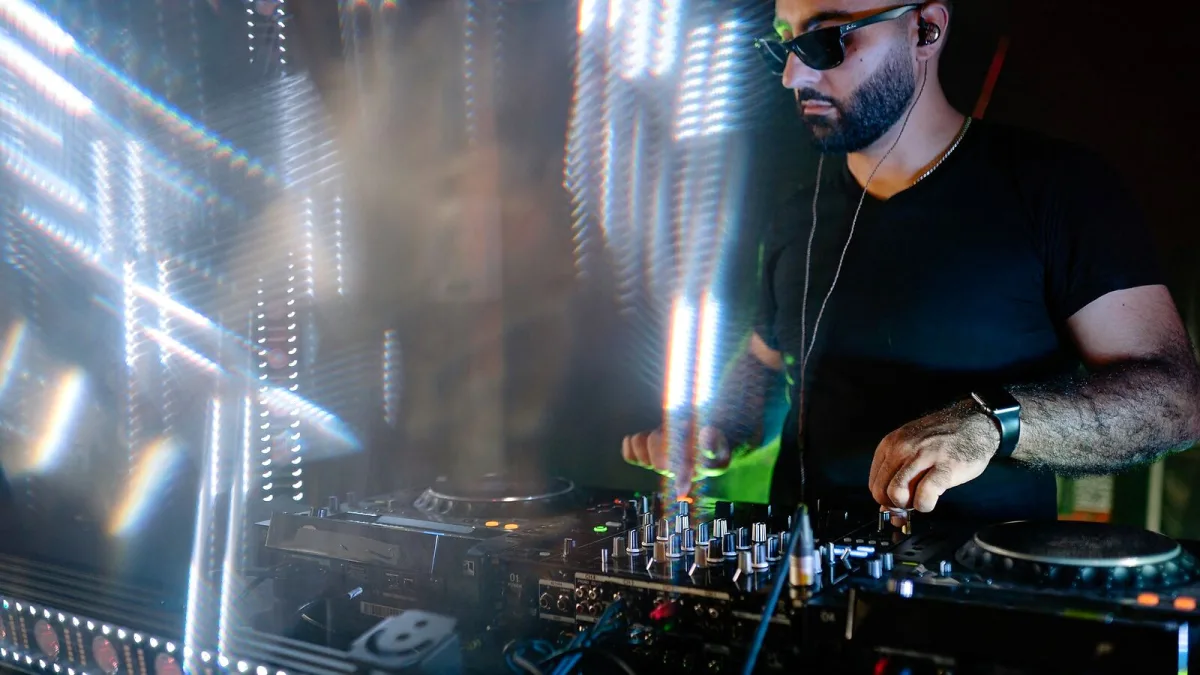
Getting started with a CDJ for the first time can feel daunting — the hardware is expensive, the layout is unfamiliar, and there is very little tolerance for errors in a live setting. Katherine has worked in and around DJ booths long enough to know exactly what trips people up in the first few sessions, and how to avoid it. This guide covers the complete setup process from unpacking to playing your first track.
What You Need Before You Start
A basic professional setup requires at minimum two media players, a DJ mixer, and a laptop running Rekordbox for library preparation. For home practice, the most common entry point is a pair of CDJ-2000NXS2 players (new or secondhand) with a Pioneer DJM-900NXS2 mixer. At the higher end, the CDJ-3000 is the current flagship and what the world's leading clubs now install. You will also need: two RCA cables (one per player to the mixer), a CAT5 ethernet cable to connect the players together, a USB drive formatted as FAT32, studio headphones (HDJ-X7 or equivalent), and a pair of studio monitors or a basic stereo amplifier for output. Do not start the process without a prepared USB drive — loading an unprepared library onto the player is slow and frustrating.
How to Set Up and Use a CDJ for the First Time
- Prepare your library in Rekordbox. Before touching the hardware, open Rekordbox on your laptop and import your music. Drag tracks into the collection, then select all and click Analyse. Rekordbox will generate beatgrids and detect key information. Go through each track and set at least one hot cue point — the start of the first drop or chorus is the standard choice. Export your prepared library to a USB drive using the Export Mode panel. This step is not optional: arriving at a CDJ with an unprepared drive is one of the most common beginner mistakes.
- Connect the hardware. Position the two CDJ units on either side of your mixer. Run an RCA cable from the left output of each unit into the corresponding channel input on the mixer — most commonly Channel 1 for the left deck and Channel 2 for the right. Connect the CAT5 ethernet cable between the two players' Link ports (and into a network hub if you have more than two units). Power everything on: players first, then mixer.
- Load a track on the CDJ. Insert your USB drive into the front USB port. Press the Rekordbox button on the unit to browse your prepared library. Rotate the browse dial to navigate through playlists, press it to open a folder, and press Load to send the track to the current deck. The track will appear in the waveform display immediately if it was properly analysed. Press Play — the track will begin from the first cue point you set.
- Understand the jog wheel. The jog wheel is the large circular platter. In Vinyl mode (the button above the platter), touching the top surface slows, pitches or scratches the track. Touching the side of the platter nudges the playback without stopping it. Most DJs use Vinyl mode for beatmatching — nudging the platter to push a track forward or back in time until its beat aligns with the track playing on the other deck. On the CDJ-3000, the motorised platter adds resistance to replicate the feel of a vinyl record.
- Set and trigger hot cues. CDJ hot cues are saved jump points in a track. To set a new cue in a live session: navigate to the point you want to mark, then hold a hot cue button (the row of coloured pads labelled A–H or 1–8 depending on the model) until it lights up. Press that button during playback and the track will jump immediately to that point. This is how DJs trigger drops, re-intro moments, and live remixes. Rekordbox-prepared cues will already be loaded when you import the track — but you can add or move them on the unit at any time.
- Practice the basic mix transition. Load a track on the second CDJ. Find the transition point in the first track — usually around eight bars before the outro begins. Cue up the second track at its first beat, then nudge or pitch it until the beats align with track one. Bring up the channel fader for the second track gradually, reduce the first track's fader, and let the second track take over. The tempo sliders adjust pitch in real time — aim for less than ±0.5% difference between tracks when learning. Perfecting this one move is the foundation of all mixing.
Using the DJLink Network
When two media players are connected via ethernet, the DJLink network allows both units to share a single USB drive. Any track on the drive is accessible from either player simultaneously — you do not need to carry the drive between units. The CDJ waveform display also shows the waveform of the other deck during linked playback, making it easier to judge the beat alignment visually. Enable Link from the settings menu on each unit and ensure both are set to the same Link mode (Link or Rekordbox). If one unit does not detect the other, check the ethernet connection and restart both units.
Common Mistakes to Avoid in Your First Sessions
Not analysing tracks in Rekordbox before export is the most consistent beginner error — on-CDJ analysis is slower and less accurate. Forgetting to format the USB drive as FAT32 or exFAT prevents the unit from reading it at all. Starting with too much pitch correction too quickly: learn to hear beat alignment before relying on sync buttons. Playing at full monitor volume when first learning makes it harder to hear headphone cue clearly — keep monitors at moderate level and learn to mix in your headphones first. Finally, practise navigating the library quickly: knowing your own music and finding tracks under pressure is a skill that requires as much practice as mixing itself.
For specific model comparisons and buying advice, the buyer's guide covers the options in detail. To understand the full feature set, the explainer has the technical breakdown.





Comments