


Cdj roundup
Cdj: A Complete Buyer's Guide
Buying your first CDJ is a big decision. This guide walks you through what actually matters — workflow, specs that count, budget reality and common mistakes.
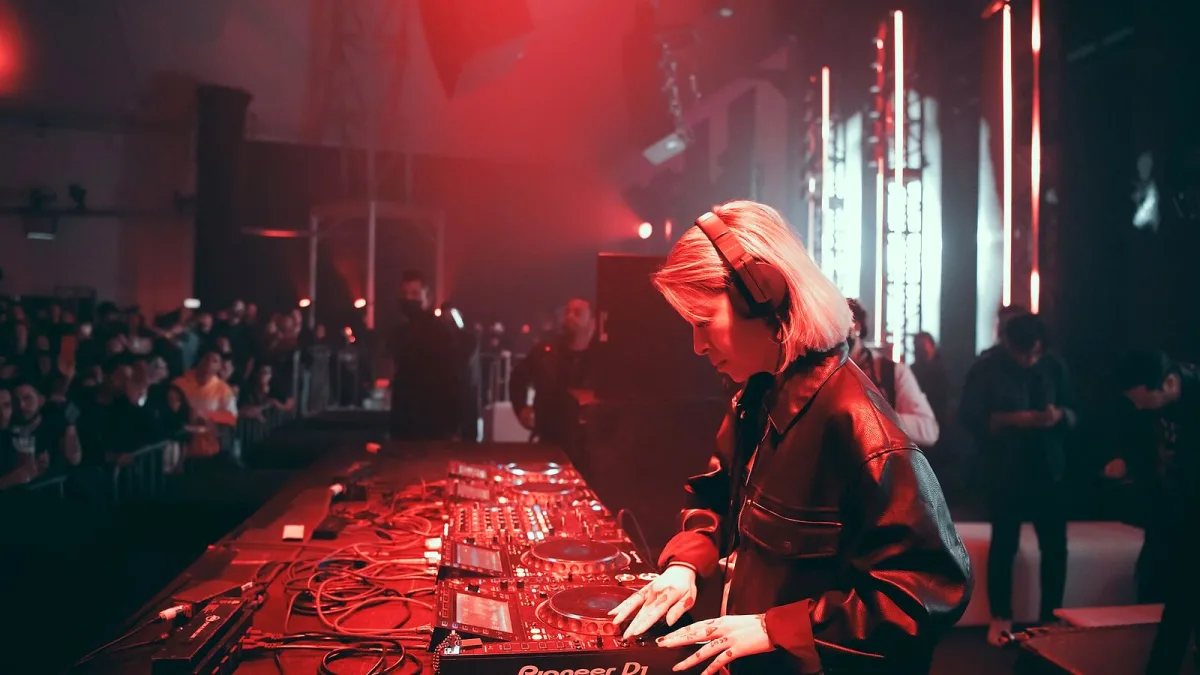
Buying your first CDJ is a significant investment, and there's no point in spending serious money on gear that doesn't match your workflow or your budget. Whether you're a bedroom producer thinking about club nights, a mobile DJ juggling multiple venues, or a serious bedroom enthusiast preparing for a residency, choosing the right CDJ means understanding what actually matters in practice and what's just marketing noise. This guide cuts through the confusion and shows you how to evaluate a CDJ based on genuine performance needs, not specifications lists.
Know your workflow before you buy
Before comparing CDJ prices or specs, honestly assess how you'll use the equipment. A professional touring DJ needs different gear from someone mixing hip-hop in a bedroom. A CDJ for home use might prioritize affordability and portability; a club-standard CDJ must prioritize reliability and compatibility with other hardware. Your workflow determines which CDJ makes sense.
Ask yourself these questions first: Will I be playing my own prepared USB libraries, or will I rely on streaming and cloud services? Do I need my CDJ to work with specific software like rekordbox or Serato DJ Pro? Am I buying a pair for club residencies, or is this for mobile DJ work across different venues? Do I need multiple CDJs linked together via Pro DJ Link networking, or will I be using a single player? These answers point you toward a CDJ category that actually suits you.
Core specs that genuinely matter
CDJ specifications can be overwhelming, but most of them don't matter to working DJs. Here's what does:
Media format support
Check that your CDJ supports the file formats you use. The CDJ-3000X, for example, supports AAC, WAV, AIFF and FLAC. If you're mixing with uncompressed WAV files or lossless FLAC, confirm your CDJ handles both. Don't assume a CDJ with "wide format support" handles every format equally—check the manual. Some CDJs handle WAV at any sample rate; others demand specific bit depths or sample rates. A CDJ that claims format support but quietly drops files above 320 kbps isn't suitable if your library is packed with high-bitrate files.
USB and connectivity options
Modern CDJs should have multiple USB ports—ideally both USB-A (standard rectangular connectors) and USB-C for flexibility with newer drives. Check that your CDJ supports the filesystem your USB drive uses (HFS+, exFAT, NTFS). Many DJs use exFAT because it works across Mac, Windows and Linux; verify your CDJ supports it. Avoid USB 2.0 if you're loading large libraries; USB 3.0 reads files faster and is more reliable under pressure.
If you're considering networking—Pro DJ Link or alternative systems—confirm your CDJ supports the protocol and that any mixer or other gear you own is compatible. A networked CDJ without compatible networking gear is just a regular CDJ.
Display quality and jog wheel responsiveness
You spend hours staring at a CDJ display and touching the jog wheel, so these matter more than you might think. A small, dim display makes browsing your music library frustrating; a large, bright display with good contrast makes mixing pleasant. The jog wheel should respond immediately to your hand—lag between your touch and the track response ruins your mixing feel. Cheaper CDJs sometimes have sluggish, unresponsive jog wheels; try before you buy if possible.
Audio output quality
Your CDJ outputs audio through either analog RCA connectors, coaxial digital output, or both. Analog RCA is more universally compatible; digital is cleaner in some setups. Check your mixer's inputs and buy accordingly. The CDJ's signal-to-noise ratio (how clean the audio is) matters less than people think—professional audio levels mean even a mediocre CDJ sounds clean through a decent mixer.
Budget tiers and what you get
CDJ pricing varies wildly depending on features and brand. Here's a realistic breakdown:
| Budget | What to expect from a CDJ | Best for |
|---|---|---|
| Under £500 | Entry-level media player, basic features, older models or competitors like Reloop | Home use, learning, backup player |
| £500-£1,200 | Solid USB media player, good displays, hot cues and looping, established brands | Mobile DJs, bedroom mixing, semi-professional work |
| £1,200-£2,500 | Professional-grade CDJ, networking support, high build quality, Denon DJ SC-series or Pioneer CDJ-900 equivalents | Club residencies, touring, professional use |
| £2,500+ | Flagship models like the CDJ-3000 or CDJ-3000X; advanced features, streaming, touchscreens | High-end venues, professional touring, future-proof investment |
Remember: a CDJ is only useful if you're buying at least two for a pair setup (unless you're using one with turntables or controllers). A single CDJ without a mixer and second player is just a very expensive media player. Budget for the full ecosystem, not just one box.
Common buying mistakes and how to avoid them
Mistake 1: Chasing the latest model without matching your current gear
The CDJ-3000X is brilliant, but if your mixer doesn't support Pro DJ Link networking and your music library is organized in Serato, you're buying features you can't actually use. Before upgrading or buying a new CDJ, verify it integrates with your existing mixer, library software and workflow. A older CDJ that works seamlessly with your setup beats a newer one that creates compatibility headaches.
Mistake 2: Assuming CD playback is a feature you need
Some buyers get tempted by hybrid CD/USB CDJs thinking "it's good to have backup", but CD players are increasingly rare in professional booths and slow down browsing. Unless you're specifically required to support CDs (rare), skip the CD drive and save money on a USB-only CDJ.
Mistake 3: Buying a single CDJ without understanding the mixer and setup costs
A CDJ costs money, but so does a mixer, cables, monitor speakers and headphones. Many buyers think they're investing £1,000 in a CDJ, then discover they need another £1,500 in accompanying gear. Do the total cost math before committing.
Mistake 4: Treating streaming as a primary backup
Newer CDJs offer streaming and cloud-library access, which is convenient—until the internet drops. Never rely on streaming as your only music source in a professional gig. Always have prepared USB drives with offline copies of every track.
Mistake 5: Ignoring jog wheel quality because it's not in the specs
You can't see jog responsiveness in a specification sheet. If possible, try a CDJ before buying, or read reviews from working DJs. A sluggish jog wheel makes mixing miserable, no matter what else the CDJ offers.
Narrowing down: Pioneer, Denon, or Reloop?
The three main CDJ brands each have distinct strengths. Pioneer CDJs (now branded AlphaTheta) dominate clubs, so buying Pioneer means maximum compatibility with venue equipment—crucial for mobile DJs and touring. Denon DJ SC-series players are excellent standalone alternatives with great touchscreens and solid performance; they're growing in club use but aren't yet standard. Reloop offers competitive prices and decent functionality but less club presence.
For your first CDJ, matching your local club scene makes sense. If most venues in your area use Pioneer, buy Pioneer. If you're in a Denon-forward city, Denon is a smart choice. If you're buying purely for bedroom use, any brand works fine.
Testing before you commit
If you're spending over £1,000, try before you buy. Hire a CDJ for a weekend, or borrow one from a friend. Load your actual USB library and see if it performs the way you expect. Check if the display brightness is acceptable, if the jog responsiveness suits your technique and if the browser speed is adequate. What looks good in a showroom can feel wrong in actual use.
The total CDJ setup investment
When budgeting, don't forget these essential components beyond the CDJ itself:
- Mixer – £300-£2,000+ depending on features and brand
- Cables and adapters – £50-£150 for decent quality RCA, XLR and USB cables
- Headphones – £100-£500 for DJ-grade monitoring headphones
- Monitor speakers – £200-£1,000+ for booth monitoring
- USB drives – £20-£50 for multiple backup drives
- Stand or furniture – £100-£500 if you're not using a pre-built booth
A realistic budget for a working CDJ pair setup is £3,000-£5,000 minimum for a semi-professional home setup, and significantly more for touring-grade equipment. Know these costs before you buy a CDJ.
New vs used
Used CDJs can be a bargain, especially older models that are still fully functional. However, verify the unit's condition, check for wear on the jog wheel, and test every feature before buying. Firmware updates should be available for used models; if a CDJ is so old that its manufacturer no longer supports it, avoid it. A used CDJ from a reputable seller with a warranty is safer than an untested bargain from a stranger.
Making your decision
Write down your specific workflow needs, your budget and your venue compatibility requirements. Then narrow the CDJ options to those that tick all three boxes. Read working-DJ reviews (not just gear journalists), try the shortlist if possible and commit. The best CDJ is the one that actually works with how you mix and where you mix, not the newest or the most expensive.






Comments