


Zoom Recorder roundup
Zoom Recorder: A Complete Buyer's Guide
The decisions that actually matter, in the order that actually matters, so you end up with the right box rather than just the priciest one.
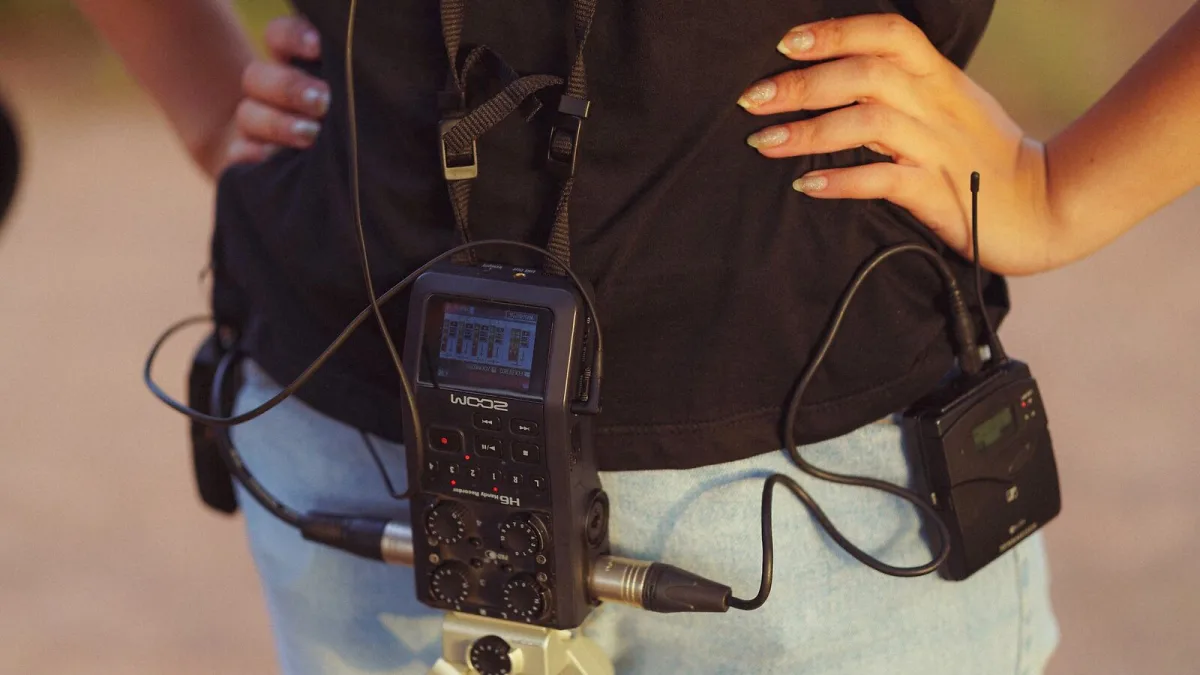
There's no need to feel out of your depth here — buying a Zoom recorder is genuinely one of the friendlier decisions in recording gear once you know what to look for. This guide walks through the decisions that actually matter, in the order that actually matters, so you end up with the right box rather than just the most expensive one.
Question One: What Will Your Zoom Recorder Actually Record?
Be specific rather than aspirational here:
- Solo ideas, songwriting or rehearsals — you want something small, instant and stereo.
- A full band or several voices at once — you want proper external inputs and multiple tracks.
- Podcasting with more than one guest — you want several microphone inputs and reliable monitoring.
- Film, television or professional location sound — you want limiters, safety recording and careful clocking, not just extra inputs.
Built-In Microphones vs External Inputs
This is the single biggest fork in the range. A model with only built-in microphones, like the H1 Essential, is wonderfully simple — switch on, press record, done. But it locks you into whatever those built-in capsules give you. A model with XLR/TRS inputs, such as the H4essential or H6 Essential, lets you attach dedicated microphones suited to the source — a dynamic on a loud amp, a condenser on a quiet acoustic guitar — at the cost of a little more setting up.
If you already own good microphones, buying a recorder with external inputs lets you use them. If you don't, and you're not planning to, the simplicity of a built-in-microphone model is a genuine advantage, not a compromise.
32-Bit Float: Worth Paying For?
Newer Essential-series Zoom recorders record in 32-bit float, which makes it far harder to ruin a take by getting the input gain wrong — useful for anyone recording unpredictable sources like interviews, rehearsals or live events where levels jump around. It's a genuinely useful feature to pay for if you're often recording alone, without a second pair of hands to watch levels. It's less essential if you're already comfortable setting gain during a proper soundcheck.
Comparing the Practical Options
| Need | Sensible starting point |
|---|---|
| Simple, pocketable stereo capture | H1 Essential |
| External microphones, moderate track count | H4essential |
| Podcasting with multiple guests | H6 Essential |
| Serious multitrack music or field work | H8 |
| Professional film and television sound | F8n |
For a wider look at how these actually differ in use rather than just on paper, our overview guide covers the full range.
Check Before You Buy
- Battery type — most run on standard AA batteries, which is handy on location where charging isn't an option.
- Card slot and format — confirm which SD or microSD cards the model supports, and buy a spare.
- USB functionality — check whether it can double as an audio interface if that matters to your workflow.
- Phantom power — needed if you're pairing it with a condenser microphone; not every entry-level model provides it.
- Physical size — a genuinely pocketable recorder gets used far more often than a bulkier one left in a bag.
Don't Overspend on Track Count
It's tempting to buy the Zoom recorder with the most inputs "to be safe," but extra tracks you never use just mean extra menus to navigate under pressure. Buy for the sessions you actually run, not the studio you imagine having one day. You can always add a second Zoom recorder later if your needs genuinely grow.
Bottom Line
Match your Zoom recorder to the source, decide honestly whether you need external inputs, and only then compare specific models on price. If you're buying your first one, our beginner's guide is a gentler place to start, and it's worth reading common mistakes to avoid before your first session.





Comments