


Pirate Studio roundup
Pirate Studio: A Complete Buyer's Guide
There's no manager to guide you through the options, so the decisions land on you. Here's exactly what to check before you book a session.
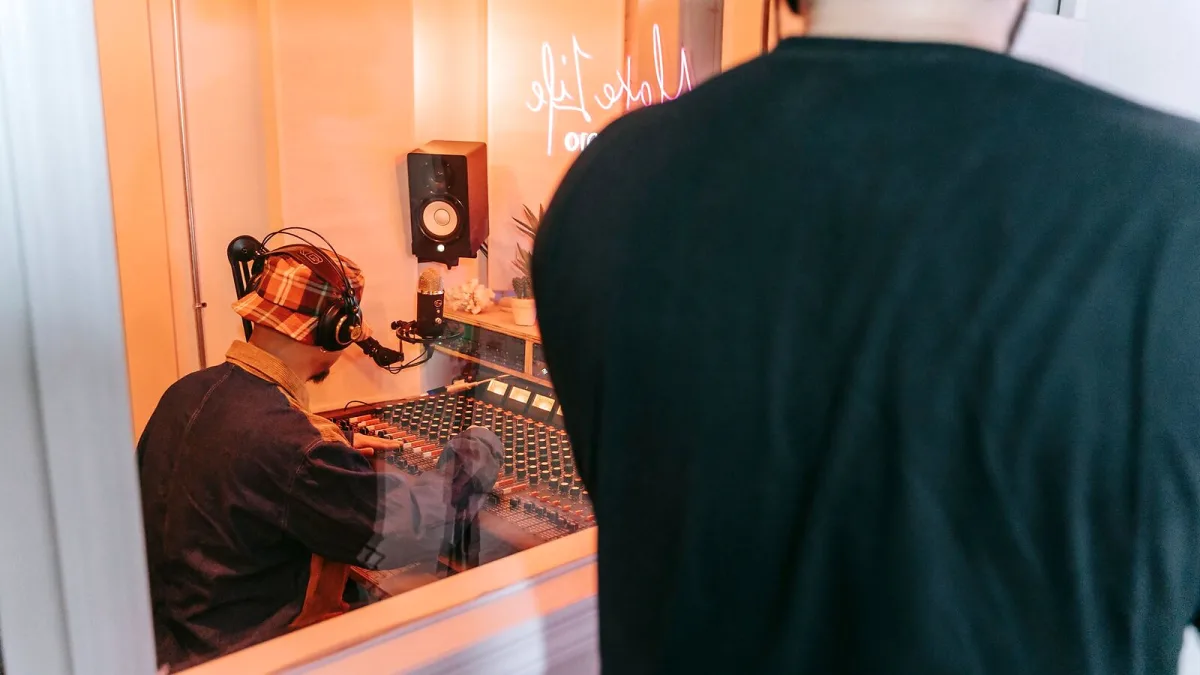
Booking a Pirate Studios session is a bit different from booking a traditional studio, and most of the mistakes I see happen before anyone's even walked through the door. There's no manager to guide you through the options, so the decisions land on you: which room type, which features, which time slot. Here's exactly what to check before you commit your money.
Decide What Kind of Session You Actually Need
This is the single biggest decision, and it determines everything else.
- Full band rehearsal, with drums and amps already in the room? You want a rehearsal room.
- Practising mixing or building a set? You want a DJ room.
- Recording vocals, an instrument or a demo on your own? You want a recording room.
- Recording a podcast or spoken-word content? Check whether your nearest location offers a dedicated creator room.
Getting this wrong is the fastest way to waste a booking — turning up to a DJ booth expecting a full drum kit helps nobody.
Check the Room's Actual Equipment First
Never assume every Pirate Studios room at every location is identical, because it isn't. Equipment genuinely varies site to site, so before you book, check the listing for the specific room you're paying for. For a recording room, that means confirming:
- Whether a computer is supplied, and what's installed on it
- Which digital audio workstation, if any, you'll be working with
- Whether multitrack recording is actually supported
- How many microphone and instrument inputs are available
- What monitoring and headphone options are provided
- How you'll get your files out afterwards
For a DJ room, check the mixer model, deck or media-player setup, whether your preferred software is compatible, and the monitor speakers on offer. None of this is guaranteed to match another location's setup, even one from the same operator.
Understand the Pricing Bands Before You Book
Rather than a single hourly rate, Pirate Studios pricing runs on time-based bands — typically off-peak, standard, peak and super-peak — so the exact same room can cost noticeably more or less depending on the slot you choose. If your session doesn't need to happen at a specific time, checking off-peak availability first can make a genuinely meaningful difference to the price. Treat any older price figures you've seen quoted online as historical rather than current, and check the live booking calendar instead.
Decide Whether You Need OpenLIVE
If a rehearsal room supports OpenLIVE, you'll be asked during booking whether you want the session recorded automatically. It's worth switching on if you want a record of the rehearsal for review or content, but it's an extra decision to make consciously rather than skip past — check what you're actually getting before assuming it covers everything you might want, such as multiple camera angles or a particular audio format.
Factor In Location and Access
Because Pirate Studios has no staffed reception, you're relying entirely on the access instructions you're sent, so check in advance how straightforward that process actually is at your chosen site. It's also worth weighing up travel time against your budget: a slightly further location with a genuinely better-equipped room, or better off-peak pricing, can beat the closest option on value even after the extra journey.
Remember What You're Not Getting
Self-service means exactly that. Unless a listing specifically says otherwise, you shouldn't expect a resident engineer, hands-on technical support, or someone fixing a problem mid-session. Budget a little contingency time into your booking if you're not already confident with the equipment listed, rather than losing paid session time troubleshooting. The whole Pirate Studios model trades that hand-holding for lower cost and round-the-clock access, which is a fair trade as long as you go in knowing it upfront.
Read the Cancellation and Access Policy
Before you pay, check the specific site's cancellation window and what happens if you're running late — self-service bookings are typically far less forgiving about this than a staffed studio, since there's no receptionist to call and explain to. It's also worth knowing what to do if the access code or app doesn't work when you arrive, so you're not standing outside a locked door with a session clock already running. A quick look at the location's own help page before you book saves a genuinely stressful first few minutes.
Compare Before You Commit
If you're mainly weighing this up on price, our guide to getting the best value for your money breaks down where the savings actually are. First-timers who want the whole process explained from scratch should read our beginner's guide, and if you want the full picture of what the service offers before deciding anything, start with our complete overview.
The Bottom Line
With Pirate Studios, the room type, the specific equipment list and the time band you book in matter far more to your experience than which city you're in. Get those three things right, check the listing properly before you pay, and you'll get exactly what you needed rather than an expensive surprise.






Comments