


USB MIDI Keyboard article
Usb Cable for Midi Keyboard: A Complete Guide
A USB MIDI keyboard connects your computer to virtual instruments, providing tactile, expressive control for music production, performance, and creative music-making.

A USB MIDI keyboard sits at the heart of countless home studios because it bridges hardware and software, giving you tactile control over digital instruments. If you've watched a producer play melodies into a computer using an external keyboard, or noticed the hardware controller on a music producer's desk connected directly to a laptop via USB, you've witnessed what modern MIDI keyboards deliver. Understanding what makes a USB MIDI keyboard essential for contemporary music-making, and how to choose one that fits your workflow, opens up creative possibilities that mouse-and-keyboard music production cannot match.
What Is a USB MIDI Keyboard?
A USB MIDI keyboard is a hardware controller that connects to your computer via USB, sending MIDI data that software synthesizers and production tools interpret. The keyboard sends note information, velocity (how hard you play), aftertouch, and controller data—everything needed to play virtual instruments expressively and convincingly.
Unlike the bulky hardware keyboards of previous decades, a USB MIDI keyboard is lean and focused. It doesn't generate sound itself; instead, it controls sound-generation software running on your computer. This separation offers incredible flexibility—same USB MIDI keyboard controls different virtual instruments depending on what software you've loaded.
How USB MIDI Keyboards Connect and Operate
USB connectivity means plug-and-play operation on modern computers. No MIDI interface or special drivers needed; most USB MIDI keyboards work immediately after connecting. The keyboard sends MIDI data over the USB cable directly into your computer's operating system, where your DAW (Digital Audio Workstation) receives it.
This simplicity is revolutionary compared to earlier MIDI systems. Older USB MIDI keyboard setups required dedicated hardware interfaces and complex configuration. Contemporary USB MIDI keyboards streamline everything into a single cable connection, reducing setup friction to near zero.
Understanding MIDI Keyboard Types
Keyboard-only USB MIDI keyboards focus purely on keys and basic controls, keeping size and cost minimal. These work brilliantly for producers prioritising keyboard simplicity and portability—essential if studio space is limited or you travel frequently with your USB MIDI keyboard.
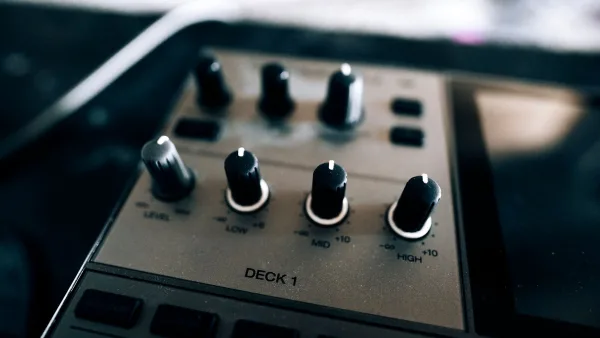
Pad and knob controllers add performance flexibility. A USB MIDI keyboard with pads lets you trigger drums and samples. Knobs provide real-time parameter control. These USB MIDI keyboards cost more but offer broader creative capability for music-making and live performance.
Semi-weighted and weighted keys simulate piano hammer action, providing more realistic feel for pianists and serious players. Standard keys are acceptable for most uses; weighted USB MIDI keyboards matter primarily if piano realism is important to your playing style.
Key Features Comparison
| Feature | Basic USB MIDI Keyboard | Mid-Range | Professional |
|---|---|---|---|
| Keys | 25–49 keys, standard action | 61 keys, semi-weighted | 88 keys, weighted action |
| Controllers | Pitch wheel, modulation wheel | Added knobs, faders, pads | Extensive control, performance features |
| Connectivity | USB only | USB, MIDI out | USB, 5-pin MIDI, Bluetooth options |
| Power | USB-powered | USB-powered or batteries | AC adaptor recommended |
| Typical Price | £60–£150 | £150–£300 | £300–£1,000+ |
Choosing the Right Number of Keys
Twenty-five keys provide maximum portability but limit playing scope—no octave range for full phrases. Forty-nine keys offer better span and remain portable. Sixty-one keys are the sweet spot for most music-makers—enough range for natural melodies whilst staying reasonably compact. Eighty-eight keys (full piano range) matter primarily for pianists or classical players where full keyboard span is essential.
A USB MIDI keyboard with octave shift buttons lets you play across wider ranges on compact models—useful for creative playing and performance, though requiring thumb use to shift octaves mid-phrase.
USB MIDI Keyboard for Different Musical Roles
Bedroom producers and bedroom musicians typically choose compact USB MIDI keyboards for space efficiency and cost. A 25-key USB MIDI keyboard at £80–£120 provides everything needed for home production without consuming desk space.
Live performers favour larger USB MIDI keyboards with pad sections for triggering loops and samples. The performance-oriented controls make on-stage playing intuitive. Professional USB MIDI keyboards designed for touring feature robust construction and comprehensive connectivity.
Studio professionals sometimes use USB MIDI keyboards as secondary controllers alongside dedicated hardware synthesizers, using the keyboard to control external gear and virtual instruments simultaneously.
Integration with Your Workflow
Any contemporary DAW (Ableton, Logic, Pro Tools, Reaper, FL Studio) recognises USB MIDI keyboards immediately. Your DAW automatically maps the keyboard controller data, with minimal configuration. Loading different virtual instruments with a single click lets the same USB MIDI keyboard control different software instantly.
Software workflow integration is where USB MIDI keyboards shine. You assign controllers to parameters, create custom mappings, and personalise the USB MIDI keyboard's behaviour to match your production style. This flexibility means a single USB MIDI keyboard adapts to vastly different creative needs.
Build Quality and Durability
Budget USB MIDI keyboards offer adequate build quality for careful use. Keys feel mushy and plasticky; nothing catastrophic, just less responsive than higher-end models. Professional USB MIDI keyboards feature better key mechanisms and overall build that withstands regular playing and touring.
Longevity depends on usage intensity. A bedroom USB MIDI keyboard lasting five years of casual playing is reasonable value; touring models should last longer with proper care. Key switches can wear with heavy use, but replacement is usually possible.
Sound Design and Expression Control
Velocity sensitivity on a USB MIDI keyboard lets volume vary based on how hard you strike keys—crucial for expressive playing. Most models track velocity reasonably well; expensive USB MIDI keyboards offer more sensitive detection useful for nuanced playing.
Aftertouch (pressure applied after striking keys) on professional USB MIDI keyboards adds another expression dimension. Using aftertouch to modulate filter cutoff or vibrato in virtual instruments creates performance articulation that feels musical and responsive.
Portability and Setup
Compact USB MIDI keyboards weigh under 3 kg, fitting easily into gig bags and car boots. Portable USB MIDI keyboards powered entirely via USB cable need no power adaptor—literally plug in and play anywhere with a USB port. This simplicity appeals to mobile producers and touring musicians.
Larger USB MIDI keyboards trade portability for control density and playing feel. Setup time remains minimal—connect USB cable and start working—but transport becomes less trivial.
Finding Your USB MIDI Keyboard
Start with your budget and priority. Space-constrained bedroom producer? A compact 25-key USB MIDI keyboard at £100–£150 offers excellent value. Serious player prioritising feel? Invest in semi-weighted keys and proper key response. Performing live? Seek performance-oriented models with pads and robust controls.
Reading user reviews from musicians in your genre reveals how specific USB MIDI keyboard models perform in real creative situations. The internet overflows with YouTube demonstrations showing different models in action—watching these videos helps clarify what feels right for your playing style.
Conclusion: The Essential Modern Controller
A USB MIDI keyboard has become essential gear for contemporary music-making. Whether producing at home, performing live, or working in professional studios, a USB MIDI keyboard provides the tactile control and expressive capability that makes digital music creation genuinely musical. From budget-friendly portable models to professional instruments, options exist for every need and budget. The USB MIDI keyboard bridges hardware and software seamlessly, letting you focus on music-making rather than technical setup—a fundamentally valuable proposition for modern musicians.




Comments