


Ableton Move roundup
Ableton Move: A Complete Buyer's Guide
Ableton Move is an easy recommendation for the right person. Here's exactly what to check before you spend your money on one.
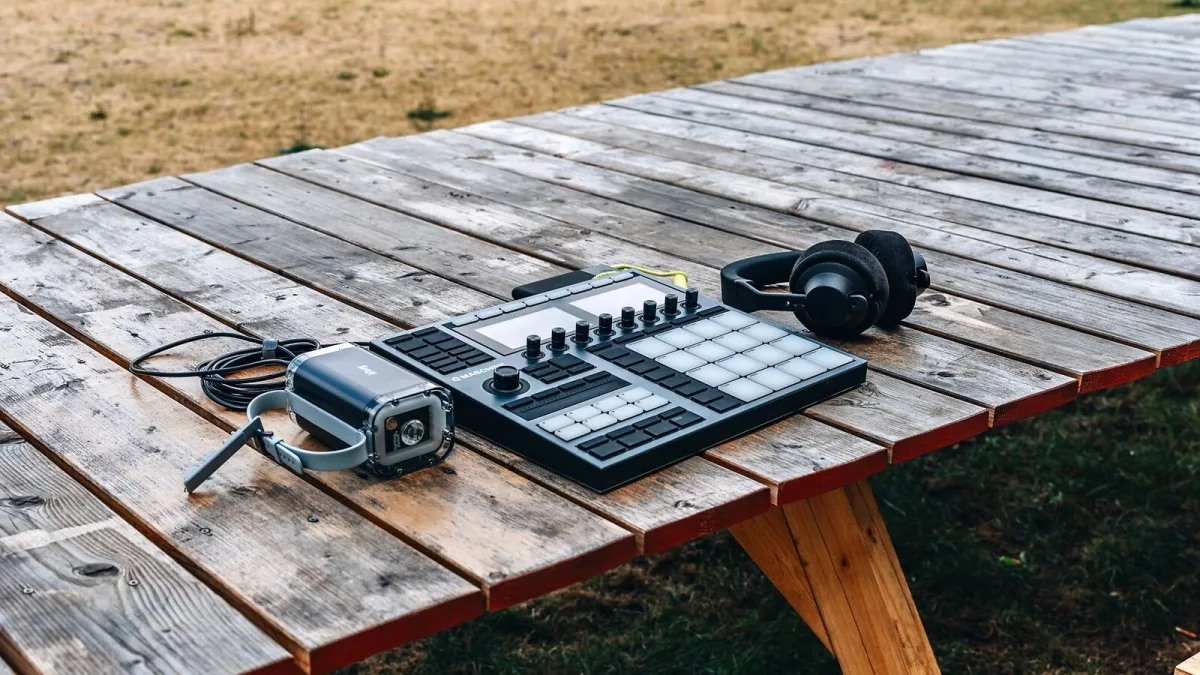
Ableton Move keeps popping up in the studio photos of people whose taste I actually trust, and I get why — but it's not the right buy for everyone, and the price has shifted since launch. Here's exactly what to check before you spend your money, no history lesson, just what matters right now.
Check the Current Price, Not the Launch Price
Move launched in October 2024, and pricing has moved around since — Ableton's own store currently lists it at a reduced $549, down from $648, which itself differs from the figure quoted in some older launch coverage. Always check Ableton's official store for the current price and your local currency before you commit; older articles (including some of ours) may quote outdated numbers.
Work Out If Four Tracks Is Enough For You
This is the single biggest thing to get right before buying. Move gives you four assignable tracks, full stop — no expanding that later with an update. If your process genuinely needs ten tracks running at once, Move will frustrate you fast. If you're the sort of person who finishes better with fewer decisions to make, the limit is a feature, not a flaw.
- Ask yourself honestly how many simultaneous elements your typical track idea needs.
- Remember you can transfer a Move sketch into Ableton Live and keep building with unlimited tracks there.
- If you already own Live and mainly want a way to sketch ideas away from the screen, four tracks rarely matters — you'll finish the track elsewhere anyway.
Check What You Already Own
Move talks to Ableton Live and the Note mobile app over Wi-Fi, and its sampling, sound library and workflow all assume you're at least somewhat inside the Ableton world. If you're a committed user of a completely different DAW, some of that integration value disappears, and a standalone groovebox from another brand might suit you just as well or better.
Understand the Sound System Situation
Ableton Move has a built-in microphone and speaker, which is genuinely handy for capturing ideas on the fly and previewing sketches. It is not, however, a substitute for proper monitors or headphones — reviewers consistently note limited low-end from the built-in speaker, closer to a laptop than a studio setup. Budget for decent headphones if you don't already own a pair; you'll need them for any serious mixing decision.
Think About Connections You'll Actually Use
| Connection | What to check before buying |
|---|---|
| 3.5 mm line input/output | You'll likely need an adapter for standard ¼-inch guitar, bass or keyboard cables |
| USB-A (MIDI host) | Confirm your external MIDI gear and any needed adapters or power draw work with it |
| USB-C | Used for charging and computer connection — check your existing cables will do the job |
| Wi-Fi | Needed for Move Manager transfers to Live and Note — check your studio's network setup |
Battery Life Is Real, But Has Limits
Ableton quotes up to four hours of battery life, which covers a solid writing or performance session, but heavier use — louder speaker volume, constant Wi-Fi syncing, lots of sampling — will bring that down. If you're planning to gig with Move rather than just write with it, a charging plan for the day is worth having.
Don't Buy It Expecting a Full DAW Replacement
Move is not trying to be Ableton Push 3 Standalone, and it's certainly not trying to be a full studio in a box. Its restricted device list and four-track structure exist to keep you moving fast, not to cover every production scenario. If what you actually want is a genuinely deep standalone workstation, it's worth researching Push 3 or a more expansive rival before you buy Move on reputation alone.
A Quick Gut-Check Before You Pay
- You're already using, or planning to use, Ableton Live at least some of the time.
- You want something to grab and start writing on, with no boot-up and no laptop.
- You're fine finishing bigger ideas on a computer rather than entirely on the hardware.
- You already own decent headphones or monitors for anything beyond a rough sketch.
If most of that describes you, Ableton Move is a genuinely easy recommendation. If none of it does, it's worth looking elsewhere before you spend.
Where to Go From Here
Once you've decided it's the right buy, our step-by-step setup guide gets you from box to first beat, and if you're brand new to hardware sequencing generally, our beginner's guide will ease you in gently. For the full technical picture first, our complete guide to Ableton Move covers everything the spec sheet doesn't tell you.
Bottom Line
Ableton Move is an easy recommendation for anyone already inside the Ableton ecosystem who wants a fast, tactile way to sketch ideas — less so for anyone expecting a full production rig or a completely DAW-agnostic instrument. Check the current price, be honest about the four-track limit, and budget for proper headphones, and you'll know exactly what you're buying.





Comments