


Ableton Move article
A Guide to Ableton Move
Ableton Move is a standalone groovebox built around Live's clip workflow. Here's what it does, how it works, and where it fits in Ableton's range.
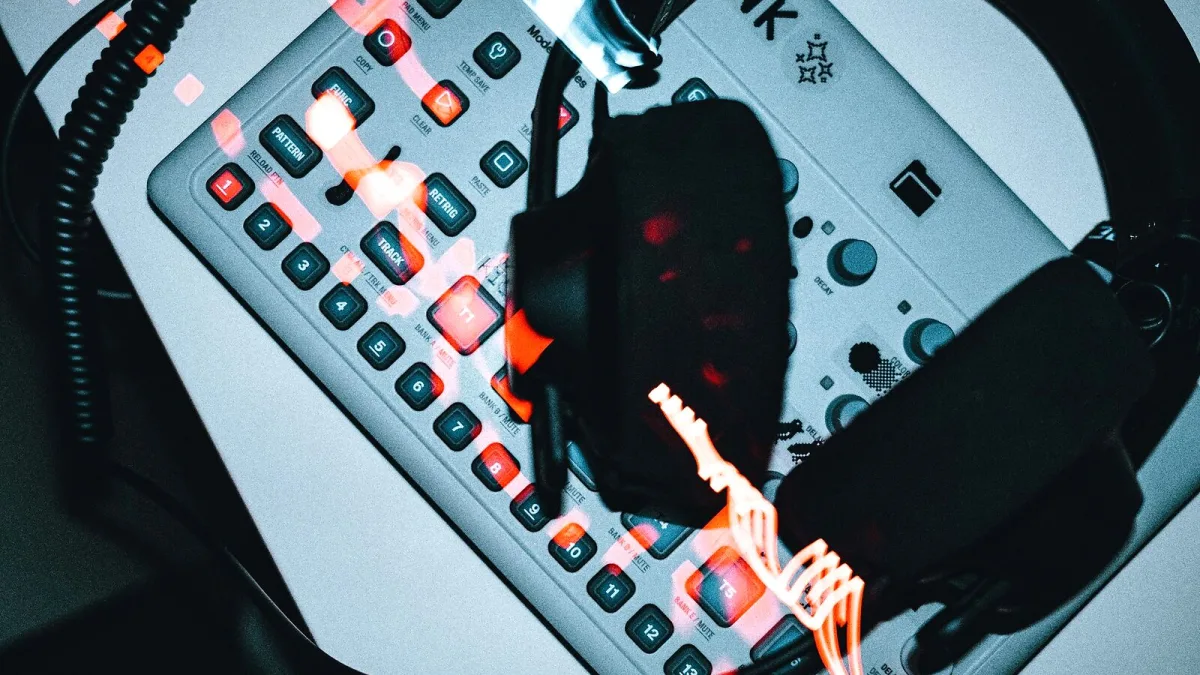
Right, let's talk about the little grey box that's been popping up in more studios and bedrooms than almost anything else Ableton has released. Ableton Move is a standalone groove box — a self-contained instrument for making beats without booting up a laptop — and it's a genuinely different way of thinking about the Ableton workflow. Here's exactly what it is, how it works, and where it fits if you're already deep into Live.
What Is Ableton Move?
Ableton Move is a portable, battery-powered instrument built around 32 velocity-sensitive pads, four tracks, a built-in microphone and speaker, and Wi-Fi syncing with Ableton Live and the Note mobile app. It first appeared in October 2024, and Ableton has kept developing it since — firmware 2.1.1 landed on 15 September 2026, adding to a steady run of updates that have expanded what the hardware can do.
Unlike a laptop-based setup, Move needs nothing else to work. Switch it on, and you've got sounds, effects and a sequencer ready to go, in a case about the size of a large tablet and weighing under a kilo.
How It Actually Works
Move is built around Ableton's signature clip-based workflow — the same Session View logic that Live users already know, shrunk down into hardware. Instead of a traditional song timeline, you build short loops called clips, arrange them into scenes, and trigger them live to build a track on the fly.
Pads, Clips and Scenes
The 32 backlit pads are pressure-sensitive, so they respond to how hard you hit them, not just whether you hit them. They switch between several modes: drum programming, melodic playing (chromatic or locked to a musical key), step sequencing and sample triggering. A jog wheel, sixteen buttons and nine encoders round out the physical controls, all shown on a small monochrome OLED screen.
Sampling and Effects
Move can record audio straight from its built-in microphone or a 3.5 mm line input, capturing anything from a vocal idea to a field recording at 44.1 kHz. Once you've got a sound in, a curated set of Ableton devices is on hand — Drift and Wavetable for synths, Drum Sampler and Melodic Sampler for playback, plus reverb, delay, saturation, chorus and a few other staples. It's a smaller toolkit than Live's full device list on purpose, favouring quick, usable results over deep sound design.
Where Move Sits in Ableton's Lineup
Ableton already made Push, a much larger and deeper standalone controller, and Note, a phone app for sketching ideas on the move (pun very much intended). Move sits between the two: more capable and tactile than a phone app, but far more focused and portable than Push 3's full standalone rig. Reviewers have taken to calling it a "baby Push" — a fair shorthand, provided you don't expect Push's depth in a box a third of the size.
The deliberate limitation is the point. With only four tracks and a pared-back device list, there's less menu-diving and more actual music-making — a trade-off that clearly works for plenty of producers, going by how often Move turns up on forums and in studio photos a year on from release.
Getting Ideas Out of Move
Nothing you make on Move is stuck there. Move Manager and Wi-Fi syncing let you transfer a sketch straight into Ableton Live, where you've got the full device library, unlimited tracks and proper mixing tools to finish the job. The typical workflow is simple: sketch a beat on Move, save it, connect to Live, and carry on arranging and mixing on a bigger screen.
Strengths and Limitations
- Immediate and standalone. No boot-up, no laptop — just pads and ideas.
- Genuine Live integration. Sketches move across to a full production environment without friction.
- Built-in mic and speaker. Handy for quick ideas and casual sessions, though the speaker's low end is no substitute for real monitors.
- Four-track limit. A real constraint that pushes you toward finishing ideas rather than endlessly layering.
- Small screen, limited deep editing. Detailed sample cleanup and precision editing are quicker once you're in Live.
Bottom Line
Move is best understood as a portable sketchbook that happens to share Live's DNA, not a replacement for a full studio setup. That focus is exactly why it's found such a devoted following. If you're weighing up whether to actually buy one, our buyer's guide covers what to check first, our setup guide walks through getting it running, and our piece on common Move mistakes is worth a read before your first proper session.





Comments