


Ableton Push 3 roundup
Ableton Push 3: A Complete Buyer's Guide
Two versions, one decision — here's how to choose the right Ableton Push 3 for your studio, your live setup and your budget.
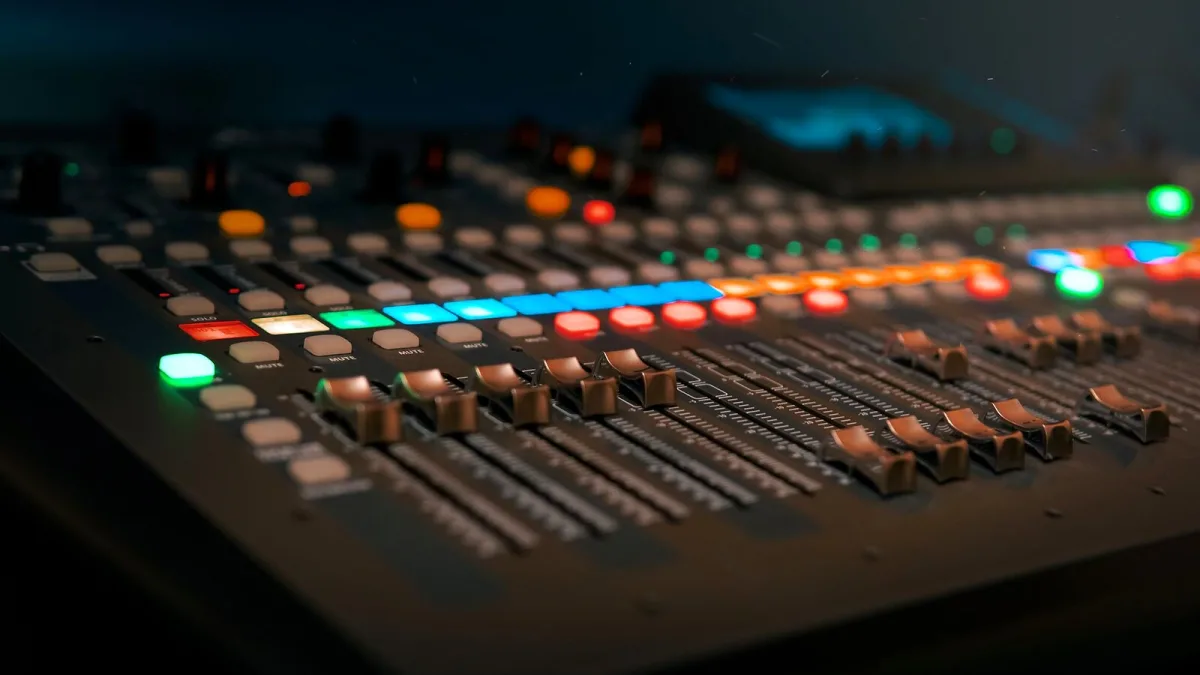
Ableton Push 3 is one of those purchases that genuinely changes how you make music — but only if you buy the right version for your situation. There are two configurations, a significant price gap between them, and a few key specs that matter far more than others. Here's how to cut through the noise and figure out exactly which Push 3 makes sense for you.
Controller or Standalone: The Decision That Matters Most
Before anything else, this is the choice that shapes everything about your purchase. Get it right and you'll wonder how you managed without Push 3; get it wrong and you'll be eyeing the upgrade kit almost immediately.
Push 3 Controller
The Controller version is Push 3 without an onboard processor. It connects to your computer via USB-C and functions as a control surface, expressive instrument interface and audio interface for Ableton Live. The computer handles all the processing; Push handles everything you want to touch.
This is the right choice if:
- You work primarily at a desk with a laptop or desktop computer.
- You rely on third-party VST or AU plug-ins that only run on a full computer version of Live.
- You have extensive Max for Live patches or complex custom devices.
- You want Push for expressive pad performance and deep Live integration without the Standalone price premium.
The practical upside: you get the same 64 MPE-capable pads, the same audio I/O, the same encoders and display as the Standalone — for considerably less money. The practical downside: if your laptop dies or you fancy leaving home without it, Push becomes decorative.
Push 3 Standalone
The Standalone includes an Intel 11th-generation Core i3 processor, 8 GB of RAM, a 256 GB SSD and a built-in battery rated at roughly 2.5 hours. It runs a tailored version of Ableton Live directly on the device, no computer required.
This is the right choice if:
- You regularly perform or sketch away from a computer and want a genuinely self-contained rig.
- You integrate hardware synthesisers, drum machines or modular gear via MIDI, CV outputs or ADAT, and want Push at the centre of that setup rather than a laptop.
- You want the freedom to turn up to a rehearsal space or studio with a single device and actually make music.
- You use primarily Ableton's own instruments and effects rather than a deep stack of third-party plug-ins.
Be clear-eyed about the limits, though: Standalone runs a tailored Live environment. It's not a full desktop Live installation. Third-party plug-ins don't run in Standalone mode; complex Max for Live setups may not translate; and any project built around tools that only exist on your computer will need rethinking for Standalone use.
The Upgrade Path
One genuinely useful thing about Push 3's design: if you start with the Controller and later decide you want Standalone functionality, an official Push 3 Upgrade Kit adds the processor, RAM, SSD and battery hardware to your existing unit. It's a more expensive route than buying Standalone outright, but it means you're not locked in from day one — and you keep the Push you've already learned.
What the Specs Actually Mean for Buyers
The 64 MPE Pads
Both versions share Push 3's 64-pad grid with full MPE (MIDI Polyphonic Expression) support. This matters if you play melodic lines on the pads and want real per-note expressive control — pressure, position, pitch each tracked independently per finger. If you're primarily using Push for drum programming and clip launching, MPE is a bonus rather than a necessity, but it's there if your technique evolves.
Audio I/O
Both versions include two line/instrument inputs, two balanced outputs, a headphone output and ADAT optical I/O for digital expansion. The two configurable ports — which can act as pedal inputs or CV outputs — are worth noting if you're connecting modular synthesisers. The ADAT option is genuinely useful if you want more inputs without adding analogue conversion; connect an ADAT-capable interface or converter and you significantly expand your I/O.
Battery Life
If you're buying Standalone specifically for untethered performance, the roughly 2.5-hour battery rating is the number to plan around. Real-world endurance varies with processing load, screen brightness and connected USB devices. For any critical live show, keep the power supply connected where possible, always bring the charger and test your full rig for longer than your expected set time.
Size and Weight
Push 3 isn't a compact instrument — it measures approximately 380 × 318 mm with a body height of around 29 mm (44.5 mm including the encoders). The Standalone weighs approximately 3.95 kg. It fits in a rucksack designed for it, but factor that into any conversation about portability versus, say, a laptop plus a smaller controller.
Who Should Not Buy Push 3
Push 3 is built entirely around Ableton Live. If your primary DAW is Logic Pro, FL Studio, Ableton Reason, or anything else, Push 3 in any configuration is not the right purchase. It's a deep, native Live instrument rather than a general-purpose controller, and trying to use it outside that ecosystem will frustrate you quickly.
Similarly, if you're new to production and haven't yet decided on a workflow, buying Push 3 Standalone is jumping in at the deep end. Learning Live and learning Push simultaneously is entirely achievable — our beginner's guide to Ableton Push 3 walks you through the early stages — but make sure you understand the commitment you're making to the Ableton ecosystem before you spend Standalone money.
A Practical Buying Checklist
| Question | If Yes |
|---|---|
| Do you use third-party VSTs or complex Max for Live? | Controller is sufficient; Standalone won't run them |
| Do you need to perform or sketch without a laptop? | Standalone earns its premium here |
| Do you connect hardware via MIDI, CV or ADAT? | Both versions support this; Standalone adds portability |
| Are you unsure about committing to Standalone? | Start with Controller; upgrade later with the Upgrade Kit |
| Is your primary DAW something other than Ableton Live? | Look at a different controller entirely |
The Bottom Line
Push 3 Controller is a compelling buy for any dedicated Ableton Live user who wants the most expressive, integrated hardware interface available for their existing setup. Push 3 Standalone is for producers and performers who genuinely need — and will use — the freedom of a computer-free workflow. Both are superb; neither is wasted money for the right buyer.
Once you've decided on the configuration, get a feel for what Push 3 can actually do with our full features and tips overview, and make sure you're not falling into the traps that catch so many new owners by reading up on common Ableton Push 3 mistakes to avoid.





Comments