


Native Instruments Digital Piano article
The Ultimate Guide to Native Instruments Digital Piano
Native Instruments digital pianos are software libraries, not hardware keyboards. This guide explains what they are, how to use them, and which piano library suits your musical genre.

Native Instruments digital piano libraries have become the choice of composers, producers and pianists working with sampled pianos in the studio. Yet the phrase "native instruments digital piano" can mean different things depending on your setup. This guide explains what Native Instruments actually makes, how to use their piano libraries, and which instrument suits your musical goals.
What Native Instruments Digital Piano Actually Is
Native Instruments does not manufacture standalone digital pianos—physical keyboards with integrated speakers and piano action. Instead, it develops sample-based virtual instruments that run as plug-ins inside your DAW (digital audio workstation) or as standalone applications via KONTAKT. This type of software library contains thousands of samples from real pianos, mapped across different notes, velocities and pedal positions, waiting for you to trigger them from a MIDI keyboard.
This distinction matters because a complete setup involves multiple pieces: the piano library itself, a compatible host application (usually KONTAKT or KONTAKT Player), a MIDI controller keyboard, and an audio interface or headphones. You're assembling a system, not buying a single instrument.
The Native Instruments Piano Catalogue
Native Instruments offers more than one piano sound because different musical contexts need different characters. Rather than a single "best" option, the catalogue reflects the company's philosophy of offering pianos with distinct artistic identities.
Noire is based on composer Nils Frahm's concert grand, recorded at Berlin's historic Funkhaus. It comes in two main versions: Pure (a contemporary, clean concert-grand sound) and Felt (a more intimate, processed character). This Native Instruments digital piano suits ambient music, neo-classical, film scores and any production prioritising a distinctive modern aesthetic.
Una Corda is another Nils Frahm collaboration, using a custom-designed upright instrument created with piano maker David Klavins. It's narrower and more characterful than a traditional grand, offering a unique tonal identity ideal for intimate compositions and alternative production.
Alicia's Keys samples the studio piano of the artist Alicia Keys herself, containing roughly 3,000 individual samples and 12 velocity layers. It captures authentic playing details from her technique and is particularly strong for pop, soul and R&B production. A later product, Alicia's Electric Keys, extends the collaboration into electric-piano territory for different musical contexts.
The Grandeur is a traditional modern concert grand, suitable when you want a contemporary grand-piano sound without the artistic signature of Noire. The Giant is an unconventional design with an unusually expansive tonal character. The Gentleman offers upright-piano character, whilst Piano Colors is a more hybrid, sound-design-oriented instrument. Each serves a different musical role.
What You Actually Need to Get Started
Three component categories work together. First, the piano library itself—any of the Native Instruments instruments you own or have access to. Second, the host application—either KONTAKT Player (free for many libraries), the full KONTAKT (commercial), or a DAW with KONTAKT running as a plug-in. Third, the MIDI controller—a weighted keyboard, a controller, or even a lighter MIDI keyboard, depending on how seriously you play and record.
You'll also want an audio interface or headphones. If you're recording, monitors or an interface will give you the lowest latency and best monitoring experience. If you're composing late at night, good headphones are essential.
Choosing Between KONTAKT Player and Full KONTAKT
Most piano libraries from Native Instruments run in the free KONTAKT Player, subject to system requirements. This is excellent for starting out—you get a professionally capable sampled piano with zero licensing cost. The full version of KONTAKT adds advanced sampling and instrument-creation capabilities, but you won't need it purely to play existing library sounds. Choose KONTAKT Player initially and upgrade to the full version only if you later want to edit or design your own instruments.
Matching a Piano to Your Musical Genre
| Musical Goal | Strong Starting Points | Why |
|---|---|---|
| Modern cinematic or ambient | Noire Felt, Una Corda | Intimate, contemporary character suited to film scoring and atmospheric composition |
| Contemporary concert grand | Noire Pure, The Grandeur | Clean, modern classical or neo-classical sound without artistic signature |
| Pop and singer-songwriter | Alicia's Keys | Captures authentic playing details and contemporary pop production character |
| Upright piano character | The Gentleman, Una Corda | Smaller, tighter tonal identity for intimate recordings and alternative styles |
| Unusual or experimental colour | The Giant, Piano Colors | Beyond traditional piano—sound design and unconventional production |
| Electric-piano parts | Alicia's Electric Keys | Electric-piano tones for funk, soul, R&B and 70s-influenced production |
Selecting the Right MIDI Controller
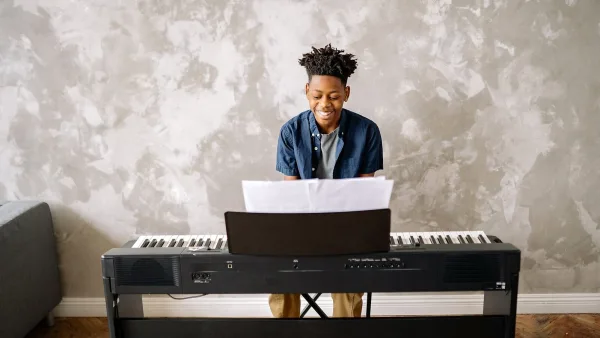
A Native Instruments digital piano is only as playable as your controller. For serious classical playing or expressive recording, invest in an 88-key weighted or hammer-action keyboard. Key priorities include reliable sustain-pedal support, good velocity response and low mechanical noise if you're recording. USB MIDI is the most convenient connection type for modern computers.
Lighter MIDI controllers work perfectly well for production, composition and pop sketching. A 49 or 61-key controller is portable and affordable. But if you're a trained classical pianist used to a full weighted action, a lighter keyboard will feel alien and may frustrate your playing.
Reducing Latency and Achieving Realistic Playback
The playing experience depends heavily on audio latency—the delay between pressing a key and hearing the note. To minimise latency, use an audio driver optimised for low-latency performance, set a modest buffer size (try 128 samples to start), ensure your computer is stable and not overloaded, and use a reliable audio interface with good drivers. If you notice delay, gradually reduce the buffer size, but be cautious of very small buffers, which can cause clicks or dropouts.
Installation and Setup Workflow
Native Instruments distributes libraries through Native Access, a centralised manager for their products. The typical workflow is straightforward: install Native Access, sign into your account, install KONTAKT Player or KONTAKT, then use Native Access to install your piano libraries. Launch KONTAKT standalone or load it inside your DAW, browse to your piano library in the instrument browser, and start playing.
Older products like the Classic Piano Collection may require legacy installation procedures, so check Native Instruments' support documentation if you're installing historical products.
Storage and System Considerations
Piano libraries are large because they contain thousands of samples and many velocity layers. Alicia's Keys, for example, is roughly 6.9 gigabytes when installed. Plan for adequate disk space to hold your libraries, plus room for updates, backups and any temporary working files. Modern computers have no problem hosting multiple large libraries simultaneously.
Virtual Pianos vs. Hardware
Sample-based software pianos cannot perfectly reproduce the physical feedback and resonance of an acoustic instrument. You miss the weight and mechanical response of real hammers, the complex sympathetic resonance of the soundboard, and the full acoustic radiation filling a room. However, modern sampled libraries deliver remarkable realism for recording, composition and professional production. Most listeners hear an excellent piano sound. The difference matters primarily to performers who need the tactile feedback of a real action, and even then, a good weighted controller goes a long way.
Conclusion
These instruments are not hardware but a complete software ecosystem. You choose a piano library suited to your musical genre, install it into KONTAKT Player or KONTAKT, connect a weighted MIDI keyboard, configure low-latency audio, and you have access to concert-quality sounds for composition, recording and performance. Whether you need the contemporary aesthetic of Noire, the upright character of Una Corda, the pop sensibility of Alicia's Keys or the unconventional colour of The Giant, this ecosystem offers a piano for nearly every musical context. The key is understanding that you're assembling a system, not simply buying one product.



Comments