


Serum article
Serum for Beginners: A Complete Guide
Opening Serum for the first time can feel like a cockpit full of unfamiliar knobs. Here is a calm, step-by-step way in, built for total beginners.

Opening Serum for the first time can feel like sitting down at an aeroplane cockpit. There are knobs everywhere, a big waveform display doing something you did not ask it to do, and no obvious place to start with Serum. Take a breath — this guide is written for exactly that moment. We will go slowly, explain every term as it comes up, and get you to a finished first sound before anything starts to feel overwhelming.
Don't Panic: What Serum Actually Is
At its simplest, Serum is an instrument that builds sound by moving through stored waveforms — a process called wavetable synthesis. You do not need to understand the engineering behind that to use it well; you just need to know that turning most knobs changes the waveform in a way you can both see and hear. If you would like the fuller technical picture later, our complete Serum explainer covers every mode in depth. For now, we are keeping things simple on purpose.
Before You Open It
If you have not bought it yet, our buying guide covers what to check first, including which platforms and plugin formats it supports. Once it is installed, open your digital audio workstation (DAW — the software you record and arrange in), create a new instrument track, and load Serum the same way you would load any other plugin.
The Screen, Explained Gently
You do not need to learn every corner on day one. These four areas cover almost everything you will touch as a beginner:
- Oscillator section — where you pick and shape the waveform that makes the actual sound.
- Filter — controls how bright or dark the sound is, by cutting or boosting certain frequencies.
- Envelopes — shape how a sound starts, sustains and fades, using stages usually called attack, decay, sustain and release.
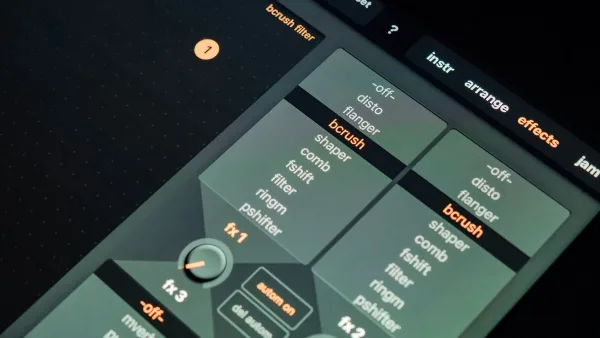
- Effects rack — adds polish afterwards, things like reverb (space) and delay (echo).
Everything else — the modulation matrix, the LFOs (low-frequency oscillators, which wobble a parameter rhythmically), the arpeggiator — can wait. You will grow into them naturally once the basics feel comfortable.
Your First Patch, Step by Step
Let's build one simple sound together. This will not be your best patch ever, and that is fine — the goal is familiarity, not perfection.
- Load Serum on an instrument track and start from the Init patch, a blank starting point with no preset shaping applied.
- Click into Oscillator A and choose a wavetable that sounds interesting to you — anything bright or textured works well for learning.
- Open the filter and slowly turn the cutoff knob while holding a note, listening to how the brightness changes.
- Drag an LFO onto the wavetable position control so the sound gently shifts over time instead of sitting still.
- Shape the amp envelope so the note fades in and out the way you want — try a slightly slower attack for a softer start.
- Add a touch of reverb from the effects rack to give the sound some space.
- Save the patch with a name you will recognise later, so you can find and build on it again.
That is a complete, functioning Serum patch, built entirely by you. It will not sound like a factory preset, and it should not — it is yours.
Easy Wins While You're Learning
- Start from presets and pull them apart. Loading a preset and changing one knob at a time teaches you far faster than starting from nothing every time.
- Change one thing at once. Turning three knobs together makes it hard to learn what any single one actually does.
- Save often, and save copies. There is no shame in a folder full of half-finished patches named "test 4."
- Trust your ears over your eyes. The waveform display is a lovely teaching tool, but if it sounds right, it is right.
Common Beginner Worries (And Why They're Normal)
Feeling like there are too many knobs is completely normal — nobody uses all of them on their first patch, or their hundredth. Worrying that your patches sound "wrong" compared with presets is also normal; presets are usually built by people who have spent years learning exactly the workflow you are only starting today. And if a granular or spectral patch makes your laptop fan spin up, that is a genuine CPU limitation, not something you are doing wrong.
How Long Before It Feels Natural?
Most beginners say the interface stops feeling strange after a handful of sessions — not because they have memorised every control, but because certain habits become automatic: check the oscillator first, then the filter, then reach for an envelope or LFO if the sound needs movement. Give yourself several short sessions rather than one long one. Ten focused minutes tweaking a single patch teaches you more than an hour of randomly clicking through presets without really listening.
What to Learn Next
Once your first few Serum patches feel comfortable, it is worth reading our list of common mistakes to avoid before they become habits, and our round-up of the best synths for the money if you are curious how it compares with the alternatives now you know your way around.
You've Got This
Every producer who now sounds confident with Serum started exactly where you are, staring at an unfamiliar screen. The knobs do not bite, mistakes are part of learning, and your first genuinely good patch is closer than it feels right now.




Comments