


Behringer Xr18 roundup
Behringer Xr18: A Complete Buyer's Guide
The Behringer XR18 is genuinely good value, but the real cost includes a tablet and a network plan. Here's what to check before you buy.
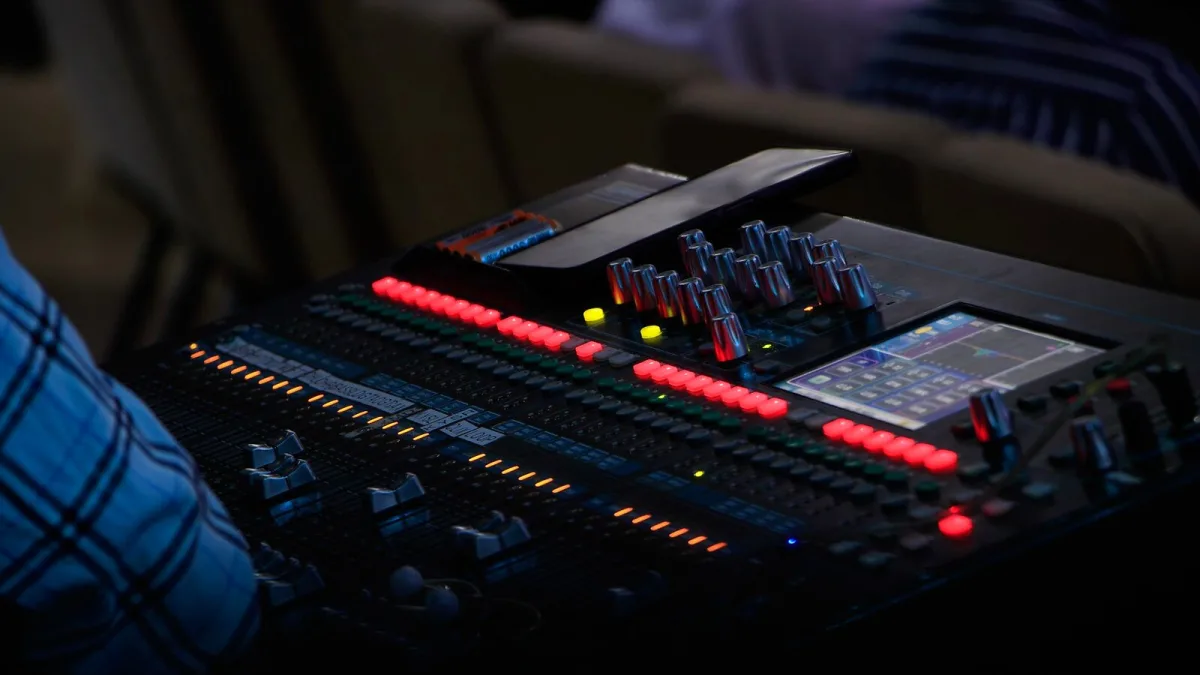
Right, so you're thinking about a Behringer XR18. Good — it's a genuinely capable little mixer for the money. But it's not a straightforward "buy it and go" purchase like a compact PA speaker; there's a network, a control device and a fair bit of routing to think through before you hand over your cash. Here's what actually matters when you're deciding, and what to check before you commit.
Decide What You Actually Need It To Do
Before you look at spec sheets, work out the job. A four-piece pub band needs something very different from a church running two services with a live-stream feed. Ask yourself:
- How many microphones and DI inputs will you actually plug in, on your biggest night, not your average one?
- Do you need separate in-ear or wedge monitor mixes, and how many?
- Will you record multitrack audio for a live album, virtual soundcheck, or just to review rehearsals?
- Who's mixing — a dedicated engineer, or whoever's free that night?
The Behringer XR18's eighteen channels and sixteen mic-capable inputs cover most small-to-mid setups comfortably, but it's worth counting your actual inputs rather than assuming you'll grow into it.
Check the Input Count Against Your Rig
On the Behringer XR18, sixteen of the eighteen channels are combo XLR/TRS inputs with microphone preamps and switchable 48V phantom power — the voltage that powers condenser microphones and active DI boxes. The remaining two are line-level only. For a typical band, that's drums (four to six mics), bass and guitar DI or mic, two or three vocals, and a stereo keyboard feed, with headroom left over. If you're regularly running a bigger stage than that, it's worth checking whether you'd outgrow it before you buy rather than after.
Understand What You're Controlling It With
This is the bit that trips people up. The XR18 has no onboard faders or screen — everything is done through Behringer's X AIR Edit software on a laptop, or the X AIR app on an iPad or Android tablet. That means your tablet or laptop is effectively part of the purchase, even though it's not in the box. Before you buy:
- Confirm your tablet or phone's operating system is currently supported by the X AIR app — compatibility can shift with OS updates.
- Budget for a decent tablet if you don't already own one; this isn't optional kit, it's how you'll operate the desk.
- Have a charging plan for gig day. A flat tablet mid-show is a real problem with no faders to fall back on.
Factor In the Network
The Behringer XR18 has built-in Wi-Fi, which is genuinely fine for a rehearsal room or a quiet small gig. In a busier venue with other wireless traffic around, most experienced users add a dedicated external router for a more stable connection. If that's a likely scenario for you, add a router — and ideally a spare tablet or laptop as backup control — to your actual budget for the XR18, not as an afterthought.
Weigh Up the Aux Buses and Effects
Six auxiliary buses sit alongside the main stereo output, giving you six independent sends for monitor mixes, in-ear feeds or a recording tap. Four internal stereo effects slots cover reverb, delay and modulation duties, which can save you buying outboard processors early on. If your act needs more than six separate monitor mixes, that's worth flagging before purchase — it's a hard ceiling on this model.
Don't Skip the Recording Side
One feature that's easy to overlook: the Behringer XR18 doubles as an 18-in/18-out USB audio interface. If multitrack recording, virtual soundcheck or capturing rehearsals matters to you, this is a genuine bonus feature rather than a gimmick — check your computer and DAW can see that many channels before you rely on it for a real session. It's one of the reasons the XR18 keeps turning up in home and project studios as well as on stage.
Quick Comparison: What You're Weighing Up
| Consideration | Why it matters |
|---|---|
| Input count vs. your rig | 16 mic inputs is generous, but count your actual channels first |
| Control device | No faders on the unit — a tablet or laptop is part of the real cost |
| Network reliability | Built-in Wi-Fi is fine for small rooms; busier venues want an external router |
| Aux buses | Six independent sends — a hard limit if you need more monitor mixes |
| USB recording | 18×18 interface is a genuine extra, not just a spec-sheet number |
Where to Go Next
If you want the full picture of what the XR18 is and how it works before you commit, our overview of the Behringer XR18 covers that ground. First-timers nervous about the setup should read our beginner's guide before their first session, and it's worth knowing the common mistakes people make so you don't repeat them on your own gig.
Bottom Line
Buying a Behringer XR18 well isn't about the mixer itself — the mixer is genuinely good value. It's about being honest with yourself over the control device, the network and how many monitor mixes you actually need. Get those three things sorted before you buy, and the XR18 tends to be a mixer people are still happy with years on.






Comments