


Behringer X32 article
Behringer X32 Explained: Features, Types and Tips
Channels, buses, DCAs and five different models — here's what the Behringer X32 platform actually is, in plain terms.
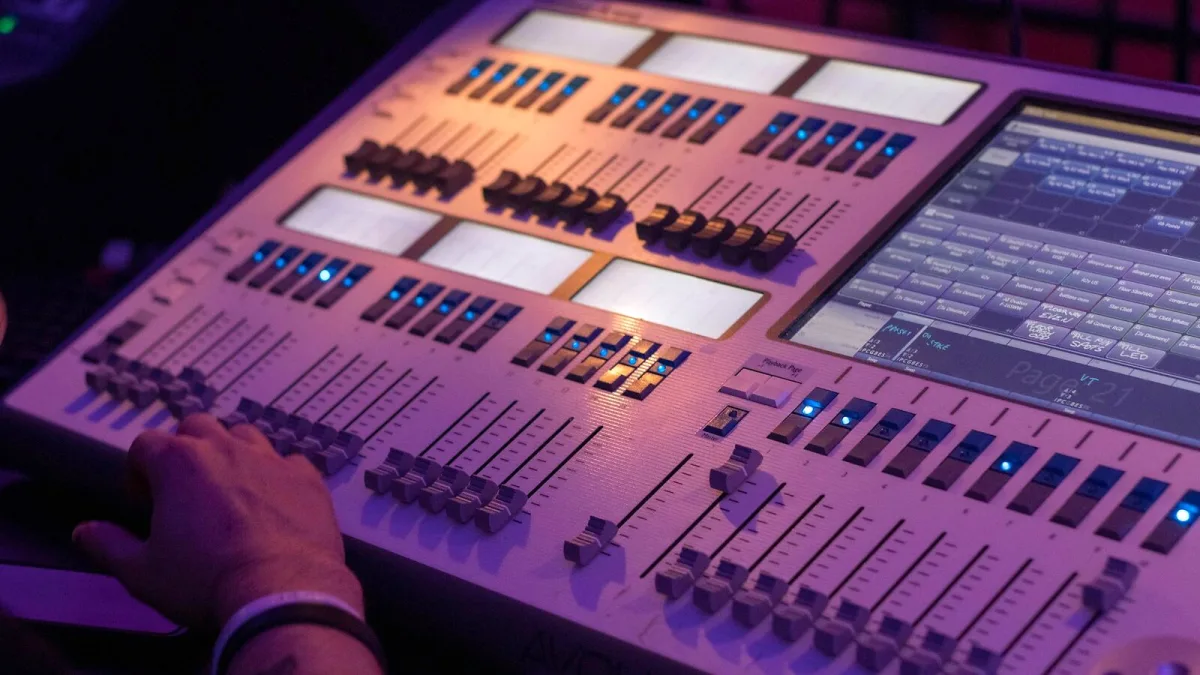
The Behringer X32 has been around the live sound world since 2012, and it's still one of the desks you'll find backstage at everything from village halls to touring rigs. If you've heard engineers throw around "channels", "buses" and "DCAs" like it's obvious, and you want the plain version of what this desk actually does, that's what this is for.
What the Behringer X32 Actually Is
Strip away the marketing and it's a 32-channel digital mixing console with 25 mix buses, running on 40-bit floating-point processing at 24-bit/44.1 or 48 kHz. It brought a genuinely large-console workflow — total scene recall, motorised faders, DCA groups, built-in effects and multitrack recording — down to a price a lot more venues and bands could actually stretch to.
What confuses people first is the gap between the socket count on the back and the number of "channels" the desk talks about. That's worth clearing up straight away.
Channels, Buses and Outputs — What's the Difference?
- Physical inputs are the actual sockets, or networked inputs, feeding signal into the desk.
- Input channels are the processing strips — EQ, gate, compressor, routing — that a signal passes through. The X32 platform has 40 of these, more than the number of local XLR sockets, because it can also pull in signal from a digital stage box or USB return.
- Mix buses are destinations: your main mix, your monitor sends, your effects sends, your matrices.
- Outputs are the physical sockets, or network sends, that actually carry a bus somewhere.
Once that separation clicks, a lot of what looks like a confusing spec sheet — "32 inputs but 40 channels," "16-bus" in one review and "25-bus" in another — makes sense. Different sources are simply counting different things: some count the 16 mix buses on their own, others fold in the six matrices and the main LCR bus too.
The X32 Family: Five Models, One Platform
"Behringer X32" doesn't mean a single box — it's a family sharing the same processing core in different physical shells.
| Model | What sets it apart | Typical use |
|---|---|---|
| X32 | Full-size surface, most hands-on physical control | Larger venues, touring, engineers who want a real console |
| X32 Compact | Smaller surface, same platform underneath | Portable rigs, production companies |
| X32 Producer | Compact, production-leaning layout | Small live rigs, rehearsal rooms, project studios |
| X32 Rack | Rackmount, minimal physical controls, tablet/app control | Installed systems, remote-controlled rigs |
| X32 Core | Rack processing engine only | Custom installs driven entirely by external control |
Exact I/O counts and control layouts differ between them, so it's worth checking current Behringer documentation for the specific model rather than assuming they're interchangeable on the back panel.
Effects, Scenes and Recall
Built in, you get eight stereo effects processors — enough for a vocal reverb, a drum reverb, a vocal delay and a couple of specialist effects, all without an outboard rack. The bigger advantage, though, is scene recall: you can save a full desk state and bring it back instantly, which is the feature that turns a fiddly analogue changeover between bands into a couple of button presses.
Alongside full scenes, the desk also supports more selective recall — changing only chosen parameters or channels — and channel/parameter "safes" that stop a scene recall from disturbing settings you don't want touched. Engineers moving up from an analogue desk tend to find this the single biggest workflow change.
DCA Groups — Not the Same as Subgroups
The Behringer X32 gives you eight DCA groups, and it's worth being precise about what these are. A DCA controls the level of assigned channels together — useful for grouping drums, backing vocals or guitars under one fader — but it isn't an independent audio bus the way a subgroup is. If you need to apply shared processing to a group of channels, rather than just move their levels together, a subgroup is the right tool, not a DCA.
Networking: AES50, Stage Boxes and the P16 System
One of the bigger practical advantages of this platform is AES50 digital networking, which lets it talk to compatible stage boxes like Behringer's S16 and S32 over a single network cable, rather than a heavy analogue multicore. That means the preamps can sit right at the stage, close to the microphones, cutting cable runs and simplifying a get-in considerably. The related P16 system extends the same network to personal in-ear monitor mixers, giving each performer their own mix from a single connection.
Recording and Virtual Soundcheck
With the right expansion card fitted, the X32 doubles as a multichannel computer audio interface — up to 32 channels — which opens the door to multitrack recording, virtual soundcheck and studio tracking through the same desk you mix live on. Virtual soundcheck in particular is a genuinely useful trick: record a full show, then play it back through the desk later so the engineer can build monitor and front-of-house mixes without the band even needing to be in the room.
Is the Behringer X32 Still Relevant?
Over a decade since launch, it remains a sensible choice for venues, churches, touring engineers and production companies who want proper scene recall, flexible routing and built-in effects without paying for a flagship console. If you're weighing up exactly which model in the family to buy, our Behringer X32 buyer's guide walks through the specs that actually matter, and our round-up of the best X32 for different budgets compares the family head-to-head.






Comments