


Allen and Heath Sq5 roundup
The Best Allen and Heath Sq5s for the Money
The SQ-5 is one product, but how you configure and equip it determines how well it performs. Here is what actually matters.
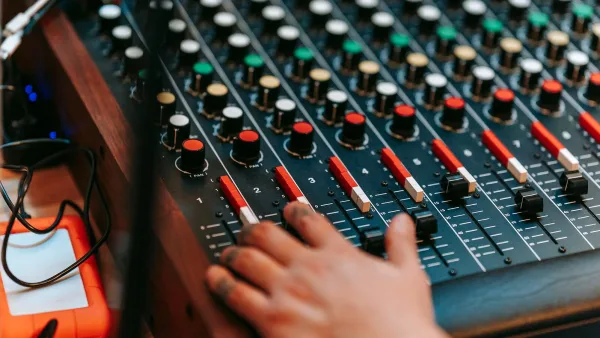
The Allen and Heath SQ5 is a single product in a fixed configuration — there is no better or worse version to buy. What varies is the ancillary equipment you pair it with, the firmware version you run, and how you configure it for your application. This guide covers what actually determines performance in practice: firmware, stageboxes, expansion cards and setup choices that affect how well the desk performs in a given role.
Keep Firmware Current
Allen & Heath releases regular firmware updates for the SQ range that add features, fix bugs and occasionally improve audio performance. Running outdated firmware means missing improvements that cost nothing. Updates are free, available from the Allen & Heath website, and install via USB drive in under five minutes. Check the current version in Menu → Setup → System and compare against the latest release. If you are running a version more than two cycles behind, update before assuming any operational limitation is hardware.
The Right Stagebox Makes a Practical Difference
The Allen and Heath SQ5 becomes most capable when paired with a well-matched stagebox. For venues and touring applications with up to 32 inputs, two DX168 stageboxes connected via SLink give you 32 inputs and 16 outputs on stage over standard Cat5e cable. For larger setups, DX32 or GX4816 stageboxes provide higher channel counts. Match stagebox capacity to your actual requirements rather than buying the largest option — a sensible channel count reduces patching complexity and troubleshooting time.
Cat5e or Cat6 cable quality matters more than most engineers expect. A poor cable over a long run causes intermittent digital audio errors that are difficult to diagnose. Use individually shielded Cat6 for runs over 50 metres and avoid running parallel to mains power where possible.
Scene Management for Recurring Applications
The SQ scene system stores the complete console state — channel names, gain settings, EQ, dynamics, routing, mix levels and FX parameters — in a single recall. For house of worship, corporate or theatrical applications where the same configuration recurs, investing time in a well-organised scene library pays dividends across hundreds of shows. Name scenes clearly, organise them by event type and test recall reliability before relying on it in performance. A scene that reliably recalls a complex mix in two button presses removes a class of operational errors entirely.
Monitor Mixing Capability
The Allen and Heath SQ5 handles monitor mixing with the same architecture as front-of-house — every bus gets full parametric EQ and dynamics. For in-ear monitor applications, the ME personal monitoring system connects directly and allows performers to mix their own feeds from a personal controller. This removes monitor mixing from the front-of-house engineer's workload and consistently produces better results for performers because they can adjust in real time. If your application involves five or more monitor mixes, the ME system pays for itself in workflow efficiency quickly.
What Actually Limits the SQ-5
The physical constraints are 25 faders (meaning layer management is required for large channel counts), 16 local XLR inputs (expansion required for larger input counts), and no built-in Dante (requires an option card). None of these is a deficiency for the majority of applications the desk is suited for. Engineers who find 32-fader access important use an SQ-6; those who need more than 48 channels look at the SQ-7. The SQ-5's constraints are well-matched to its target applications: mid-size venue, medium touring, corporate and worship. Within those applications, the desk is not limiting — the operator's configuration knowledge is typically the variable that matters most.
For setup guidance, see our beginner's guide. For buying decisions and comparisons, see our buyer's guide.





Comments