

4 Channel Mixer article
4 Channel Mixer Explained: Features, Types and Tips
A 4 channel mixer comes in several distinct forms — live-sound, DJ, USB recording and line mixer — with different controls, inputs and routing. Understanding the differences narrows the choice to the right format quickly.
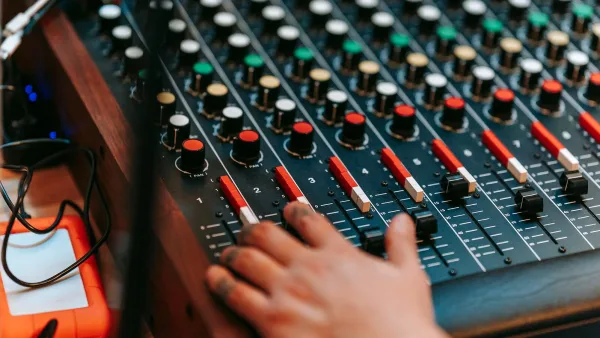
A 4 channel mixer combines up to four independent audio sources and routes them to a main stereo output, a headphone output, auxiliary sends or recording outputs. The defining practical question is not the number of channels but the type: a live-sound mixer, a DJ mixer, a USB recording interface and a line mixer may all have four channels while having almost nothing else in common.
What Four Channels Actually Means
Channel counts are not standardised across the industry. A four-channel live mixer typically provides four microphone inputs, each with its own gain control, EQ and fader. A four-channel DJ mixer provides four source paths for turntables, media players, samplers or software — each with a channel fader, three-band EQ and cue button. A four-channel line mixer combines four line-level signals without microphone preamps or phantom power. Reading the channel layout in the manual tells you more than the product name.
Key Controls on Every Channel
Regardless of format, most channels share a similar set of controls. The gain or trim knob sets the incoming signal level before EQ and fader. The EQ section shapes the frequency balance — bass, midrange and high frequencies. The pan or balance control positions the signal in the stereo field. The fader or level knob determines how much of the processed signal enters the overall mix. Understanding the order in which these controls operate — gain first, then EQ, then fader — prevents the most common signal-path mistakes.
Phantom Power and Condenser Microphones
If you use condenser microphones with your 4 channel mixer, confirm whether it provides 48 V phantom power. Most compact live mixers do, though on some models it is applied globally across all microphone channels rather than independently per channel. Dynamic microphones do not need phantom power, but always switch it off before connecting or disconnecting a ribbon microphone or any equipment that is not designed for it.
USB and Recording
A USB socket does not automatically mean the mixer records multitrack. Three separate capabilities are possible: stereo mix output to a computer, multitrack individual-channel recording, or playback from computer to the mixer without recording. The model's manual will specify the number of USB input and output channels and whether it is class-compliant or requires a driver. If multitrack recording is your goal, confirm the USB architecture before buying — not all four-channel mixers with USB support it.
Outputs and PA Connection
A small live-sound or DJ 4 channel mixer should have at least a balanced XLR stereo main output for connection to powered speakers or a front-of-house system. Many also include a headphone output for monitoring, an auxiliary send for a monitor mix or effects unit and a record output for capturing the mix to an external device. The presence of balanced outputs helps maintain signal quality over longer cable runs.
Powered Mixers
A powered mixer includes a built-in amplifier and drives passive speakers directly. It is appropriate for simple set-ups where an all-in-one solution is preferable. If you are using powered speakers — which are already amplified — you need a mixer with line-level outputs, not a powered mixer. Connecting a powered mixer's speaker output to an active speaker's line input is a common mistake that can damage equipment.




Comments