


Presonus roundup
Presonus: A Complete Buyer's Guide
Interfaces, mixers or monitors — here's exactly what to check before you buy any PreSonus gear, and where the Fender rebrand catches buyers out.

PreSonus covers a lot of ground — interfaces, mixers, monitors, control surfaces — and since Fender took the company over in 2021, some of that range has started wearing different badges. Rather than getting lost in the family tree, here's how to actually choose the right piece of PreSonus (or Fender-branded ex-PreSonus) gear for the job in front of you.
Start With the Job, Not the Brand
Before you look at a single spec sheet, be honest about what you're recording and where. A vocalist with a laptop needs something completely different from a five-piece band tracking live, and a mixing engineer needs neither — they need monitors they can trust. Work out the job first; the right category of PreSonus gear tends to follow naturally.
Choosing an Interface: AudioBox or Quantum
PreSonus splits its interfaces into two rough tiers. AudioBox is the accessible end — simple USB interfaces built for solo work. Quantum (including the newer Quantum ES range) sits above it, with more inputs, more preamps and lower monitoring latency for busier sessions.
Whichever tier you're looking at, check these before you buy:
- Number of microphone preamps — one is fine for a single vocalist or podcaster; a drummer or small ensemble needs several.
- Combo XLR/TRS inputs so you can plug in either a microphone or a line-level or instrument source on the same socket.
- Phantom power, which you'll need if you're running a condenser microphone.
- Direct monitoring — hearing your input through the interface itself with almost no delay, rather than routing it through the DAW first.
- Connection type — USB or USB-C, and whether your computer actually has the matching port without an adaptor.
- Bundled software and its current licence terms, which is worth reading carefully given the ongoing Fender Studio Pro transition (more on that below).
A useful rule of thumb: don't buy for the sample rate on the box. A 192kHz-capable interface with two shaky preamps is a worse buy than a steady 96kHz interface with clean gain and a reliable driver. Preamp quality, driver stability and monitoring latency affect your day-to-day work far more than a headline number.
Choosing a StudioLive Mixer
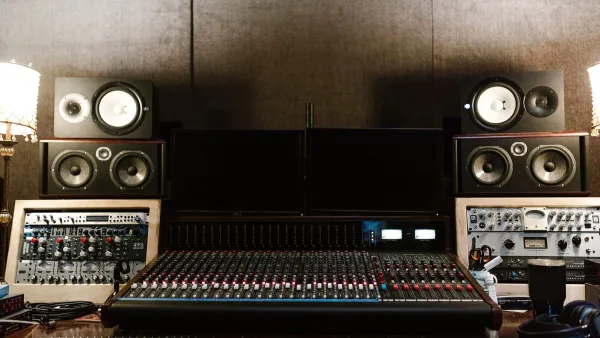
If you're buying for live sound rather than a fixed studio, PreSonus's StudioLive digital mixers are the relevant category. Before choosing a model, work out:
- How many inputs you actually need, including a sensible margin for the next gig up.
- How many separate monitor mixes your band or venue requires.
- Whether you need multitrack recording built in, or just a clean stereo mix.
- Whether you'll want remote control from a tablet during soundcheck.
- Whether the mixer needs to double as your studio interface at home.
A digital mixer gives you scene recall and processing an analogue desk can't match, but it also asks more of you upfront. Label every channel, build a sensible gain structure before doors, and save a working scene you can recall in seconds if something gets bumped mid-set.
Choosing Eris Monitors
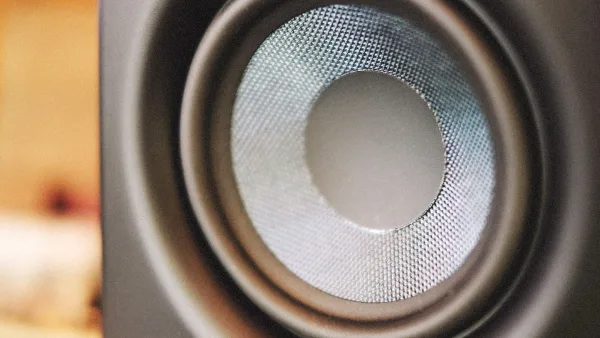
PreSonus's Eris range covers nearfield studio monitors, and here the buying decision is less about the spec sheet and more about your room. A monitor's advertised frequency response won't save you from a boxy, untreated corner. Before you buy, think about:
- Whether your desk and room can actually give you a symmetrical listening position.
- Stands or isolation pads to stop the desk itself colouring the sound.
- Budget left over for basic acoustic treatment, which usually matters more than the monitor upgrade itself.
Once they're in place, aim the tweeters at ear height, sit in a roughly equilateral triangle with the pair, and always check a mix on a second source — headphones or a phone speaker — before you trust it.
Software and Licensing: What's Actually Included
Some PreSonus hardware has shipped with a bundled copy of Studio One Pro, unlocked by registering the product. PreSonus's own support documentation lists several Quantum and AudioBox models as eligible for this. Since January 2026, however, that software has been rebranding to Fender Studio Pro as part of the wider Fender takeover, so before you buy on the strength of "free software included," check:
- Which software version is actually bundled right now, under which name.
- Whether the licence is perpetual or subscription-based.
- Whether it's tied to hardware registration through a specific account system.
- Whether the offer applies in your territory.
Treat any bundled plug-ins or amp modelling as a welcome bonus rather than the deciding factor — buy the hardware because the inputs, preamps and build suit your work, not because of what's thrown in.
New vs Used
Older PreSonus interfaces turn up secondhand fairly often, and they can be good value if the fundamentals still stack up. Check driver support for your current operating system before committing to anything old enough to predate USB-C, and confirm whether any bundled software offer has expired — a used unit rarely carries a live registration.
Bottom Line
Buying PreSonus sensibly means matching the category — interface, mixer or monitor — to the actual job, then working through the checklist above rather than the marketing copy. If you want the full lie of the land first, our PreSonus explainer covers what each product family does. If you're just starting out and want a simpler starting point than this guide, try our beginner's guide to PreSonus, or jump to the best PreSonus gear for the money if you'd rather see options grouped by budget.




Comments