


Yamaha Hs7 roundup
Yamaha Hs7: A Complete Buyer's Guide
The Yamaha HS7 is a strong choice for a home studio monitor, but there are a few things worth knowing before you buy — this guide covers all of them.
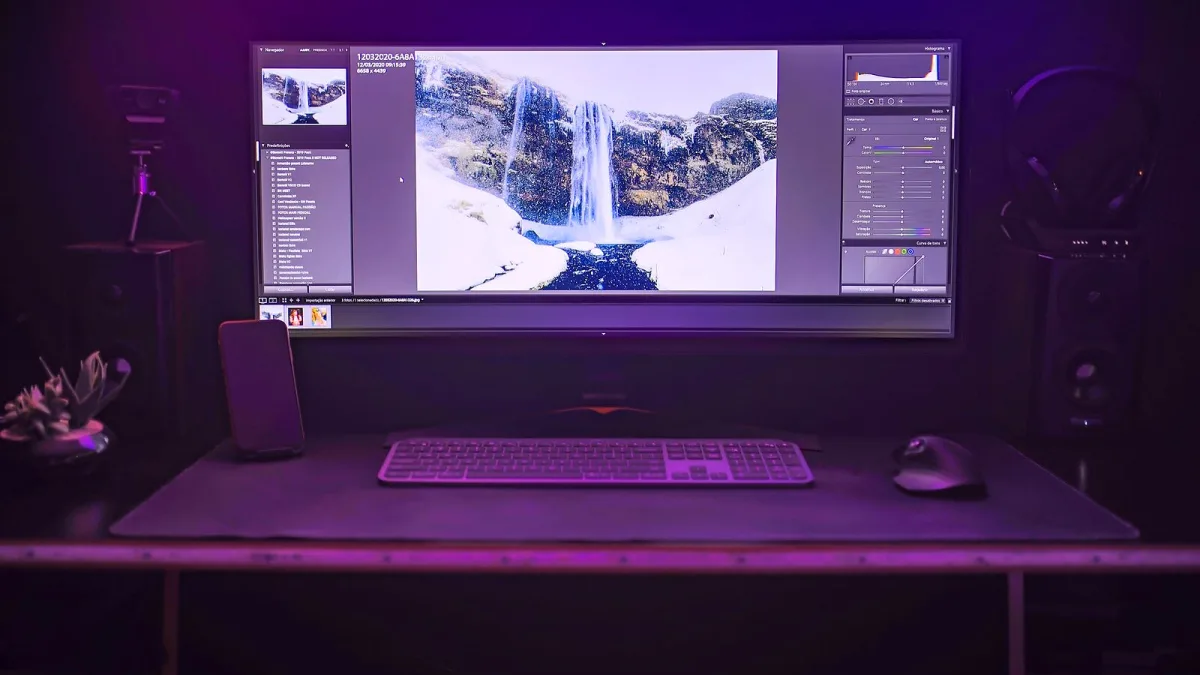
You've done your research, you know the Yamaha HS7 is on your shortlist — but before you hand over your card, it's worth slowing down and working through the practical questions. This buyer's guide covers the specs that actually matter, the gotchas nobody mentions, and how to tell whether the HS7 is genuinely the right monitor for your setup.
What You're Actually Buying
The Yamaha HS7 is a self-powered, two-way nearfield studio monitor. Each unit contains its own bi-amplifier — 60 W for the 6.5-inch low-frequency driver, 35 W for the 1-inch high-frequency tweeter — so you don't need an external power amp. That's good news for the budget: the signal chain from your audio interface to your ears is short and clean.
One unit equals one speaker. Studio monitors are sold individually unless a retailer specifically bundles them. For stereo mixing you need two, which doubles the outlay — worth factoring in when comparing against cheaper options.
Room Size: The Most Important Spec Nobody Prints on the Box
The HS7's published frequency response is 43 Hz–30 kHz at −10 dB (a looser measurement) and 55 Hz–24 kHz at −3 dB (a tighter, more honest figure). What neither figure tells you is how the monitor will behave in your room.
The 6.5-inch woofer gives the monitor more reach into the low end than the HS5, but less deep-bass extension than the HS8. In a small, untreated room, that's often exactly right: an 8-inch driver can excite room modes so strongly that the bass becomes a liability rather than an asset. The HS7 tends to stay better controlled. If your mixing space is roughly 10–20 square metres, the HS7 is typically a sensible match. Smaller than that, consider the HS5. Bigger, or bass-critical, consider the HS8 or pairing an HS7 with Yamaha's HS8S subwoofer.
Specifications That Matter When Buying
- Driver size (6.5-inch woofer): determines low-end extension and maximum output. The HS7 sits between the HS5 and HS8 in the Yamaha range.
- Amplification (95 W total): enough for typical nearfield distances in a domestic or small studio room. Not a concert rig — keep monitoring levels sensible.
- Rear bass reflex port: requires wall clearance. If your desk is hard against a wall, factor in the placement issues (see below) before buying.
- Inputs (XLR and ¼-inch TRS): compatible with virtually every audio interface on the market. Balanced connections preferred.
- Room Control and High Trim: rear-panel adjustments that let you compensate for placement and room character. Useful — but not a substitute for decent acoustic treatment.
The Rear Port Problem
This is the detail that trips up a lot of buyers: the bass reflex port is on the back of the cabinet. That makes perfect sense acoustically, but it means you can't shove the monitor tight against a wall or build it into a shelf. The port needs airflow to work properly; restrict it and you'll get bloated, inaccurate bass.
If your intended placement is on a desk that's already against a wall, either leave 15–20 cm of clearance behind each monitor or seriously consider whether the HS7 fits your setup at all. Some buyers find the HS5, with similar controls and a smaller footprint, easier to accommodate.
What to Check Before You Buy
Your audio interface
The HS7 is a line-level monitor — you'll need an audio interface with dedicated monitor outputs (most modern interfaces provide this). Check that your interface's output impedance and level are compatible. The HS7 accepts both balanced (XLR or TRS) and unbalanced connections, but balanced is strongly preferred for noise rejection.
Cables
Budget for proper balanced XLR or TRS cables. Cheap, unbalanced cables will pick up electrical interference and hum, which undermines the monitor's accuracy. This isn't optional.
Stands or isolation pads
Placing monitors directly on a wooden desk invites resonance and can smear the low-mid image. Isolation pads decouple the monitor from the desk surface. Monitor stands are even better if you're serious about accurate placement geometry.
Acoustic treatment
No studio monitor — at any price — compensates for a bad room. A bare, parallel-walled room full of hard surfaces will make any monitor sound mediocre. Even modest acoustic treatment (bass traps in corners, absorption behind the listening position) transforms what you can hear from the HS7.
Single vs Pair: What the Retailer Listing Actually Means
Because this catches people out: most studio monitor listings are for a single unit. If you're building a stereo monitoring setup — which is standard for mixing — you need two. Some retailers offer pair pricing, which is worth finding. Confirm the listing before you buy.
Do You Need the HS8S Subwoofer?
Probably not to start with. The HS7 reaches usably into the low end for most mixing work, and adding a subwoofer to an untreated room often makes things worse, not better. If you're working heavily in bass-heavy genres — deep house, dub, hip-hop, film sound — a well-calibrated subwoofer eventually becomes worth it. But nail your room and placement first.
HS7 vs the Competition: What to Compare
At similar price points, common alternatives include the Adam Audio T7V, the KRK Rokit 7 G4 and the JBL 306P MkII. Each has a different character — the Adam leans brighter, the KRK warmer — but the comparison that matters most is how each sounds in your room, not in a review. If you can audition them, do. If not, the Yamaha's more established reputation for revealing midrange honesty is a reasonable tiebreaker for mixing work.
The Verdict on Value
This monitor earns its reputation as an honest, practical nearfield speaker. It won't flatter your mixes or hide problems — which is exactly the point. The 6.5-inch driver, 95 W bi-amplification, balanced inputs and room-compensation controls make for a well-rounded spec for the price. The rear-port placement constraint is real, and acoustic treatment is not optional, but for a properly set-up home or project studio it remains a compelling choice.
Want to understand the technical side in more depth? Read our complete overview of the Yamaha HS7. Or if you're new to studio monitors entirely, start with our beginner's guide to the HS7.






Comments