


Wireless Guitar System article
Common Wireless Guitar System Mistakes to Avoid
Most wireless dropouts aren't the unit's fault. Here's what actually goes wrong on stage, and the simple fixes behind each one.
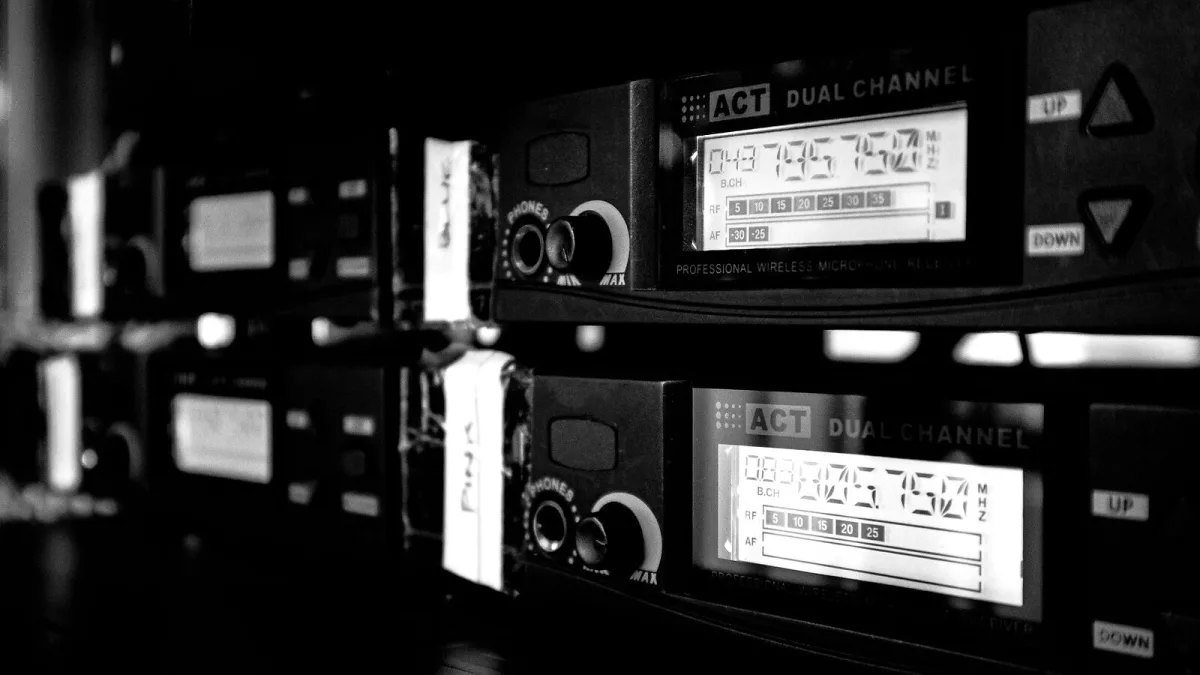
Most of the problems people blame on a wireless guitar system aren't the unit's fault at all — they're set-up errors, and nearly all of them are avoidable once you know what to look for. Here's what actually goes wrong in practice, and the electronics behind why.
Mistake One: Trusting the Advertised Range
Manufacturers test range in clear line of sight, usually in an open space with no obstructions. Your rehearsal room has walls, your gig has a crowd of bodies (which absorb RF surprisingly well), and your venue may have concrete, scaffolding or a lighting rig full of metal. Treat the number on the box as a laboratory best case, not a promise, and always walk the actual room before you trust it on the night.
Mistake Two: Hiding the Receiver Behind the Amp
This one's pure physics. Metal amp chassis and speaker cabinets block and reflect radio signals, and putting your receiver directly behind one is one of the most common ways to introduce dropouts that seem to appear from nowhere. The receiver needs a reasonably clear line of sight to wherever you'll be standing — on top of the amp or on a nearby stand works far better than tucked in behind it.
Mistake Three: Ignoring Battery Reality Versus Battery Marketing
An advertised runtime of, say, twelve hours is measured under ideal conditions. Cold rooms, an ageing battery, or a unit that's been left partly discharged for months will all shorten that in practice. The fix isn't complicated: charge before every gig regardless of how much charge you think is left, and carry a genuine backup — either a second charged transmitter or, at minimum, a normal instrument cable.
Mistake Four: Assuming All Digital Systems Behave the Same
"Digital" is not a single technology with guaranteed behaviour — it describes a category that spans budget 2.4GHz units and professional UHF rigs with entirely different RF engineering underneath. A cheap digital transmitter sharing spectrum with every phone and router in the building can still drop out, even though it says "digital" on the box. Read reviews of the specific model, not just the marketing category it sits in.
Mistake Five: Skipping a Soundcheck With the Actual Rig
A wireless guitar system that worked perfectly in your spare room can behave differently once it's sharing a stage with several other wireless mics, in-ears and a lighting desk throwing off its own interference. Whenever possible, test with the full rig running — same pedals, same lighting, same other bands' gear if you can — rather than assuming a good result at home guarantees one on stage.
Mistake Six: Not Checking Frequency Clashes on a Multi-Band Bill
If several acts on the same bill are all running wireless gear independently, two units can end up fighting over the same slice of spectrum without anyone realising until the sound cuts out. On any multi-band night, it's worth a quick conversation with the sound engineer, or the other bands, about what everyone's running.
| Mistake | Why it happens | Quick fix |
|---|---|---|
| Trusting advertised range | Figures are measured line-of-sight, with no obstructions | Walk the actual venue before the show |
| Receiver hidden behind the amp | Metal cabinets block and reflect RF signals | Give the receiver a clear line of sight |
| Ignoring real battery life | Runtime figures assume ideal conditions | Charge before every gig, carry a backup |
| Assuming all digital is equal | Budget and professional RF engineering differ hugely | Check reviews of the specific model |
| Skipping a full soundcheck | Other stage RF sources change behaviour | Test with the whole rig live |
| Frequency clashes on multi-band bills | Independent units can share the same spectrum | Coordinate with the sound engineer beforehand |
Getting the Basics Right First
Several of these mistakes disappear entirely if you set a wireless guitar system up properly in the first place — our beginner's guide walks through a correct first setup, and the full explainer covers the frequency-band and latency detail behind why some of these problems happen at all.
The Bottom Line
None of this is exotic troubleshooting — it's mostly common sense once you know the physics involved. Give the receiver a clear signal path, treat manufacturer figures as best-case, charge properly, and test with the real rig before you rely on it. Do that and a wireless guitar system is about as reliable as a good cable.






Comments